1
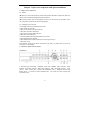
1.3 Quick installation 1.3.1 HDD installation (1)Open the cover of DVR, fix the HDD into the bracket;. (2) Connect the HDD data and power cable to the HDD; (3)Tighten the screws to fix the HDD in the case; (4)Lock the HDD case. Note: Do not plug HDD when the DVR is on the power state. 1.3.2 Connection to the camera and monitor Connect the signal of camera with a BNC cable to the DVR video input, connect the signal of DVR video output with a BNC cable to the monitor (Please refer to the back panel figure). Connect the RS485A (+) and the B (‐) respectively to corresponding DVR interface with wires, if camera is the PTZ which can be controlled. 6