1
BioFace Series Installation Guide
w
w
w
.B
io
T
ra
ck
So
ftw
ar
e.
co
m
Content
1 System Configuration........................................................................1
1.1. Notice about installing..............................................................1
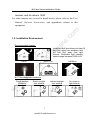
1.2. Installation Environment ..........................................................3
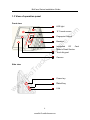
1.3 View of operation panel.............................................................4
2 The illustration of system construction ...........................................6
2.1 The illustration of system construction......................................6
2.2 The sketch map of communication ............................................7
3 Installation...........................................................................................8
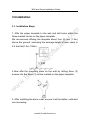
3.1. Installation Steps.......................................................................8
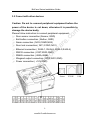
3.2 Conect with other devices..........................................................9
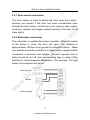
3.2.1 Door sensor connection ........................................... 11
3.2.2 Exit-button connection.............................................. 11
3.2.3 Time Ring connection ...............................................12
3.2.4 Door lock connection ................................................13
3.2.5 Ethernet connection..................................................17
3.2.6 RS232 connection.....................................................18
3.2.7 RS485 connection.....................................................19
3.2.8 Wiegand Output Connection ...................................20
3.2.9 Power Connection.....................................................21
3.3 Fix the device...........................................................................22
4 Check after Installation ...................................................................23
5. Others...............................................................................................24
5.1 Reset ........................................................................................24
5.2 Anti-dismantle button ..............................................................25
5.3 U flash disk using ....................................................................25
5.4 Reserve Battery........................................................................26
I
www.BioTrackSoftware.com