1
VLSR Implementation Guide v2.1b
April 2008
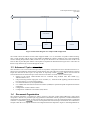
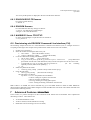
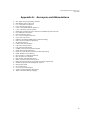
Dell PowerConnect 6024/6024F
Extreme Summit 1i/5i
Intel Express 530T
Raptor ER1010
Cisco Catalyst3750
Cisco Catalyst6550
HP 5406
SMC10G8708
Force10 E300/E600
Linux Software Switch
EoS Subnet
:
:
:
:
:
:
:
:
:
:
:
RFC2674
RFC2674
IntelES530
RaptorER1010
Catalyst3750
Catalyst6550
HP5406
SMC 10G 8708
Force10E600
LinuxSwitch
N/A
:
:
:
:
:
:
:
:
:
:
:
SNMP
SNMP
SNMP
SNMP
SNMP
SNMP
SNMP
SNMP
CLI (SSH/TELNET)
Shell/SSH/TELNET
TL1
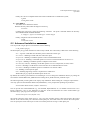
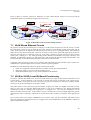
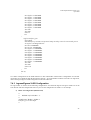
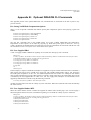
The nomenclature is { Switch Name : Vendor/Model ID : Control Method }. The Vendor/Model ID is to be used to
configure the VLSR such that appropriate code module can be loaded to some vendor/model specific switch
behaviors.
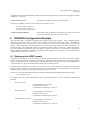
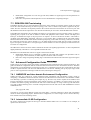
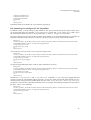
To use the CLI (TELNET or SSH) control method, a user account should be created on the switch. This account
should have sufficient privilege to execute commands such as creation of VLAN and moving ports to/from VLAN.
Note that even if CLI is used as the control method for a switch, SNMP is still needed to ‘read’ the switch
information.
5 DRAGON VLSR Software Installation Guide
The VLSR software can be downloaded from:
http://dragon.east.isi.edu
The package can be unpacked by typing the following commands:
#tar –zxf dragon-sw-snapshot.xxxx.tar.gz
(see web site for latest "xxxx" values)
5.1
Basic Installation
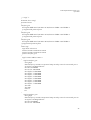
Now enter the working directory where the DRAGON package has been unpacked or checked out. The following
commands will install the DRAGON software:
# ./do_build.sh to configure and build the package
# sudo sh do_install.sh to install the DRAGON Software
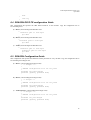
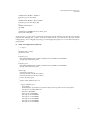
By default the software gets installed at /usr/local/dragon. If you wish to use the normal step-by-step installation
method, the following takes care of installing the DRAGON Software including KOM-RSVP (DRAGON RSVPTE) and GNU ZEBRA (including DRAGON OSPF-TE and dragon daemon).
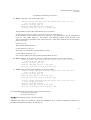
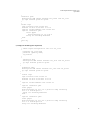
a) KOM-RSVP:
Enter the kom-rsvp directory,
#cd kom-rsvp
The kom-rsvp code is then configured. (Just hit return when prompted for input.)
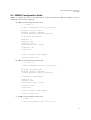
#. /configure –-with-snmp=/usr/local
This command configures kom-rsvp with snmp provided net-snmp header files are installed at /usr/local
else it is important to specify the correct pathname. After configuration is done, the directory is cleaned and
the file dependencies are rebuilt:
# gmake clean
# gmake depend
10