1
2012 SOS Install and Setup Basics Guide
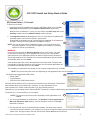
Installing Switched-On Schoolhouse®
SOS is easy to install because:
• There are only three major steps to getting started; installation, registration, and setup
• Most of the components install themselves!
Before you begin, there are a few things you should do to ensure that the program will run at its best:
1. Your computer operating system needs to be either Microsoft XP Service Pack 3 (or higher), any version of Microsoft Windows
Vista Service Pack 1, or Windows 7.
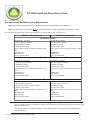
2. Check to make sure your computer meets the recommended minimum system requirements. Your computer must meet or
exceed the minimum requirements to receive technical support. (See the requirements table on the previous page.
Note: A check is performed during SOS installation to verify that all requirements are met. If they are not, a
list of checked items is displayed alerting you to the items that do not meet specification for effective
operation of SOS.
Before You Install
If you are installing SOS for the first time on your computer, continue with the Types of Installs section immediately below.
If you already have a version of SOS installed on your computer, please go to Upgrading to SOS 2012 Home Edition beginning on
page 15 of this guide BEFORE continuing.
SOS installs the database server, database, application, and tutorials in separate steps, so it may seem as if you are repeating the
same steps. In a way you are, but each step is installing a different piece of the total package.
XP USERS: If you have or had Internet Explorer version 6 (IE 6) loaded on a computer where you plan to install SOS, please go to
www.update.microsoft.com to upgrade IE.
Types of Installs
SOS Home Edition offers two different installs; a full install and a client install. If this is the first time you are installing SOS 2012,
you must do a full install on the main computer before you can do a client install.
•
Full Install – SOS Teacher, SOS Student and the database all reside on the same computer. Teacher uses the same computer
as the student to grade and monitor. A Full Install takes on average around 25-30 minutes.
•
Client Install – This type of install requires a home network. It allows you to do a Full Install (SOS Student, SOS Teacher and
the database reside on one computer, which is part of a home network and can then be linked to other computers with SOS
loaded. For SOS to function properly, the client computer requires a constant connection to the main computer with the full
install. A Client Install takes around 10 minutes.
If you choose this type of install, you MUST first perform a Full Install on the main computer, then do the Client Install on any
additional computers on the home network. (Client Install, see page 12.)
Note: If you currently have an earlier version of SOS installed on your computer, see the Upgrade section
(starting on page 15) of this guide before proceeding.
SOS 2010 Home Ediition Install and Setup Basics Guide• 7