1
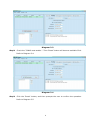
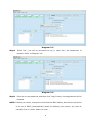
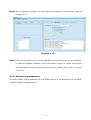
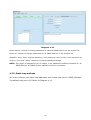
Diagram 412 Select Device: Choose to change password for selected SNMP device on the window list Select all: Choose to change passwords for all SNMP devices on the window list Operation step: Enter original password, new password, and reenter new password to confirm. Then click “Apply” button to complete password change. NOTE: The length of password is 8~15 digits, if the password modifies operation for all SNMP devices, all SNMP devices password must be consistent. 4.2.5. Static trap address You may configure two static trap addresses and change trap port in SNMP Manager. The default trap port is 162.Refer to Diagram 413. 15