1
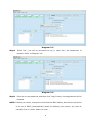
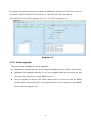
4. SNMP Manager Function Menu 4.1. System 4.1.1. Login When remote login to access SNMP devices, it’s necessary to verify ID. The default password is “12345678”. Step1: Select System >> Login Step2: Enter default password and then click “Login” button. Or click “Cancel” to cancel login. Refer to Diagram 41. Diagram 41 4.1.2. Logout Clear all currently saved passwords. 4.1.3. Quit Select “Quick” to exit SNMP Manager. 7