1
The Utwente policy and security measures
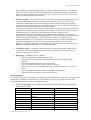
With the rogue access point in place, I let the client system automatically connect to it.
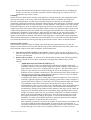
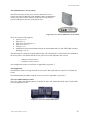
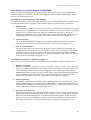
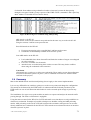
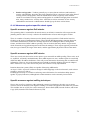
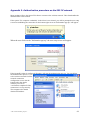
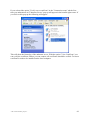
The connection will look as normal as can be seen in Figure 45.
Windows connects
automatically to the strongest
available signal. In this test, the
victim didn’t receive any
warnings or other indications
that the connection was
configured in another way as
usual. However clicking the
“more information” button
might conceal our attack to an
attentive user.
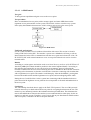
Figure 45: Linksys settings
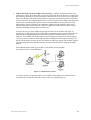
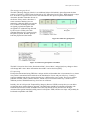
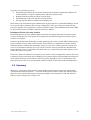
All the settings look exactly
the same as normal, except
for the IP-address (assigned
by DHCP Turbo on the
hacker’s machine. The IPaddress here is
192.168.190.57 while all
Utwente IP addresses are in
the 130.89 range. This
difference is caused by the
fact that I was using a
windows 2k system as a
router.
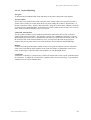
Figure 46: Detailed settings for the Linksys card
For the time of the connection I could capture and analyze the network traffic passing through.
To give the user an IP-address in the 130.89 range I have two options. I can assign an IP-address
in the 130.89 range which I expect to be unused to the user myself, or I can use a bridge instead
of a router and try to get an IP-address from the Utwente DHCP server. (Note that my access
point needs an IP in this range too using this setup. In this case I would have to spoof the MACaddresses of these devices.)
According to the ITBE staff, the newest version of the secure W2 clients prevents Windows
from setting up new connections unnoticed.
Conclusion
The installation of a rogue access point enables an attacker to capture and analyze the network
traffic passing through. The chance of detection is negligible.
- The wireless hacker project -
69