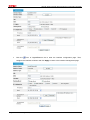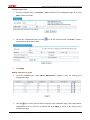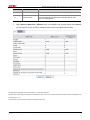
1
H3C SecPath Series Firewalls
Configuration Examples
Hangzhou H3C Technologies Co., Ltd.
http://www.h3c.com
Manual Version: 6W100-20100715
Copyright © 2010, Hangzhou H3C Technologies Co., Ltd. and its licensors
All Rights Reserved
No part of this manual may be reproduced or transmitted in any form or by any means without prior
written consent of Hangzhou H3C Technologies Co., Ltd.
Trademarks
H3C,
, Aolynk,
, H3Care,
, TOP G,
, IRF, NetPilot, Neocean, NeoVTL,
SecPro, SecPoint, SecEngine, SecPath, Comware, Secware, Storware, NQA, VVG, V2G, VnG, PSPT,
XGbus, N-Bus, TiGem, InnoVision and HUASAN are trademarks of Hangzhou H3C Technologies Co.,
Ltd.
All other trademarks that may be mentioned in this manual are the property of their respective owners.
Notice
The information in this document is subject to change without notice. Every effort has been made in the
preparation of this document to ensure accuracy of the contents, but all statements, information, and
recommendations in this document do not constitute the warranty of any kind, express or implied.
Technical Support
[email protected]
http://www.h3c.com
About This Manual
Organization
H3C SecPath Series Firewalls Configuration Examples is organized as follows:
z
SecPath Series Firewalls Configuration Maintenance Example
z
SecPath Series Firewalls ARP Attack Protection Configuration Example
z
SecPath Series Firewalls IPsec Configuration Examples
z
SecPath Series Firewalls DHCP Configuration Examples
z
SecPath Series Firewalls NAT Configuration Examples
z
SecPath Series Firewalls Layer 2 and Layer 3 Forwarding Configuration Examples
z
SecPath Series Firewalls Attack Protection Configuration Example
z
SecPath Series Firewalls Interzone Policy Configuration Example
z
SecPath Series Firewalls Link Aggregation Configuration Examples
z
SecPath Series Firewalls Log Management and SecCenter Configuration Example
z
SecPath Series Firewalls Virtual Firewall Configuration Examples
z
SecPath Series Firewalls Connection Limit Configuration Examples
z
SecPath Series Firewalls Virtual Device and Security Zone Configuration Examples
Conventions
The manual uses the following conventions:
Command conventions
Convention
Description
Boldface
The keywords of a command line are in Boldface.
italic
Command arguments are in italic.
[]
Items (keywords or arguments) in square brackets [ ] are optional.
{ x | y | ... }
Alternative items are grouped in braces and separated by vertical bars. One is
selected.
[ x | y | ... ]
Optional alternative items are grouped in square brackets and separated by
vertical bars. One or none is selected.
{ x | y | ... } *
Alternative items are grouped in braces and separated by vertical bars. A
minimum of one or a maximum of all can be selected.
[ x | y | ... ] *
Optional alternative items are grouped in square brackets and separated by
vertical bars. Many or none can be selected.
&<1-n>
The argument(s) before the ampersand (&) sign can be entered 1 to n times.
#
A line starting with the # sign is comments.
GUI conventions
Convention
Boldface
Description
Window names, button names, field names, and menu items are in Boldface.
For example, the New User window appears; click OK.
Convention
Description
Multi-level menus are separated by angle brackets. For example, File > Create
> Folder.
>
Symbols
Convention
Description
Means reader be extremely careful. Improper operation may cause bodily
injury.
Means reader be careful. Improper operation may cause data loss or damage to
equipment.
Means a complementary description.
Related Documentation
In addition to this manual, each SecPath series firewalls documentation set includes the following:
Manual
Description
H3C SecPath F1000-E Firewall Installation Manual
Describes the H3C SecPath firewall products
F1000-E and F1000-S-EI overview, software and
hardware maintenance, troubleshooting, installation,
installation preparations, interface cards and modules.
H3C SecPath F5000-A5 Firewall Installation Manual
Describes the H3C firewall F5000-A5 overview,
software and hardware maintenance, troubleshooting,
installation, installation preparations, interface cards
and modules.
H3C SecPath Series Security Products User Manual
(R3201)
H3C SecPath Series High-End Firewalls User Manual
(F3166)
Describes features, working principles, and
configuration guides of the H3C SecPath series
security products; guides you to perform
configurations for the H3C SecPath firewalls on the
web interface; describes how to configure some
auxiliary functions of the H3C SecPath firewalls on the
command line interface.
Obtaining Documentation
You can access the most up-to-date H3C product documentation on the World Wide Web at this URL:
http://www.h3c.com.
The following are the columns from which you can obtain different categories of product documentation:
[Products & Solutions]: Provides information about products and technologies.
[Technical Support & Document > Technical Documents]: Provides several categories of product
documentation, such as installation and configuration.
[Technical Support & Document > Software Download]: Provides the documentation released with the
software version.
Documentation Feedback
You can e-mail your comments about product documentation to [email protected].
We appreciate your comments.
SecPath Series Firewalls Configuration Maintenance Example
SecPath Series Firewalls Configuration
Maintenance Example
Keywords: Configuration maintenance, backup
Abstract: The configuration maintenance module is used to save the configuration (with/without encryption),
back up the configuration, restore the configuration, and restore the configuration to the factory
defaults. You can easily implement configuration maintenance and management on the Web
interface.
Hangzhou H3C Technologies Co., Ltd.
www.h3c.com
1/11
SecPath Series Firewalls Configuration Maintenance Example
Table of Contents
Feature Overview············································································································································· 3
Application Scenarios ····································································································································· 3
Configuration Guidelines································································································································ 3
Configuration Maintenance Example ············································································································ 3
Network Requirements······························································································································· 3
Configuration Considerations····················································································································· 4
Software Version Used ······························································································································ 4
Configuration Procedures ·························································································································· 4
Basic Configuration ···························································································································· 4
Configuration Maintenance ················································································································ 6
Verification········································································································································ 10
Hangzhou H3C Technologies Co., Ltd.
www.h3c.com
2/11
SecPath Series Firewalls Configuration Maintenance Example
Feature Overview
The configuration maintenance page has four tabs: Save, Backup, Restore, and Initialize.
Saving the configuration encrypts the saved file at the same time. The saved file is displayed in cipher
text.
You can also back up and restore the configuration information on the configuration maintenance
page. Besides, you can upgrade the system software and restart the system through the web
interface.
Application Scenarios
Configuration maintenance is used for routine device maintenance. When the configuration is
changed, you can save the configuration in case of configuration loss due to power interruption. You
can also back up the configuration for future configuration restoration. To clear the configuration that
you have made, you can restore the device to the factory defaults.
Configuration Guidelines
z
When upgrading the software, select a time range with small traffic to avoid affecting users.
z
To save the current configuration, enter the save command on the command line interface, or log
in to the web interface, select Device Management > Maintenance from the navigation tree,
click the Save tab, and click Apply. The current configuration is saved to two configuration files:
startup.cfg and system.xml.
z
When performing configuration file backup or restoration, back up and restore the two files,
startup.cfg and system.xml, together.
Configuration Maintenance Example
Network Requirements
This configuration example is applicable to SecPath F5000-A5, SecPath F1000E, and SecPath UTM
200-A/200-M/200-S firewalls. A UTM200-S firewall is used in this configuration example for illustration.
Hangzhou H3C Technologies Co., Ltd.
www.h3c.com
3/11
SecPath Series Firewalls Configuration Maintenance Example
Figure 1 Network diagram for configuration maintenance
By default, the management port of Device is GigabitEthernet 0/0 and the IP address of the port is
192.168.0.1/24. You can assign an IP address that is in the same network segment as
GigabitEthernet 0/0 to the network interface card (NIC) of your PC, connect the NIC to port
GigabitEthernet 0/0, and then enter http://192.168.0.1 in the address bar of the web browser to log in
to the web interface of Device to perform configurations.
Configuration Considerations
Interface GigabitEthernet 0/1 in the internal network is assigned with IP address 1.1.1.1/24, and
resides in the Trust zone.
Software Version Used
SecPath F1000E: V300R001B01 R3166 series and V300R001B01 F3166 series.
SecPath F5000-A5: V300R002B01 R3206 series
SecPath UTM 200-A/200-M/200-S: V500R001B01 R5116 series
Configuration Procedures
Basic Configuration
Assigning an IP address to an interface
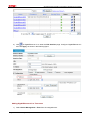
1)
Select Device Management > Interface from the navigation tree.
Hangzhou H3C Technologies Co., Ltd.
www.h3c.com
4/11
SecPath Series Firewalls Configuration Maintenance Example
2)
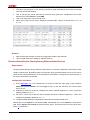
Click
of GigabitEthernet 0/1 to enter the Edit Interface page. Configure GigabitEthernet 0/1
and click Apply, as shown in the following figure.
Adding GigabitEthernet 0/1 to Trust zone
1)
Select Device Management > Zone from the navigation tree.
Hangzhou H3C Technologies Co., Ltd.
www.h3c.com
5/11
SecPath Series Firewalls Configuration Maintenance Example
2)
Click
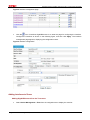
of Trust to enter the Modify Zone page. Add interface GigabitEthernet 0/1 to the Trust
zone, and click Apply to return to the Zone page.
Configuration Maintenance
Saving the current configuration
1)
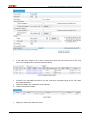
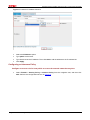
Select Device Management > Maintenance from the navigation tree, click the Save tab, and
click Apply to save the current configuration. The page displays a prompt that the system is
saving the configuration.
Hangzhou H3C Technologies Co., Ltd.
www.h3c.com
6/11
SecPath Series Firewalls Configuration Maintenance Example
2)
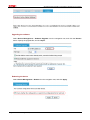
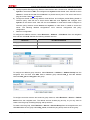
To encrypt the saved configuration file, select Encrypt the configuration file before clicking
Apply.
Backing up the current configuration
1)
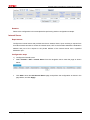
Select Device Management > Maintenance from the navigation tree, click the Backup tab, and
then click the Backup button, as shown in the following figure.
2)
Specify the path and file for storing the configuration on the popup dialog box, and click Save.
Restoring the configuration
1)
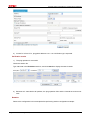
Select Device Management > Maintenance from the navigation tree, click the Restore tab, and
click the Browse button to specify the configuration file.
Hangzhou H3C Technologies Co., Ltd.
www.h3c.com
7/11
SecPath Series Firewalls Configuration Maintenance Example
2)
Click Apply to import the configuration file.
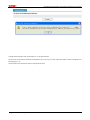
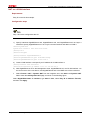
The page will display the following prompt after finishing the import. The restored configuration file
takes effect at next startup.
Restoring to the factory defaults
Select Device Management > Maintenance from the navigation tree, click the Initialize tab, and
then click the Restore Factory-Default Settings button to restore the factory default settings and
reboot the device.
Hangzhou H3C Technologies Co., Ltd.
www.h3c.com
8/11
SecPath Series Firewalls Configuration Maintenance Example
Upgrading the software
Select Device Management > Software Upgrade from the navigation tree, and click the Browse
button. Specify the upgrade file, and click Open.
Rebooting the device
Select Device Management > Reboot from the navigation tree, and click Apply.
Hangzhou H3C Technologies Co., Ltd.
www.h3c.com
9/11
SecPath Series Firewalls Configuration Maintenance Example
Verification
Verifying configuration saving
z
When the current configuration is saved, the configuration information is not lost when you reboot
the device.
z
If the saved configuration file is encrypted, the configuration information in the file is displayed in
cipher text.
Verifying configuration backup
You can back up the saved configuration file to a PC or other storage media.
Verifying configuration restoration
z
After the configuration file is imported, the Web page displays success of import.
z
After the device is rebooted, the configuration information and the imported configuration file are
consistent.
Verifying configuration restoration to the factory defaults
The system can automatically reboot, delete the current configuration information, and restore to the
factory defaults.
Verifying software upgrade
z
The system displays upgrading during the software upgrade.
z
If you select Reboot after the upgrade is finished, the system will reboot after the upgrade
finishes.
z
If you do not select Reboot after the upgrade is finished, you need to manually reboot the
device.
Verifying device reboot
z
After clicking Apply, the device automatically reboots.
z
If you select Check whether the configuration is saved to the configuration file for next
boot, and click Apply, the system gives prompt in the case that the configuration is not saved,
and the system does not reboot automatically.
Hangzhou H3C Technologies Co., Ltd.
www.h3c.com
10/11
SecPath Series Firewalls Configuration Maintenance Example
Copyright © 2010 Hangzhou H3C Technologies Co., Ltd. All rights reserved.
No part of this manual may be reproduced or transmitted in any form or by any means without prior written consent of Hangzhou H3C
Technologies Co., Ltd.
The information in this document is subject to change without notice.
Hangzhou H3C Technologies Co., Ltd.
www.h3c.com
11/11
SecPath Series Firewalls ARP Attack Protection Configuration Example
SecPath Series Firewalls ARP Attack
Protection Configuration Example
Keywords: ARP
Abstract: ARP provides no security mechanism and thus is prone to network attacks. The device provides
multiple features to detect and prevent ARP attacks. This document describes a configuration
example using these features.
Acronyms:
Acronym
ARP
Hangzhou H3C Technologies Co., Ltd.
Full spelling
Address Resolution Protocol
www.h3c.com
1/13
SecPath Series Firewalls ARP Attack Protection Configuration Example
Table of Contents
Feature Overview············································································································································· 3
Application Scenarios ····································································································································· 3
Configuration Guidelines································································································································ 3
ARP Attack Protection Configuration Example···························································································· 3
Network Requirements······························································································································· 3
Configuration Considerations····················································································································· 4
Software Version Used ······························································································································ 4
Configuration Procedures ·························································································································· 4
Specifying Interface Addresses·········································································································· 4
Adding Interfaces to Zones ················································································································ 6
Configuring Gratuitous ARP ··············································································································· 8
Configuring ARP Automatic Scanning································································································ 9
Configuring Fixed ARP ····················································································································· 10
Verification········································································································································ 11
References ····················································································································································· 13
Protocols and Standards·························································································································· 13
Related Documentation ··························································································································· 13
Hangzhou H3C Technologies Co., Ltd.
www.h3c.com
2/13
SecPath Series Firewalls ARP Attack Protection Configuration Example
Feature Overview
Although ARP is easy to implement, it provides no security mechanism and thus is prone to network
attacks. Currently, ARP attacks and viruses are threatening LAN security. The device provides
multiple features to detect and prevent such attacks.
Application Scenarios
ARP attack protection is applicable to campus and enterprise networks.
Configuration Guidelines
z
Sending of gratuitous ARP packets takes effect on an interface only when the link of the interface
goes up and an IP address has been assigned to the interface.
z
If you change the interval for sending gratuitous ARP packets, the configuration is effective at the
next sending interval.
z
Do not enable gratuitous ARP on an interface configured with a VRRP group.
z
You are recommended not to perform other operations during an ARP automatic scan.
z
Fixed ARP changes dynamic ARP entries into static only when these entries are learnt on a
Layer 3 Ethernet interface, Layer 3 Ethernet subinterface, or VLAN interface.
ARP Attack Protection Configuration Example
Network Requirements
The U200-S is used in this configuration example. This example is applicable to SecPath F5000-A5,
SecPath F1000E, and SecPath UTM 200-A/200-M/200-S firewalls.
Figure 1 Network diagram for ARP attack protection configuration example
Hangzhou H3C Technologies Co., Ltd.
www.h3c.com
3/13
SecPath Series Firewalls ARP Attack Protection Configuration Example
Configuration Considerations
z
Specify interface addresses.
z
Add interfaces to security zones.
z
Configure gratuitous ARP.
z
Configure ARP automatic scanning.
z
Configure fixed ARP.
Software Version Used
SecPath F1000E: V300R001B01 R3166 series and V300R001B01 F3166 series
SecPath F5000-A5: V300R002B01 R3206 series
SecPath UTM 200-A/200-M/200-S firewalls: V500R001B01 R5116 series
Configuration Procedures
Specifying Interface Addresses
Specify the IP address of GigabitEthernet 0/0
z
Select Device Management > Interface from the navigation tree.
Figure 2 Interfaces
z
Click the
icon of GigabitEthernet 0/0 to enter the Edit Interface page. Configure the interface
as shown in Figure 3, and then click Apply to return to the Interface page.
Hangzhou H3C Technologies Co., Ltd.
www.h3c.com
4/13
SecPath Series Firewalls ARP Attack Protection Configuration Example
Figure 3 Edit interface GigabitEthernet 0/0
Specify the IP address of GigabitEthernet 0/2
1)
Select Device Management > Interface from the navigation tree.
Figure 4 Interfaces
Click the
icon of GigabitEthernet 0/2 to enter the Edit Interface page. Configure the interface as
shown in Figure 5, and then click Apply to return to the Interface page.
Hangzhou H3C Technologies Co., Ltd.
www.h3c.com
5/13
SecPath Series Firewalls ARP Attack Protection Configuration Example
Figure 5 Edit interface GigabitEthernet 0/2
Adding Interfaces to Zones
Add GigabitEthernet 0/0 to the Trust zone
z
Select Device Management > Zone from the navigation tree.
Figure 6 Security zones
z
Click the
icon of the Trust zone to enter the Modify Zone page. Add GigabitEthernet 0/0 to
the Trust zone as shown in Figure 7, and then click Apply to return to the Zone page.
Hangzhou H3C Technologies Co., Ltd.
www.h3c.com
6/13
SecPath Series Firewalls ARP Attack Protection Configuration Example
Figure 7 Add GigabitEthernet 0/0 to the Trust zone
Add GigabitEthernet 0/2 to the Untrust zone
1)
Select Device Management > Zone from the navigation tree.
Figure 8 Security zones
2)
Click the
icon of the Untrust zone to enter the Modify Zone page. Add GigabitEthernet 0/2 to
the Untrust zone as shown in Figure 9, and then click Apply to return to the Zone page.
Hangzhou H3C Technologies Co., Ltd.
www.h3c.com
7/13
SecPath Series Firewalls ARP Attack Protection Configuration Example
Figure 9 Add GigabitEthernet 0/2 to the Untrust zone
Configuring Gratuitous ARP
Introduction to gratuitous ARP
In a gratuitous ARP packet, the sender IP address and the target IP address are both the IP address
of the device issuing the packet, the sender MAC address is the MAC address of the device, and the
target MAC address is the broadcast address ff:ff:ff:ff:ff:ff.
A device implements the following functions by sending gratuitous ARP packets:
z
Determining whether its IP address is already used by another device.
z
Informing other devices about the change of its MAC address so that they can update their ARP
entries.
A device receiving a gratuitous ARP packet adds the information carried in the packet to its own
dynamic ARP table if it finds no corresponding ARP entry exists in the cache.
Configuring sending of gratuitous ARP packets
z
Select Firewall > ARP Anti-Attack > Send Gratuitous ARP from the navigation tree.
Select GigabitEthernet 0/0, leave the default sending interval unchanged or type a specific value, click
<<, and then click Apply. After that, all devices on the internal network will record an ARP entry for
the internal interface GigabitEthernet 0/0.
Hangzhou H3C Technologies Co., Ltd.
www.h3c.com
8/13
SecPath Series Firewalls ARP Attack Protection Configuration Example
Figure 10 Configure sending of gratuitous ARP packets
Configuring ARP Automatic Scanning
Introduction to ARP automatic scanning
With ARP automatic scanning enabled on an interface, the device scans neighbors on the interface,
requests their MAC addresses, and creates dynamic ARP entries.
Configuring ARP automatic scanning
z
Select Firewall > ARP Anti-Attack > Scan from the navigation tree.
Select GigabitEthernet 0/0 and type the start IP address and the end IP address, as shown in the
figure below. If no start IP address and end IP address are specified, the system scans the network
segment according to the mask of the interface address.
Hangzhou H3C Technologies Co., Ltd.
www.h3c.com
9/13
SecPath Series Firewalls ARP Attack Protection Configuration Example
Figure 11 Configure ARP scanning
Configuring Fixed ARP
Introduction to Fixed ARP
Fixed ARP allows the device to change dynamic ARP entries (including those generated automatically)
into static ARP entries, thus effectively preventing attackers from modifying ARP entries.
Configuring Fixed ARP
z
Select Firewall > ARP Anti-Attack > Fix from the navigation tree. All dynamic and static ARP
entries learnt by the firewall device are displayed, including those obtained by ARP automatic
scanning.
Figure 12 ARP entries
z
Select one or multiple dynamic ARP entries you want to change into static, and click Fix.
z
Select one or multiple static ARP entries you want to remove, and click Del Fixed.
z
To change all dynamic ARP entries into static, click Fix All.
z
To delete all static ARP entries, click Del All Fixed.
Hangzhou H3C Technologies Co., Ltd.
www.h3c.com
10/13
SecPath Series Firewalls ARP Attack Protection Configuration Example
Figure 13 Configure fixed ARP
Verification
Verify gratuitous ARP
z
Capture packets on the internal network 192.168.1.0/24. A gratuitous ARP packet sent from
GigabitEthernet 0/0 is captured every two seconds.
Figure 14 Capture gratuitous ARP packets
Verfiy automatic ARP scanning
z
After an automatic ARP scan is complete, all ARP entries of the internal network are displayed in
the ARP table. Select Firewall > ARP Anti-Attack > Fix from the navigation tree to view all ARP
entries. For example, you can view the ARP entries for network segment 192.168.1.0/24 as
shown in the figure below:
Hangzhou H3C Technologies Co., Ltd.
www.h3c.com
11/13
SecPath Series Firewalls ARP Attack Protection Configuration Example
Figure 15 ARP entries
Verify fixed ARP
z
On the Firewall > ARP Anti-Attack > Fix page, select the ARP entries containing 192.168.1.2,
192.168.1.11, and 192.168.1.78, and click Fix. When a dynamic ARP entry is changed into static,
it is displayed on the beginning of the ARP table.
Figure 16 Verify fixed ARP
Verfiy deletion of fixed ARP entries
z
On the Firewall > ARP Anti-Attack > Fix page, select the static ARP entries containing
192.168.1.2, 192.168.1.11, and 192.168.1.78, and click Del Fixed. A message box is displayed
as shown in the figure below. Click OK. After that, the static ARP entries are removed. The
entries are displayed when they are learnt again or an ARP scan is carried out on corresponding
interfaces.
Hangzhou H3C Technologies Co., Ltd.
www.h3c.com
12/13
SecPath Series Firewalls ARP Attack Protection Configuration Example
Figure 17 Verify deletion of fixed ARP entries
References
Protocols and Standards
z
RFC 826: An Ethernet Address Resolution Protocol
Related Documentation
ARP Attack Protection Configuration in the Web configuration documentation set
Copyright © 2010 Hangzhou H3C Technologies Co., Ltd. All rights reserved.
No part of this manual may be reproduced or transmitted in any form or by any means without prior written consent of Hangzhou H3C
Technologies Co., Ltd.
The information in this document is subject to change without notice.
Hangzhou H3C Technologies Co., Ltd.
www.h3c.com
13/13
SecPath Series Firewalls IPsec Configuration Examples
SecPath Series Firewalls IPsec Configuration
Examples
Keywords: IKE, IPsec
Abstract: This document describes basic concepts of IKE and IPsec, and provides configuration examples
for SecPath series firewalls.
Acronyms:
Acronym
Full spelling
IKE
Internet Key Exchange
IPsec
IP Security
Hangzhou H3C Technologies Co., Ltd.
www.h3c.com
1/39
SecPath Series Firewalls IPsec Configuration Examples
Table of Contents
IPsec Configuration········································································································································· 3
IPsec Overview ·········································································································································· 3
Implementation of IPsec ····················································································································· 3
Basic Concepts of IPsec····················································································································· 4
Application Scenarios ····································································································································· 5
Configuring IPsec ············································································································································ 5
Configuring ACLs ······························································································································· 7
Configuring IKE ·········································································································································· 7
Configuring Global IKE Parameters ··································································································· 7
Configuring an IKE Proposal ·············································································································· 8
Configuring an IKE Peer··················································································································· 10
Configuring an IPsec Proposal ················································································································ 13
Configuring an IPsec Policy Template ····································································································· 15
Configuring an IPsec Policy ····················································································································· 17
Applying an IPsec Policy Group··············································································································· 19
IPsec Configuration Example 1: Basic Application ··················································································· 20
Network Requirements····························································································································· 20
Software Version Used ···························································································································· 21
Configuration Procedures ························································································································ 21
Verification ··············································································································································· 30
Viewing IPsec SAs ··························································································································· 30
Viewing Packet Statistics·················································································································· 30
IPsec Configuration Example 2: Working with NAT ·················································································· 30
Network Requirements····························································································································· 30
Configuration Considerations··················································································································· 31
Configuration Procedures ························································································································ 31
Verification ··············································································································································· 38
Viewing IPSec SAs··························································································································· 38
Viewing Packet Statistics·················································································································· 38
Configuration Guidelines······························································································································ 39
References ····················································································································································· 39
Protocols and Standards·························································································································· 39
Related Documentation ··························································································································· 39
Hangzhou H3C Technologies Co., Ltd.
www.h3c.com
2/39
SecPath Series Firewalls IPsec Configuration Examples
IPsec Configuration
IPsec Overview
IP Security (IPsec) refers to a series of protocols defined by the Internet Engineering Task Force
(IETF) to provide high quality, interoperable, and cryptology-based security for IP packets. By means
of facilities including encryption and data origin authentication, it delivers these security services at
the IP layer:
z
Confidentiality: The sender encrypts packets before transmitting them over the Internet.
z
Data integrity: The receiver verifies the packets received from the sender to ensure they are not
tampered during transmission.
z
Data origin authentication: The receiver authenticates the legality of the sender.
z
Anti-replay: The receiver examines packets and rejects outdated or repeated packets.
IPsec delivers these benefits:
z
Reduced key negotiation overheads and streamlined IPsec maintenance by supporting the
Internet Key Exchange (IKE) protocol, which provides automatic key negotiation and automatic
IPsec security association (SA) setup and maintenance.
z
Good compatibility. IPsec can be applied to all IP-based application systems and services
without any modification to them.
z
Encryption on a per-packet rather than per-flow basis. This allows for flexibility and greatly
enhances IP security.
Implementation of IPsec
IPsec consists of a series of protocols for IP data security, including Authentication Header (AH),
Encapsulating Security Payload (ESP), IKE, and algorithms for authentication and encryption. AH and
ESP provides security services and IKE performs key exchange. For how IKE works, refer to IKE
Configuration.
IPsec provides two security mechanisms: authentication and encryption. The authentication
mechanism allows the receiver of an IP packet to authenticate the sender and check if the packet has
been tampered. The encryption mechanism ensures data confidentiality and protects data from being
eavesdropped en route.
IPsec is available with two security protocols:
z
AH (protocol 51): Provides data origin authentication, data integrity, and anti-replay services. For
these purposes, an AH header is added to each IP packet. AH is suitable for transmitting noncritical data, because it cannot prevent eavesdropping even though it works fine in preventing
data tampering. AH supports authentication algorithms such as Message Digest (MD5) and
Secure Hash Algorithm (SHA-1).
z
ESP (protocol 50): Provides data encryption in addition to origin authentication, data integrity,
and anti-replay services. ESP works by inserting an ESP header and an ESP tail in IP packets.
Unlike AH, ESP encrypts data before it is encapsulated in the IP header to ensure data
confidentiality. ESP supports the encryption algorithms including Data Encryption Standard
(DES), 3DES, and Advanced Encryption Standard (AES), and authentication algorithms such as
MD5 and SHA-1 algorithms.
Hangzhou H3C Technologies Co., Ltd.
www.h3c.com
3/39
SecPath Series Firewalls IPsec Configuration Examples
Both AH and ESP provide authentication services. However, the authentication service provided by
AH is stronger than that provided by ESP. In practice, you can choose either or both security
protocols as required. When both AH and ESP are used, an IP packet is encapsulated first by ESP
and then by AH.
Basic Concepts of IPsec
Security association
IPsec enables secure communication between two ends, which are called IPsec peers.
Security associations (SAs) are fundamental to IPsec. An SA is a set of elements including the
protocols (AH, ESP or both), encapsulation mode (transport mode or tunnel mode), encryption
algorithm (DES, 3DES, or AES), shared key used for flow protection, and key lifetime. An SA can be
created with IKE.
Encapsulation modes
IPsec can work in the following two modes:
z
Tunnel mode: The whole IP packet is used to calculate the AH/ESP header, which will be
encapsulated into a new IP packet together with the ESP-encrypted data. Generally, tunnel mode
is used for communication between two security gateways.
z
Transport mode: Only the transport layer data is used to calculate the AH/ESP header, which will
be put after the original IP header and before the ESP-encrypted data. Generally, transport mode
is used for communication between two hosts or a host and a security gateway.
Figure 1 illustrates how data are encapsulated by different security protocols in tunnel and transport
modes. Here, the term data refers to the transport layer data.
Figure 1 Encapsulation by security protocols in different modes
Authentication algorithms and encryption algorithms
1)
Authentication algorithms
Authentication algorithms are implemented through hash functions. A hash function takes a message
of arbitrary length and generates a message digest of fixed length. IPsec peers calculate the
message digests respectively. If the resulting digests are identical, the packet is considered intact and
not tampered.
Hangzhou H3C Technologies Co., Ltd.
www.h3c.com
4/39
SecPath Series Firewalls IPsec Configuration Examples
There are two types of IPsec authentication algorithms:
z
MD5: Takes a message of arbitrary length and generates a 128-bit message digest.
z
SHA-1: Takes a message less than the 64th power of 2 in bits and generates a 160-bit message
digest.
Slower than MD5, SHA-1 provides higher security.
2)
Encryption algorithms
Most encryption algorithms depend on symmetric key systems, which decrypt data by using the same
keys for encryption. Currently, three encryption algorithms are available for IPsec on the device:
z
DES: Data encryption standard, encrypts a 64-bit block of plain text with a 56-bit key.
z
3DES: Triple DES, encrypts a plain text with three 56-bit DES keys, which total up to 168 bits.
z
AES: Advanced encryption standard, encrypts a plain text with a 128-bit, 192-bit, or 256-bit key.
AES, 3DES, and DES are in descending order in terms of security. Higher security means more
complex implementation and lower speed. DES is enough to meet general requirements.
Application Scenarios
IPsec is a VPN technology that delivers the security services of confidentiality, data integrity, and
origin authentication at the IP layer. IPsec can use IKE to update keys periodically, enhancing system
security. IPsec is widely used for transmitting sensitive data in VPN networks.
Configuring IPsec
At present, the device supports IPsec tunnel setup with IPsec polices. In this approach, ACLs are
used in IPsec policies to identify data flows to be protected. The use of ACLs adds flexibility to IPsec
policies. IPsec policies can take effect only after they are applied to physical interfaces.
The following is the generic IPsec policy configuration procedure:
1)
2)
Configure ACLs for identifying data flows to be protected.
Configure IPsec proposals to specify the security protocols, authentication and encryption
algorithms, and encapsulation mode.
3)
Configure IPsec policies to associate data flows with IPsec proposals and specify the SA
negotiation mode, peer IP addresses (namely the start and end points of the IPsec tunnel),
required keys, and SA lifetime.
4)
Apply the IPsec policies to interfaces to finish IPsec tunnel configuration.
Perform the tasks in Table 1 to configure IPsec.
Hangzhou H3C Technologies Co., Ltd.
www.h3c.com
5/39
SecPath Series Firewalls IPsec Configuration Examples
Table 1 IPsec configuration task list
Task
Remarks
Required
Configuring ACLs
One important function of ACLs is identifying traffic based on
matching criteria. They are widely used in scenarios where
traffic identification is desired such as QoS and IPsec.
This document covers only referencing ACLs in IPsec. To
create ACLs, select Firewall > ACL from the navigation tree.
Required
Configuring IKE
IKE provides automatic key negotiation and SA establishment
services for IPsec, simplifying the application, management,
configuration and maintenance of IPsec dramatically.
Required
Configuring an IPsec Proposal
An IPsec proposal defines a set of security parameters for
IPsec SA negotiation, including the security protocol,
encryption/authentication algorithms, and encapsulation mode.
Changes to an IPsec proposal affect only SAs negotiated after
the changes.
Required when an IPsec policy needs to reference an IPsec
policy template group.
Configuring an IPsec Policy
Template
An IPsec policy template group is a collection of IPsec policy
templates with the same name but different sequence numbers.
In an IPsec policy template group, an IPsec policy template
with a smaller sequence number has a higher priority.
Required
Configure an IPsec policy by specifying the parameters directly
or by referencing a created IPsec policy template. The Web
interface supports only IKE-dependent IPsec policies.
Configuring an IPsec Policy
An IPsec policy group is a collection of IPsec policies with the
same name but different sequence numbers. In an IPsec policy
group, an IPsec policy with a smaller sequence number has a
higher priority.
An IKE-dependent IPsec policy created by referencing a
template cannot be used to initiate SA negotiation, but it can be
used to respond to a negotiation request. The parameters
specified in the IPsec policy template must match those of the
remote end, while the parameters not defined in the template
are determined by the initiator.
Required
Applying an IPsec Policy Group
Hangzhou H3C Technologies Co., Ltd.
Apply an IPsec policy group to an interface (logical or physical)
to protect certain data flows.
www.h3c.com
6/39
SecPath Series Firewalls IPsec Configuration Examples
Task
Remarks
Optional
Viewing IPsec SAs
View brief information about established IPsec SAs to verify
your configuration.
Optional
Viewing Packet Statistics
View packet statistics to verify your configuration.
Configuring ACLs
IPsec uses ACLs to identify data flows. Each ACL rule contains a deny or permit keyword and is
regarded as a deny or permit statement. A rule with the permit keyword identifies a data flow to be
protected by IPsec, while a rule with the deny keyword identifies a data flow that does not need to be
protected by IPsec.
To configure ACLs, select Firewall > ACL to enter the ACL configuration page, and perform the
following configurations:
1)
Create an ACL.
2)
Configure rules for the ACL.
Ensure that all permit statements applied in the inbound direction are for IPsec protected traffic flows
only. This is to avoid normal incoming packets from being dropped because of permit statement hits.
Configuring IKE
An SA can be created with IKE. This section describes how to configure IKE.
Configuring Global IKE Parameters
Select VPN > IKE > Global from the navigation tree to enter IKE global configuration page, as shown
in Figure 2.
Figure 2 IKE global configuration
Table 2 describes the configuration items for configuring global IKE parameters.
Hangzhou H3C Technologies Co., Ltd.
www.h3c.com
7/39
SecPath Series Firewalls IPsec Configuration Examples
Table 2 Global IKE configuration items
Item
Description
Type a name for the local security gateway.
IKE Local Name
If the local device needs to act as the IKE negotiation initiator and use the local
gateway name for IKE negotiation, you need to configure this argument on the
local device. Then, the local device sends its gateway name as identification to
its peer and the peer uses the locally configured remote gateway name to
authenticate the local device. Therefore, make sure that the local gateway
name configured here is identical to the remote gateway name configured on
its peer.
By default, the device name is used as the local gateway name.
Set the interval at which the ISAKMP SA sends NAT keepalive packets to its
peer.
NAT Keepalive
Interval
NAT mappings on a NAT gateway may get aged. If no packet traverses an
IPsec tunnel in a certain period of time, the NAT mapping will be deleted,
disabling the tunnel beyond the NAT gateway from transferring data. To
prevent NAT mappings from being aged, an ISAKMP SA sends to its peer NAT
keepalive packets at a certain interval to keep the NAT session alive.
Configuring an IKE Proposal
Select VPN > IKE > Proposal from the navigation tree to display existing IKE proposals, as shown in
Figure 3. Then, click Add to enter the IKE proposal configuration page, as shown in Figure 4.
Figure 3 IKE proposal list
Typically, IKE proposal configuration is omitted and the default IKE proposal named default is used.
Hangzhou H3C Technologies Co., Ltd.
www.h3c.com
8/39
SecPath Series Firewalls IPsec Configuration Examples
Figure 4 Add an IKE proposal
Table 3 describes the configuration items for creating an IKE proposal.
Table 3 IKE proposal configuration items
Item
Description
Type the IKE proposal number.
IKE Proposal
Number
The number also stands for the priority of the IKE proposal, with a smaller
value meaning a higher priority. During an IKE negotiation, the system
matches IKE proposals in order of proposal number, starting from the smallest
one.
Select the authentication method to be used by the IKE proposal.
Authentication
Method
z
Preshared Key: Uses the pre-shared key method.
z
RSA Signature: Uses the RSA digital signature method.
Select the authentication algorithm to be used by the IKE proposal.
Authentication
Algorithm
z
SHA1: Uses HMAC-SHA1.
z
MD5: Uses HMAC-MD5.
Select the encryption algorithm to be used by the IKE proposal.
Encryption
Algorithm
z
DES-CBC: Uses the DES algorithm in CBC mode and 56-bit keys for
encryption.
z
3DES-CBC: Uses the 3DES algorithm in CBC mode and 168-bit keys for
encryption.
z
AES-128: Uses the AES algorithm in CBC mode and 128-bit keys for
encryption.
z
AES-192: Uses the AES algorithm in CBC mode and 192-bit keys for
encryption.
z
AES-256: Uses the AES algorithm in CBC mode and 256-bit keys for
encryption.
Select the DH group to be used in key negotiation phase 1.
DH Group
z
Group1: Uses the 768-bit Diffie-Hellman group.
z
Group2: Uses the 1024-bit Diffie-Hellman group.
z
Group5: Uses the 1536-bit Diffie-Hellman group.
z
Group14: Uses the 2048-bit Diffie-Hellman group.
Hangzhou H3C Technologies Co., Ltd.
www.h3c.com
9/39
SecPath Series Firewalls IPsec Configuration Examples
Item
Description
Type the ISAKMP SA lifetime of the IKE proposal.
Before an SA expires, IKE negotiates a new SA. As soon as set up, the new
SA takes effect immediately and the old one is cleared automatically when it
expires.
SA Lifetime
If the SA lifetime expires, the system automatically updates the ISAKMP SA.
As DH calculation in IKE negotiation takes time, especially on low-end devices,
it is recommended to set the lifetime greater than 10 minutes to prevent the SA
update from influencing normal communication.
Configuring an IKE Peer
Select VPN > IKE > Peer from the navigation tree to display existing IKE peers, as shown in Figure 5.
Then, click Add to enter the IKE peer configuration page, as shown in Figure 6.
Figure 5 IKE peer list
Hangzhou H3C Technologies Co., Ltd.
www.h3c.com
10/39
SecPath Series Firewalls IPsec Configuration Examples
Figure 6 Add an IKE peer
Table 4 describes the configuration items for creating an IKE peer.
Table 4 IKE peer configuration items
Item
Peer Name
Description
Type a name for the IKE peer.
Select the IKE negotiation mode for phase 1, which can be Main or
Aggressive.
IKE Negotiation Mode
z
If one end of an IPsec tunnel is configured to obtain an IP address
dynamically, the IKE negotiation mode must be Aggressive. In this
case, SAs can be established as long as the username and password
are correct.
z
The specified negotiated mode is used when the local peer is the
negotiation initiator. When acting as the responder, the negotiation
mode of the initiator is used.
Select the local ID type for IKE negotiation phase 1.
z
IP Address: Uses an IP address as the ID in IKE negotiation.
z
Gateway Name: Uses a gateway name as the ID in IKE negotiation.
Local ID Type
In main mode, only the ID type of IP address can be used in IKE
negotiation and SA establishment.
Hangzhou H3C Technologies Co., Ltd.
www.h3c.com
11/39
SecPath Series Firewalls IPsec Configuration Examples
Item
Description
Type the IP address of the local security gateway.
By default, it is the primary IP address of the interface referencing the
security policy. Configure this item when you want to specify a special
address for the local security gateway.
Local IP Address
Normally, you do not need to specify the local IP address. You only need
to do so when you want to specify a special address, such as the
loopback interface address. For the local peer to act as the initiator, you
need to configure the remote security gateway name or IP address, so
that the local peer can find the remote peer during the negotiation.
Type the IP address or host name of the remote security gateway.
IP Address
z
You can specify an IP address or a range of IP addresses for the
remote gateway. If the local end is the initiator of IKE negotiation, it
can have only one remote IP address and its remote IP address must
match the local IP address configured on its peer. If the local end is
the responder of IKE negotiation, it can have more than one remote
IP address and one of its remote IP addresses must match the local
IP address configured on its peer.
z
The host name of the remote gateway is the only identifier of the
IPsec peer in the network. The host name can be resolved into an IP
address by the DNS server. If host name is used, the local end can
serve as the initiator of IKE negotiation.
Remote
Gateway
Hostname
Type the name of the remote security gateway.
Remote ID
Pre-Shared Key
PKI Domain
Enable DPD
If the local ID type configured for the IKE negotiation initiator is Gateway
Name, the initiator sends its gateway name (IKE Local Name) to the
responder for identification. The responder then uses the locally
configured remote gateway name (Remote ID) to authenticate the
initiator. Therefore, make sure that the remote gateway name configured
here is identical to the local gateway name (IKE Local Name) configured
on its peer.
Configure one of these two items according to the authentication method:
z
If the authentication method is pre-shared key, select Pre-Shared
Key and then type the pre-shared key in the following text box.
z
If the authentication method is RSA signature, select PKI Domain
and then select the PKI domain to which the certificate belongs in the
following drop-down box.
Select the IKE DPD to be applied to the IKE peer.
Hangzhou H3C Technologies Co., Ltd.
www.h3c.com
12/39
SecPath Series Firewalls IPsec Configuration Examples
Item
Description
Enable the NAT traversal function for IPsec/IKE.
The NAT traversal function must be enabled if a NAT security gateway
exists in an IPsec/IKE VPN tunnel.
In main mode, IKE does not support NAT traversal and therefore this
item is unavailable.
Enable the NAT
traversal function
To save IP addresses, ISPs often deploy NAT gateways on public
networks to allocate private IP addresses to users. In this case, one end
of an IPsec/IKE tunnel may have a public address while the other end
may have a private address, and therefore NAT traversal must be
configured at both the private network side and public network side to set
up the tunnel.
Configuring an IPsec Proposal
Select VPN > IPSec > Proposal from the navigation tree to display existing IPsec proposals.
The Web interface provides two modes for configuring an IPsec proposal, suite mode and custom
mode.
z
Suite mode: This mode allows you to select a pre-defined encryption suite. Figure 7 shows the
IPsec proposal configuration in suite mode.
Figure 7 IPsec proposal configuration in suite mode
Table 5 describes the configuration items in this mode.
Table 5 IPsec proposal configuration items in suite mode
Item
Proposal Name
Description
Type the name for the IPsec proposal.
Hangzhou H3C Technologies Co., Ltd.
www.h3c.com
13/39
SecPath Series Firewalls IPsec Configuration Examples
Item
Description
Select the encryption suite for the proposal. An encryption suite specifies the
IP packet encapsulation mode, security protocol, and authentication and
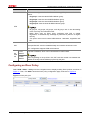
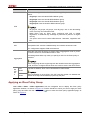
encryption algorithms to be used.
Following are the available encryption suites, of which Tunnel means that a
security protocol encapsulates IP packets in tunnel mode:
Encryption Suite
z
z
Tunnel-ESP-DES-MD5: Uses the ESP security protocol, the DES
encryption algorithm, and the MD5 authentication algorithm.
z
Tunnel-ESP-3DES-MD5: Uses the ESP security protocol, the 3DES
encryption algorithm, and the MD5 authentication algorithm.
z
Tunnel-AH-MD5-ESP-DES: Uses the ESP and AH security protocols
successively, making ESP use the DES encryption algorithm and perform
no authentication and making AH use the MD5 authentication algorithm
z
Tunnel-AH-MD5-ESP-3DES: Uses the ESP and AH security protocols
successively, making ESP use the 3DES encryption algorithm and perform
no authentication, and making AH use the MD5 authentication algorithm.
Custom mode: This mode allows you to configure IPsec proposal parameters discretionarily.
Figure 8 shows the IPsec proposal configuration in custom mode.
Figure 8 IPsec proposal configuration in custom mode
Table 6 describes the configuration items in this mode.
Table 6 IPsec proposal configuration items in custom mode
Item
Proposal Name
Description
Type the name for the IPsec proposal.
Select the IP packet encapsulation mode for the IPsec proposal.
Encapsulation
Mode
z
Tunnel: Uses the tunnel mode.
z
Transport: Uses the transport mode.
Select the security protocol for the proposal.
Security Protocol
z
AH: Uses the AH protocol.
z
ESP: Uses the ESP protocol.
z
AH-ESP: Uses ESP first and then AH.
Hangzhou H3C Technologies Co., Ltd.
www.h3c.com
14/39
SecPath Series Firewalls IPsec Configuration Examples
Item
AH
Authentication
Algorithm
Description
Select an authentication algorithm for AH when the security protocol is AH or
AH-ESP.
Available authentication algorithms include MD5 and SHA1.
Select an authentication algorithm for ESP when the security protocol is ESP
or AH-ESP.
ESP
Authentication
Algorithm
You can select MD5 or SHA1, or leave it null so the ESP performs no
authentication.
The ESP authentication algorithm and ESP encryption algorithm cannot be
both null.
Select an encryption algorithm for ESP when the security protocol is ESP or
AH-ESP.
ESP Encryption
Algorithm
z
DES: Uses the DES algorithm and 56-bit keys for encryption.
z
3DES: Uses the 3DES algorithm and 168-bit keys for encryption.
z
AES128: Uses the AES algorithm and 128-bit keys for encryption.
z
AES192: Uses the AES algorithm and 192-bit keys for encryption.
z
AES256: Uses the AES algorithm and 256-bit keys for encryption.
z
Leave it null so the ESP performs no encryption.
z
Higher security means more complex implementation and lower speed.
DES is enough to meet general requirements. Use 3DES when there are
very high confidentiality and security requirements.
z
The ESP authentication algorithm and ESP encryption algorithm cannot be
both null.
Configuring an IPsec Policy Template
Select VPN > IPSec > Policy-Template from the navigation tree to display existing IPsec policy
templates, as shown in Figure 9. Then, click Add to enter the IPsec policy template configuration
page, as shown in Figure 10.
Figure 9 IPsec policy template list
Hangzhou H3C Technologies Co., Ltd.
www.h3c.com
15/39
SecPath Series Firewalls IPsec Configuration Examples
Figure 10 IPsec policy template configuration page
Table 7 describes the configuration items for creating an IPsec policy template.
Table 7 Configuration items for an IPsec policy template
Item
Template Name
Description
Type the name for the IPsec policy template.
Type the sequence number for the IPsec policy template.
Sequence
Number
In an IPsec policy template group, an IPsec policy template with a smaller
sequence number has a higher priority.
Select the IKE peer for the IPsec policy template to reference.
IKE Peer
Available IKE peers are those configured by selecting VPN > IKE > Peer from
the navigation tree.
Select up to six IPsec proposals for the IPsec policy template to reference.
IPSec Proposal
The IKE negotiation process will search for and use the exactly matching IPsec
proposal. If no matching IPsec proposal is found, the expected SAs cannot be
established and the packets that need to be protected will be discarded.
Hangzhou H3C Technologies Co., Ltd.
www.h3c.com
16/39
SecPath Series Firewalls IPsec Configuration Examples
Item
Description
Enable and configure the Perfect Forward Secrecy (PFS) feature or disable the
feature.
z
dh-group1: Uses the 768-bit Diffie-Hellman group.
z
dh-group2: Uses the 1024-bit Diffie-Hellman group.
z
dh-group5: Uses the 1536-bit Diffie-Hellman group.
z
dh-group14: Uses the 2048-bit Diffie-Hellman group.
z
dh-group14, dh-group5, dh-group2, and dh-group1 are in the descending
order of security and calculation time.
z
When IPsec uses an IPsec policy configured with PFS to initiate
negotiation, an additional key exchange is performed in phase 2 for higher
security.
z
Two peers must use the same Diffie-Hellman. Otherwise, negotiation will
fail.
PFS
Select the ACL for the IPsec policy template to reference.
ACL
The specified ACL must be created already and contains at least one rule.
ACL configuration supports VPN multi-instance.
SA
Lifeti
me
Time
Based
Traffic
Based
Type the SA lifetime, which can be time-based or traffic-based.
When negotiating to set up IPsec SAs, IKE uses the smaller one between the
lifetime set locally and the lifetime proposed by the peer.
Configuring an IPsec Policy
Select VPN > IPSec > Policy from the navigation tree to display existing IPsec policies, as shown in
Figure 11. Then, click Add to enter the IPsec policy configuration page, as shown in Figure 12.
Figure 11 IPsec policy list
Hangzhou H3C Technologies Co., Ltd.
www.h3c.com
17/39
SecPath Series Firewalls IPsec Configuration Examples
Figure 12 IPsec policy configuration page
Table 8 describes the configuration items for creating an IPsec policy.
Table 8 IPsec policy configuration items
Item
Policy Name
Description
Type the name for the IPsec policy.
Type the sequence number for the IPsec policy.
Sequence
Number
In an IPsec policy group, an IPsec policy with a smaller sequence number has
a higher priority.
Select the IPsec policy template to be referenced.
Template
If you select an IPsec policy template, all subsequent configuration items are
unavailable but the aggregation setting.
Select the IKE peer for the IPsec policy to reference.
IKE Peer
Available IKE peers are those configured by selecting VPN > IKE > Peer from
the navigation tree.
Select up to six IPsec proposals for the IPsec policy to reference.
IPSec Proposal
The IKE negotiation process will search for and use the exactly matched IPsec
proposal. If no IPsec proposal is found exactly matched, the expected SAs
cannot be established and the packets that need to be protected will be
discarded.
Hangzhou H3C Technologies Co., Ltd.
www.h3c.com
18/39
SecPath Series Firewalls IPsec Configuration Examples
Item
Description
Enable and configure the Perfect Forward Secrecy (PFS) feature or disable the
feature.
z
dh-group1: Uses the 768-bit Diffie-Hellman group.
z
dh-group2: Uses the 1024-bit Diffie-Hellman group.
z
dh-group5: Uses the 1536-bit Diffie-Hellman group.
z
dh-group14: Uses the 2048-bit Diffie-Hellman group.
z
dh-group14, dh-group5, dh-group2, and dh-group1 are in the descending
order of security and calculation time.
z
When IPsec uses an IPsec policy configured with PFS to initiate
negotiation, an additional key exchange is performed in phase 2 for higher
security.
z
Two peers must use the same Diffie-Hellman. Otherwise, negotiation will
fail.
PFS
Select the ACL for the IPsec policy to reference.
ACL
The specified ACL must be created already and contains at least one rule.
ACL configuration supports VPN multi-instance.
Select this check box to specify to protect traffic in aggregation mode. If you do
not select check box, the standard mode is used.
Aggregation
This setting takes effect only when you specify an ACL for the IPsec policy to
reference.
When configuring devices supporting both the standard mode and aggregation
mode, be sure to configure the two ends of a tunnel to work in the same mode.
SA
Life
tim
e
Time
Based
Type the SA lifetime, which can be time-based or traffic-based.
Traffic
Based
When negotiating to set up IPsec SAs, IKE uses the smaller one between the
lifetime set locally and the lifetime proposed by the peer.
Applying an IPsec Policy Group
Select VPN > IPSec > IPSec Application from the navigation tree to display the IPsec policy
application situation, as shown in Figure 13. Find the interface to which you want to apply an IPsec
policy group and then click the corresponding
shown in Figure 14.
Hangzhou H3C Technologies Co., Ltd.
icon to enter the IPsec policy application page, as
www.h3c.com
19/39
SecPath Series Firewalls IPsec Configuration Examples
Figure 13 IPsec policy application
Figure 14 IPsec policy application page
Table 9 describes the configuration items for applying an IPsec policy group.
Table 9 Configuration items for IPsec policy group application
Item
Description
Interface
Displays the interface to which you want to apply an IPsec policy group.
Policy
Select the IPsec policy group to be applied.
Only one IPsec policy group can be applied to an interface. To apply another IPsec policy group to
the interface, remove the original application and then apply the new one to the interface. An IPsec
policy group can be applied to more than one interface.
IPsec Configuration Example 1: Basic Application
Network Requirements
Hangzhou H3C Technologies Co., Ltd.
www.h3c.com
20/39
SecPath Series Firewalls IPsec Configuration Examples
This configuration example is applicable to SecPath F5000-A5, SecPath F1000E, and SecPath UTM
200-A/200-M/200-S firewalls. A UTM device is used in this configuration example for illustration.
z
As shown in Figure 15, an IPsec tunnel is established between Device A and Device B to protect
traffic between subnet 192.168.1.0/24 (where Host A resides) and subnet 172.16.0.0/24 (where
Host B resides).
z
The security protocol to be used is ESP, encryption algorithm is DES, and authentication
algorithm is MD5.
Figure 15 Network diagram for IPsec configuration
192.168.1.2
192.168.1.1
192.168.250.12
192.168.250.230
172.16.0.2
172.16.0.1
Network
GE0/3
Host A
GE0/0
GE0/0
GE0/3
Device B
Device A
Host B
Software Version Used
Secpath F1000E: V300R001B01 R3166 series and V300R001B01 F3166 series
Secpath F5000-A5: V300R002B01 R3206 series
SecPath UTM 200-A/200-M/200-S firewall: V500R001B01 R5116 series
Configuration Procedures
Configuring Device A
# Assign IP addresses to the interfaces and add them to their target zones. (Omitted)
# Define ACL 3101 to identify packets from subnet 192.168.1.0/24 to subnet 172.16.0.0/24.
z
Select Firewall > ACL from the navigation tree, and then click Add. Configure the ACL as shown
in Figure 16.
Figure 16 Create ACL 3101
Hangzhou H3C Technologies Co., Ltd.
www.h3c.com
21/39
SecPath Series Firewalls IPsec Configuration Examples
z
Type 3101 as the ACL number.
z
Select the match order of Config.
z
Click Apply.
z
From the ACL list, select ACL 3101 and click the corresponding
icon. Then, click Add to enter
the ACL rule configuration page. Create an ACL rule as shown in Figure 17.
Figure 17 Configure a rule to permit packets from 192.168.1.0/24 to 172.16.0.0/24
z
Select Permit from the Operation drop-down box.
z
Select the Source IP Address check box and type 192.168.1.0 and 0.0.0.255 respectively in the
following text boxes.
z
Select the Destination IP Address check box and type 172.16.0.0 and 0.0.0.255 respectively in
the following text boxes.
z
Click Apply.
Hangzhou H3C Technologies Co., Ltd.
www.h3c.com
22/39
SecPath Series Firewalls IPsec Configuration Examples
If you configure NAT for internal addresses on an outbound interface with IPsec configured
(GigabitEthernet 0/0 in this example), the target traffic is translated first and therefore cannot be IPsec
protected. To solve this problem, add an additional rule to the ACL so that the NAT module does not
translate the source addresses of the target traffic.
For example, if ACL 3901 has only rule 5, which identifies traffic sourced from 192.168.1.0/24, you
must add another rule (rule 1) to ACL 3901 as shown in Figure 18 so that traffic from 192.168.1.0/24
to 172.16.0.0/24 is not translated and can be protected by IPsec.
Figure 18 Add an ACL rule
# Configure a static route to Host B.
z
Select Network > Routing Management > Static Routing from the navigation tree, and then
click Add. Create a static route as shown in Figure 19.
Figure 19 Configure a static route to Host B
z
Type 172.16.0.0 as the destination IP address.
z
Type 255.255.255.0 as the mask.
z
Type 192.168.250.230 as the next hop.
z
Select GigabitEthernet0/1 as the outbound interface.
z
Click Apply.
# Configure the IKE peer.
Hangzhou H3C Technologies Co., Ltd.
www.h3c.com
23/39
SecPath Series Firewalls IPsec Configuration Examples
z
Select VPN > IKE > Peer from the navigation tree and then click Add. Perform the configurations
shown in Figure 20.
Figure 20 Configure an IKE peer
z
Type peer as the peer name.
z
Select Main as the negotiation mode.
z
Type 192.168.250.230 as the IP address of the remote gateway.
z
Select Pre-Shared Key and type 123456 as the pre-shared key.
z
Click Apply.
# The default IKE proposal is used.
# Configure an IPsec proposal named proposal as follows:
z
Select VPN > IPSec > Proposal from the navigation tree and then click Add.
z
Select Custom mode from the IPSec Proposal Configuration Wizard page. Make the
configuration as shown in Figure 21.
Hangzhou H3C Technologies Co., Ltd.
www.h3c.com
24/39
SecPath Series Firewalls IPsec Configuration Examples
Figure 21 Configure an IPsec proposal
z
Type proposal as the name of the IPsec proposal.
z
Select Tunnel as the packet encapsulation mode.
z
Select ESP as the security protocol.
z
Select MD5 as the ESP authentication algorithm.
z
Select DES as the ESP encryption algorithm.
z
Click Apply.
# Configure an IPsec policy.
z
Select VPN > IPSec > Policy from the navigation tree and then click Add. Perform the
configurations shown in Figure 22.
Figure 22 Configure an IPsec policy
z
Type policy as the policy name.
z
Type 1 as the sequence number.
Hangzhou H3C Technologies Co., Ltd.
www.h3c.com
25/39
SecPath Series Firewalls IPsec Configuration Examples
z
Select the IKE peer of peer.
z
Select the IPsec proposal of proposal and click <<.
z
Type 3101 as the ACL.
z
Click Apply.
# Apply the IPsec policy to interface GigabitEthernet 0/0.
z
Select VPN > IPSec > IPSec Application from the navigation tree, and then click the
interface GigabitEthernet 0/0. Perform the configurations shown in Figure 23.
icon of
Figure 23 Apply the IPsec policy to interface GigabitEthernet 0/0
z
Select the policy of policy.
z
Click Apply.
Configure Device B
# Assign IP addresses to the interfaces and then add them to their target zones. (Omitted)
# Define an ACL to permit traffic from subnet 172.16.0.0/24 to subnet 192.168.1.0/24.
z
Select Firewall > ACL from the navigation tree, and then click Add.
z
Type 3101 as the ACL number.
z
Select the match order of Config.
z
Click Apply.
z
From the ACL list, select ACL 3101 and click the corresponding
icon. Then, click Add to enter
the ACL rule configuration page. Configure a rule for ACL 3101 as shown in the following figure.
Figure 24 Configure a rule for ACL 3101
# Configure a static route to Host A.
z
Select Network > Routing Management > Static Routing from the navigation tree, and then
click Add. Perform the configurations shown in Figure 25.
Hangzhou H3C Technologies Co., Ltd.
www.h3c.com
26/39
SecPath Series Firewalls IPsec Configuration Examples
Figure 25 Configure a static route to Host A
# Configure IKE peer peer.
z
Select VPN > IKE > Peer from the navigation tree and then click Add. Perform the configurations
shown in Figure 26.
Figure 26 Configure an IKE peer
z
Type peer as the peer name.
z
Select Main as the negotiation mode.
z
Type 192.168.250.12 as the IP address of the remote gateway.
z
Select Pre-Shared Key and type 123456 as the pre-shared key.
z
Click Apply.
Hangzhou H3C Technologies Co., Ltd.
www.h3c.com
27/39
SecPath Series Firewalls IPsec Configuration Examples
# The default IKE proposal is used.
# Configure an IPsec proposal.
z
Select VPN > IPSec > Proposal from the navigation tree and then click Add.
z
Select Custom mode from the IPSec Proposal Configuration Wizard page. Perform the
configurations shown in Figure 27.
Figure 27 Configure an IPsec proposal
z
Type proposal as the name of the IPsec proposal.
z
Select Tunnel as the packet encapsulation mode.
z
Select ESP as the security protocol.
z
Select MD5 as the ESP authentication algorithm.
z
Select DES as the ESP encryption algorithm.
z
Click Apply.
# Configure IPsec policy policy.
z
Select VPN > IPSec > Policy from the navigation tree and then click Add. Perform the
configurations shown in Figure 28.
Hangzhou H3C Technologies Co., Ltd.
www.h3c.com
28/39
SecPath Series Firewalls IPsec Configuration Examples
Figure 28 Configure an IPsec policy
z
Type policy as the policy name.
z
Type 1 as the sequence number.
z
Select the IKE peer of peer.
z
Select the IPsec proposal of proposal and click <<.
z
Type 3101 as the ACL.
z
Click Apply.
# Apply IPsec policy policy to GigabitEthernet 0/0.
z
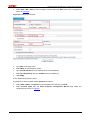
Select VPN > IPSec > IPSec Application from the navigation tree, and then click the
interface GigabitEthernet 0/0.
z
Select the policy of policy.
z
Click Apply.
icon of
Figure 29 Apply the IPsec policy to GigabitEthernet 0/0
Hangzhou H3C Technologies Co., Ltd.
www.h3c.com
29/39
SecPath Series Firewalls IPsec Configuration Examples
Verification
After configuration, packets to be exchanged between subnet 192.168.1.0/24 and subnet
172.16.0.0/24 will trigger the negotiation of SAs by IKE. After IKE negotiation succeeds and the IPsec
SAs are established, traffic between subnet 192.168.1.0/24 and subnet 172.16.0.0/24 will be
protected by IPsec.
Viewing IPsec SAs
Select VPN > IPSec > IPSec SA from the navigation tree to display brief information about
established IPsec SAs, as shown in Figure 30.
Figure 30 IPsec SAs
Viewing Packet Statistics
Select VPN > IPSec > Statistics from the navigation tree to view packet statistics, as shown in Figure
31.
Figure 31 Packet statistics
IPsec Configuration Example 2: Working with NAT
Network Requirements
See Figure 32. Deploy IPsec tunnels between Device A and Device B to protect traffic between the
branch and its headquarters. Use IKE to maintain the IPsec tunnels.
Hangzhou H3C Technologies Co., Ltd.
www.h3c.com
30/39
SecPath Series Firewalls IPsec Configuration Examples
Device A and Device B provides network access for the headquarters and the branch.
Device B connects to the public network through an ADSL line and acts as the PPPoE client. The
interface connecting to the public network uses a private address dynamically assigned by the ISP.
Figure 32 Network diagram for configuring IPsec to work with NAT
Configuration Considerations
The IKE negotiation mode must be aggressive, because Device B uses a dynamic IP address.
Configure NAT traversal at both ends of the IPsec tunnel, because one end of the tunnel uses a
public IP address while the other end uses a private IP address.
In addition, you must configure the local peer to use the gateway name as the ID type.
Configuration Procedures
Configuring DeviceA
# Assign IP addresses to the interfaces and add the interfaces to their target zones. (Omitted)
# Configure the IKE local name as head.
Figure 33 IKE global configuration
# Configure the IKE peer.
z
Select VPN > IKE > Peer from the navigation tree and then click Add.
z
Type gate as the peer name.
z
Select Aggressive as the negotiation mode.
z
Type branch as the host name of the remote gateway.
z
Select Pre-Shared Key and type 123456 as the pre-shared key.
z
Select the Enable NAT traversal function check box.
z
Click Apply.
Hangzhou H3C Technologies Co., Ltd.
www.h3c.com
31/39
SecPath Series Firewalls IPsec Configuration Examples
Figure 34 Configure an IKE peer
# Configure an IPsec proposal named proposal.
z
Select VPN > IPSec > Proposal from the navigation tree and then click Add.
z
Select Custom mode from the IPSec Proposal Configuration Wizard page.
z
Type proposal as the IPsec proposal name, and use the default settings for the proposal, as
shown in Figure 35.
Figure 35 Configure an IPsec proposal
# Configure an IPsec policy template.
z
Type 1 as the sequence number.
z
Select gate as the IKE peer.
z
Select IPsec proposal proposal, and click <<.
Hangzhou H3C Technologies Co., Ltd.
www.h3c.com
32/39
SecPath Series Firewalls IPsec Configuration Examples
z
Click Apply.
Figure 36 Add an IPsec policy template
# Configure an IPsec policy named policy_nat.
z
Select VPN > IPSec > Policy from the navigation tree and then click Add. Perform the
configurations shown in Figure 37.
Hangzhou H3C Technologies Co., Ltd.
www.h3c.com
33/39
SecPath Series Firewalls IPsec Configuration Examples
Figure 37 Configure an IPsec policy
# Apply the IPsec policy to interface GigabitEthernet 0/0.
Figure 38 Apply the IPsec policy
Configuring Device B
# Assign IP addresses to the interfaces and add the interfaces to their target zones. (Omitted)
# Configure ACL 3101 to permit packets from subnet 192.168.1.0/24 to subnet 172.16.0.0/24.
Hangzhou H3C Technologies Co., Ltd.
www.h3c.com
34/39
SecPath Series Firewalls IPsec Configuration Examples
Figure 39 Configure a rule for ACL 3101
NAT applied to physical interfaces process packets before IPsec. You must exclude the target traffic
of IPsec from NAT mappings, so NAT does not translate the source address of target traffic.
For example, NAT on port GE 0/0 uses ACL 3901 for identifying traffic. In this ACL, you must add a
rule (rule 1) to deny traffic from 192.168.1.0/24 to 172.16.0.0/24. This rule must have a higher priority
than the permit rule that identifies all traffic sourced from 192.168.1.0/24, as shown in Figure 40.
Figure 40 Add a rule in the ACL for NAT to deny IPsec protected traffic
# Configure the IKE local name named branch.
Figure 41 Configure the IKE local name
# Configure an IKE peer named gate.
z
Select VPN > IKE > Peer from the navigation tree and then click Add.
z
Type gate as the peer name.
z
Select Aggressive as the negotiation mode.
z
Select IP Address as the gateway name.
Hangzhou H3C Technologies Co., Ltd.
www.h3c.com
35/39
SecPath Series Firewalls IPsec Configuration Examples
z
Type 100.1.1.1 as the IP address of the remote gateway. This step is to configure the IP address
of Device A on Device B.
z
Type head as the remote ID.
z
Select Pre-Shared Key and type 123456 as the pre-shared key.
z
Select the Enable NAT traversal function check box.
z
Click Apply.
Figure 42 Configure an IKE peer
# Configure an IPsec proposal named proposal.
z
Select VPN > IPSec > Proposal from the navigation tree and then click Add.
z
Select Custom mode from the IPSec Proposal Configuration Wizard page.
z
Type proposal as the proposal name, and use the default settings for the proposal, as shown in
Figure 43.
Hangzhou H3C Technologies Co., Ltd.
www.h3c.com
36/39
SecPath Series Firewalls IPsec Configuration Examples
Figure 43 Configure an IPsec proposal
# Configure an IPsec policy named policy_nat.
z
Select VPN > IPSec > Policy from the navigation tree and then click Add. Perform the
configurations shown in Figure 44.
Figure 44 Configure an IPsec policy
z
Type policy_nat as the policy name.
z
Type 1 as the sequence number.
z
Select gate as the IKE peer.
z
Select proposal for the IPsec policy, and click <<.
z
Type 3101 in the ACL text box.
z
Click Apply.
# Apply IPsec policy policy_nat to interface Dialer 1.
Hangzhou H3C Technologies Co., Ltd.
www.h3c.com
37/39
SecPath Series Firewalls IPsec Configuration Examples
Figure 45 Apply the IPsec policy to an interface
Verification
After configuration, packets to be exchanged between subnet 192.168.1.2 and subnet 172.16.1.2 will
trigger the negotiation of SAs by IKE. After IKE negotiation succeeds and the IPsec SAs are
established, traffic between subnet 172.16.1.2 and subnet 172.16.1.2 will be protected by IPsec.
Viewing IPSec SAs
Select VPN > IPSec > IPSec SA from the navigation tree to display brief information about
established IPsec SAs, as shown in Figure 46.
Figure 46 IPsec SAs
Viewing Packet Statistics
Select VPN > IPSec > Statistics from the navigation tree to view packet statistics, as shown in Figure
47.
Hangzhou H3C Technologies Co., Ltd.
www.h3c.com
38/39
SecPath Series Firewalls IPsec Configuration Examples
Figure 47 Packet statistics
Configuration Guidelines
When configuring IPsec, follow these guidelines:
z
Typically, IKE uses UDP port 500 for communication, and AH and ESP use the protocol numbers
51 and 50 respectively. Therefore, you need to make sure that flows of these protocols are not
denied on the interfaces with IKE and/or IPsec configured.
z
If you enable both IPsec and QoS on an interface, traffic of an IPsec SA may be put into different
queues by QoS, causing some packets to be sent out of order. As IPsec performs anti-replay
operation, packets outside the anti-replay window in the inbound direction may be discarded,
resulting in packet loss. Therefore, when using IPsec together with QoS, ensure that they use the
same classification rules. IPsec classification rules depend on the referenced ACL rules.
References
Protocols and Standards
z
RFC 2401: Security Architecture for the Internet Protocol
z
RFC 2402: IP Authentication Header
z
RFC 2406: IP Encapsulating Security Payload
Related Documentation
IPsec Configuration in the web configuration manual
Copyright © 2010 Hangzhou H3C Technologies Co., Ltd. All rights reserved.
No part of this manual may be reproduced or transmitted in any form or by any means without prior written consent of Hangzhou H3C
Technologies Co., Ltd.
The information in this document is subject to change without notice.
Hangzhou H3C Technologies Co., Ltd.
www.h3c.com
39/39
SecPath Series Firewalls DHCP Configuration Examples
SecPath Series Firewalls DHCP Configuration
Examples
Keywords: DHCP
Abstract: This document describes DHCP configuration methods and configuration examples.
Acronyms:
Acronym
DHCP
Hangzhou H3C Technologies Co., Ltd.
Full spelling
Dynamic Host Configuration Protocol
www.h3c.com
1/15
SecPath Series Firewalls DHCP Configuration Examples
Table of Contents
Feature Overview············································································································································· 3
DHCP Overview ········································································································································· 3
Address Allocation Mechanisms ················································································································ 3
IP Address Allocation Sequence················································································································ 3
Application Scenarios ····································································································································· 3
DHCP Configuration Example I ······················································································································ 3
Network Requirements······························································································································· 3
Configuration Considerations····················································································································· 4
Software Version Used ······························································································································ 4
Configuration Procedures ·························································································································· 4
Basic Configuration ···························································································································· 4
Configuration on the DHCP Server ···································································································· 6
Configuration on DHCP Clients·········································································································· 8
Verification·········································································································································· 9
Configuration Guidelines···························································································································· 9
Troubleshooting ············································································································································ 10
DHCP Configuration Example II ··················································································································· 10
Network Requirements····························································································································· 10
Configuration Considerations··················································································································· 11
Software Version Used ···························································································································· 11
Configuration Procedure ·························································································································· 11
Configuration on the DHCP Server ·································································································· 11
Configuration on the DHCP Relay···································································································· 12
Configuration on DHCP Client·········································································································· 13
Verification········································································································································ 13
Configuration Guidelines·························································································································· 13
Troubleshooting ············································································································································ 14
References ····················································································································································· 14
Protocols and Standards·························································································································· 14
Related Documentation ··························································································································· 15
Hangzhou H3C Technologies Co., Ltd.
www.h3c.com
2/15
SecPath Series Firewalls DHCP Configuration Examples
Feature Overview
DHCP Overview
A DHCP client sends a configuration request and then a DHCP server returns a reply to send
configuration parameters such as an IP address to the client.
Address Allocation Mechanisms
DHCP supports three mechanisms for IP address allocation.
z
Manual allocation: The network administrator assigns an IP address to a client like a web server,
and DHCP conveys the assigned address to the client.
z
Automatic allocation: DHCP assigns a permanent IP address to a client.
z
Dynamic allocation: DHCP assigns an IP address to a client for a limited period of time, which is
called a lease. Most DHCP clients obtain their addresses in this way.
IP Address Allocation Sequence
A DHCP server assigns an IP address to a client according to the following sequence:
1)
The IP address manually bound to the client’s MAC address or ID
2)
The IP address that was ever assigned to the client
3)
The IP address designated by the Option 50 field in the DHCP-DISCOVER message
4)
The first assignable IP address found in a proper common address pool
5)
The IP address that was a conflict or passed its lease duration
If no IP address is assignable, the server does not respond.
Application Scenarios
As many people need to take their laptops across networks, the IP addresses need to be changed
accordingly. Therefore, related configurations on hosts become more complex. Built on a client-server
model, DHCP provides dynamic address allocation to simplify host configuration.
DHCP Configuration Example I
Network Requirements
The U200-S is used in this configuration example. This configuration example is applicable to
SecPath F5000-A5, SecPath F1000E, and SecPath UTM 200-A/200-M/200-S firewalls.
Hangzhou H3C Technologies Co., Ltd.
www.h3c.com
3/15
SecPath Series Firewalls DHCP Configuration Examples
As shown in Figure 1, two DHCP clients, the client 2 and client 1, reside on the same subnet as the
DHCP server. Client 2 is connected to the DHCP server through GigabitEthernet 0/1, and client 1 is
connected to the DHCP sever through a network interface card. The IP address of the
GigabitEthernet 0/1 of the DHCP server is 10.1.1.1/24.
Configure the U200-S to allow the client 1 to obtain an IP address and other parameters dynamically
from the DHCP server, and to allow client 2 to obtain a fixed IP address and other parameters from
the DHCP server.
Figure 1 Network diagram for DHCP configuration example I
Client 1
Client 2
GE0/1
GE0/1
10.1.1.1/24
DHCP Server
Configuration Considerations
z
Configure the DHCP server.
z
Configure client 1 and client 2 as DHCP clients.
Software Version Used
SecPath F1000E: V300R001B01 R3166 series and V300R001B01 F3166 series
SecPath F5000-A5: V300R002B01 R3206 series
SecPath UTM 200-A/200-M/200-S firewalls: V500R001B01 R5116 series
Configuration Procedures
Basic Configuration
Specify the IP address of GigabitEthernet 0/1
z
Select Device Management > Interface from the navigation tree.
Hangzhou H3C Technologies Co., Ltd.
www.h3c.com
4/15
SecPath Series Firewalls DHCP Configuration Examples
z
Click the
icon of GigabitEthernet 0/1 to enter the Edit Interface page. Configure the interface
as shown in the figure below, and then click Apply to return the Interface page.
Add GigabitEthernet 0/1 to the Trust zone
z
Select Device Management > Zone from the navigation tree.
Hangzhou H3C Technologies Co., Ltd.
www.h3c.com
5/15
SecPath Series Firewalls DHCP Configuration Examples
z
Click the
icon of the Trust zone to enter the Modify Zone page. Add GigabitEthernet 0/1 to
the Trust zone as shown in the figure below, and then click Apply to return to the Zone page.
Configuration on the DHCP Server
1)
Enable DHCP.
Select Network > DHCP > DHCP Server from the navigation tree, and then click on the Enable radio
button, as shown in the figure below.
Hangzhou H3C Technologies Co., Ltd.
www.h3c.com
6/15
SecPath Series Firewalls DHCP Configuration Examples
2)
Create a dynamic DHCP address pool
On the DHCP Server page, click on the Dynamic radio button and click Add to enter the page shown
below:
3)
Create a static DHCP address pool
On the DHCP Server page, click on the Static radio button and click Add to enter the page shown
below:
Hangzhou H3C Technologies Co., Ltd.
www.h3c.com
7/15
SecPath Series Firewalls DHCP Configuration Examples
Configuration on DHCP Clients
1)
Configure GigabitEthernet 0/1 of client 2 to obtain an IP address through DHCP.
2)
Configure client 1 (running Window XP in the example) as a DHCP client.
Right-click Network Neighborhood on the desktop and select Properties from the shortcut menu to
enter the Network Connections window. Right-click Local Area Connection and select Properties
from the shortcut menu to enter the Local Area Connection Properties window. Select a proper
network interface card for Connect using and select Internet Protocol (TCP/IP). Click Internet
Protocol (TCP/IP) and then click Properties to enter the Internet Protocol (TCP/IP) Properties
window. Click on radio buttons next to Obtain an IP address automatically and Obtain DNS server
address automatically.
Hangzhou H3C Technologies Co., Ltd.
www.h3c.com
8/15
SecPath Series Firewalls DHCP Configuration Examples
Verification
After the preceding configurations are complete, you can see that client 2 obtains a fixed IP address
10.1.1.5, and client 1 obtains an IP address on subnet 10.1.1.0/24.
1)
View the detailed information of GigabitEthernet 0/1 on client 2. You can view the IP address that
the interface has obtained.
2)
Run the ipconfig/all command in the Command Prompt window. You can see configuration
information including that the corresponding network interface card has obtained IP address
10.1.1.6 from the DHCP server.
Configuration Guidelines
1)
When a DHCP client resides on the same subnet as the DHCP server, to ensure communication
between them after the client obtains an IP address, it is recommended that you configure the
interface through which the server is connected to the client with an IP address from the address
pool and with the same mask as the address pool.
2)
To configure a valid static binding, you need to bind an IP address to a MAC address or a client
ID. In this example, you can also bind the MAC address of the PC to the IP address, so that the
PC can obtain a fixed IP address.
3)
If you bind an IP address to both a client ID and a MAC address, the IP-to-client ID binding is
preferential.
4)
You can use the display shcp client verbose command on a DHCP client to view the client ID.
5)
Currently, a static DHCP address pool supports one static binding only. That is, each static
binding is a static address pool.
Hangzhou H3C Technologies Co., Ltd.
www.h3c.com
9/15
SecPath Series Firewalls DHCP Configuration Examples
6)
The DHCP server does not perform address conflict detection on the IP address in a static
binding. To ensure communication after the client obtains the IP address, it is recommended that
you specify the static binding with the IP address on the same network segment as the server's
interface.
7)
To exclude specific IP addresses from dynamic allocation, use the dhcp server forbidden-ip
command in system view.
Troubleshooting
Symptom
The client 2 in the preceding example obtains no IP address.
Analysis
The network connection fails or the interface of the DHCP server does not reside on the network
segment of the DHCP address pool.
Solution
1)
Check that the interface through which the DHCP server is connected to the client resides in the
address pool.
2)
Check that the dhcp enable command is configured on the DHCP server.
3)
Configure the interface of client 2 with an IP address from the address pool and ping from the IP
address to the DHCP server to ensure the network connectivity.
4)
Use the debug command on the DHCP server and the client respectively to verify that the packet
exchange process is normal.
DHCP Configuration Example II
No matter whether a relay agent exists or not, the DHCP server and client interact with each other in
a similar way.
The DHCP relay agent works as follows:
1)
A DHCP client broadcasts a DHCP-DISCOVER message.
2)
The DHCP relay agent forwards the message to the designated DHCP server in unicast mode.
3)
The DHCP server returns an IP address and other configuration parameters to the relay agent,
which conveys them to the client.
Network Requirements
As shown in Figure 2, Device B is connected to the network where the DHCP client (PC) resides
through GigabitEthernet 0/1, and is connected to the DHCP server (Device A) through
GigabitEthernet 0/2. The IP address of GigabitEthernet 0/1 on Device A is 2.1.1.1/24, and that of
GigabitEthernet 0/2 on Device B is 2.1.1.2/24. Device B serves as a DHCP relay agent to forward
DHCP messages, so that the DHCP client can obtain an IP address and other parameters from the
DHCP server.
Hangzhou H3C Technologies Co., Ltd.
www.h3c.com
10/15
SecPath Series Firewalls DHCP Configuration Examples
Figure 2 Network diagram for DHCP configuration example II
DHCP server
DHCP relay
GE0/1
GE0/2
GE0/1
2.1.1.1/24
2.1.1.2/24
10.1.1.1/24
Device A
DHCP client
Device B
PC
Configuration Considerations
z
Configure Device A as the DHCP server.
z
Configure Device B as the DHCP replay.
z
Configure the PC as the DHCP client.
Software Version Used
SecPath F1000E: V300R001B01 R3166 series and V300R001B01 F3166 series
SecPath F5000-A5: V300R002B01 R3206 series
SecPath UTM 200-A/200-M/200-S firewall: V500R001B01 R5116 series
Configuration Procedure
Configuration on the DHCP Server
z
Specify the IP address of GigabitEthernet 0/1 on Device A as 2.1.1.1/24 and add the interface to
the Trust zone. For more information, see Basic Configuration.
z
Select Network > DHCP > DHCP Server from the navigation tree, click on the Enable radio
button, and configure a dynamic DHCP address pool, as shown in the figure below.
z
Add a static route to the network segment 10.1.1.0. Select Network Management > Routing
Management > Static Routing from the navigation tree, click Add, and then perform the
operations as shown in the figure below.
Hangzhou H3C Technologies Co., Ltd.
www.h3c.com
11/15
SecPath Series Firewalls DHCP Configuration Examples
Configuration on the DHCP Relay
z
Specify the IP address of GigabitEthernet 0/2 on the Device B as 2.1.1.2/24 and that of
GigabitEthernet 0/1 as 10.1.1.1/24.
z
Add GigabitEthernet 0/1 and GigabitEthernet 0/2 to the security zones as needed. For more
information about the configurations, see Basic Configuration.
z
Select Network > DHCP > DHCP Relay from the navigation tree, click on the Enable radio
button and then click Apply. Create a server group with IP address 2.1.1.1, that is, the IP
address of GigabitEthernet on the DHCP server, as shown in the figure below.
z
On the Interface Config field, click the
icon of GigabitEthernet 0/1. Click on the Enable radio
button next to DHCP Relay, select 0 for Server Group ID, and click Apply.
Hangzhou H3C Technologies Co., Ltd.
www.h3c.com
12/15
SecPath Series Firewalls DHCP Configuration Examples
Configuration on DHCP Client
z
Configure the PC (running Window XP in the example) as a DHCP client.
Right-click Network Neighborhood on the desktop and select Properties from the shortcut menu to
enter the Network Connections window. Right-click Local Area Connection and select Properties
from the shortcut menu to enter the Local Area Connection Properties window. Select a proper
network interface card for Connect using and select Internet Protocol (TCP/IP). Click Internet
Protocol (TCP/IP) and then click Properties to enter the Internet Protocol (TCP/IP) Properties
window. Click on radio buttons next to Obtain an IP address automatically and Obtain DNS server
address automatically.
Verification
After the preceding configurations are complete, you can see that the PC obtains an IP address from
the address pool configured on the DHCP server (Device A). Run the ipconfig/all command in the
Command Prompt window and you can see detailed configuration information.
Configuration Guidelines
1)
When the DHCP server resides on a different network from the DHCP client, the interface
through which the DHCP server is connected to the DHCP relay agent can be configured with
any IP address not belonging to the address pool, whereas the interface through which the
DHCP relay agent is connected to the DHCP client needs to be configured with an IP address
from the address pool. To ensure normal communication after the client obtains an IP address,
you need to configure the interface with the same mask as the address pool.
2)
You can configure static bindings in a similar way as that of configuration example I. The DHCP
server does not perform conflict detection on the IP address of a static binding. Therefore, to
ensure the interconnection after the client obtains the IP address, it is recommended that you
specify the static binding with the IP address on the same network segment as the DHCP relay
agent's interface.
3)
Configure a reachable route between the DHCP server and the DHCP client; otherwise, the client
may fail to communicate with the server after obtaining an IP address, or the client cannot obtain
an IP address because the server cannot forward the DHCP-OFFER message to the client. In
this example, static routes are configured on the server and the client. You can use other routing
protocols as well.
Hangzhou H3C Technologies Co., Ltd.
www.h3c.com
13/15
SecPath Series Firewalls DHCP Configuration Examples
4)
When multiple DHCP relay agents exist, you need to configure the interface address, relay agent
mode and the corresponding next server group for each DHCP relay agent, and ensure that the
route is reachable. You can also select the DHCP server address as the server group and ensure
the route to the DHCP server is reachable.
5)
To enhance security, you can enable the invalid IP address check feature on the interface
through which the DHCP relay agent is connected to the client. With this feature enabled, the
DHCP relay agent checks whether a requesting client’s security entry exists on the DHCP relay
agent. If not, the client cannot access outside networks via the DHCP relay agent. Note that the
security entry of a client is added in the user information.
Troubleshooting
Symptom
The DHCP client (PC) cannot obtain an IP address.
Analysis
The network connection fails, the routes are unreachable, or the interface enabled with DHCP relay
agent does not belong to the DHCP address pool configured on the DHCP server.
Solutioin
1)
Check that the IP address of GigabitEthernet 0/1 of the DHCP relay agent (Device B) belongs to
the DHCP address pool.
2)
Check that the DHCP service is enabled on Device B.
3)
Check that routes between devices are reachable. You can manually configure an IP address for
the PC and ping the DHCP server and relay agent to check connectivity.
4)
Check that the invalid IP address check feature is disabled on GigabitEthernet 0/2. If the feature
is enabled, remove the configuration or add a static security entry for the server on the DHCP
relay agent, so as to ensure the normal packet exchange between the server and the client.
5)
View the server group information on the DHCP relay agent and make sure that the relay agent
interface address is not used as the IP address of the server group.
6)
Run the debug command on the server and the relay agent respectively to verify that the packet
exchange process is normal.
References
Protocols and Standards
z
Routing TCP/IP, Volume II
z
RFC 2131, Dynamic Host Configuration Protocol
z
RFC 2132, DHCP Options and BOOTP Vendor Extensions
z
RFC 1542, Clarifications and Extensions for the Bootstrap Protocol
Hangzhou H3C Technologies Co., Ltd.
www.h3c.com
14/15
SecPath Series Firewalls DHCP Configuration Examples
Related Documentation
H3C MSR 20/30/50 Series Routers User Manual
Copyright © 2010 Hangzhou H3C Technologies Co., Ltd. All rights reserved.
No part of this manual may be reproduced or transmitted in any form or by any means without prior written consent of Hangzhou H3C
Technologies Co., Ltd.
The information in this document is subject to change without notice.
Hangzhou H3C Technologies Co., Ltd.
www.h3c.com
15/15
SecPath Seires Firewalls NAT Configuration Examples
SecPath Series Firewalls NAT Configuration Examples
Keywords: NAT, PAT, private address, public address, address pool
Abstract: This document describes the characteristics, application scenarios, and configuration examples of
the network address translation (NAT) features of SecPath series firewalls.
Acronyms:
Acronym
Full spelling
NAT
Network Address Translation
ALG
Application Level Gateway
ACL
Access Control List
VPN
Virtual Private Network
PAT
Port Address Translation
No-PAT
No-Port Address Translation
Hangzhou H3C Technologies Co., Ltd.
www.h3c.com
1/25
SecPath Seires Firewalls NAT Configuration Examples
Table of Contents
Feature Overview············································································································································· 3
Application Scenarios ····································································································································· 3
Configuration Guide ········································································································································ 3
Devices Supporting NAT ································································································································ 3
Software Version Used ······························································································································ 3
Configuration Saving·································································································································· 4
Configuration Examples ································································································································· 4
Networking Scenarios ································································································································ 5
Device Basic Configuration························································································································ 5
Configuring Interfaces ························································································································ 5
Adding the Interfaces to Zones ·········································································································· 5
Configuring ACL ································································································································· 6
NAT Configuration Examples····················································································································· 6
Easy IP ··············································································································································· 6
PAT····················································································································································· 8
No-PAT ············································································································································· 10
Static NAT ········································································································································ 12
Internal Server ·································································································································· 17
NAT on a VLAN Interface ················································································································· 20
NAT Support for Multi-VPN ·············································································································· 21
References ····················································································································································· 24
Protocols and Standards·························································································································· 24
Related Documentation ··························································································································· 25
Hangzhou H3C Technologies Co., Ltd.
www.h3c.com
2/25
SecPath Seires Firewalls NAT Configuration Examples
Feature Overview
NAT translates an IP address in an IP packet header to another IP address.
In practice, NAT is primarily used to allow users using private IP addresses to access public networks.
With NAT, a small number of public IP addresses are used to enable large numbers of internal hosts
to access the Internet. Thus NAT effectively alleviates the depletion of IP addresses. NAT provides
privacy for the internal network and can provide specific services for users on the Internet as needed.
The SecPath series high-end firewalls use a multi-core CPU, featuring excellent service processing
capability and performance. They can be used as the security gateways of large scale enterprise
networks to provide one-to-many, one-to-one, and internal server address translation functions. In
addition, they support multiple VPNs and address translation of VLAN interfaces..
Application Scenarios
z
Using a small number of public IP addresses to enable a large number of internal hosts to access
the Internet.
z
Providing privacy for the internal network.
z
Providing specific services for users on the Internet as needed.
Configuration Guide
NAT basic configuration can be performed through the web interface. NAT support for multi-VPN,
such as multi-VPN routing and multi-VPN access control list (ACL) can be configured only through the
command line interface (CLI).
You can configure the following NAT features through the web interface:
z
Easy IP
z
PAT
z
No-PAT
z
Static NAT
z
NAT server
Devices Supporting NAT
SecPath F5000-A5, SecPath F1000E, and SecPath UTM 200-A/200-M/200-S firewalls.
Software Version Used
SecPath F1000E: V300R001B01 R3166 series and V300R001B01 F3166 series
SecPath F5000-A5: V300R002B01 R3206 series
SecPath UTM 200-A/200-M/200-S firewalls: V500R001B01 R5116 series
Hangzhou H3C Technologies Co., Ltd.
www.h3c.com
3/25
SecPath Seires Firewalls NAT Configuration Examples
Configuration Saving
Save your configuration in time. To do so, select Device Management > Maintenance > Save from
the
navigation
tree,
and
click
Apply,
as
shown
in
the
following
figure.
Configuration Examples
The SecPath F1000E is used in the configuration examples.
Hangzhou H3C Technologies Co., Ltd.
www.h3c.com
4/25
SecPath Seires Firewalls NAT Configuration Examples
Networking Scenarios
Figure 1 Network diagram for NAT operation
Untrust
PC3
172.1.1.2/24
Internet
GE0/1
172.1.1.1/24
PC2
2.1.1.0/24
Device
155.1.1.2/24
GE0/0
155.1.1.1/24
GE0/3
2.1.1.1/24
Server
DMZ
GE0/2
1.1.1.1/24
1.1.1.2/24
Trust
PC3
PC1
Device Basic Configuration
Configuring Interfaces
Select Device Management > Interface from the navigation tree. Perform interface configuration.
GigabitEthernet 0/0, GigabitEthernet 0/1, GigabitEthernet 0/2, and GigabitEthernet 0/3 are Layer 3
interfaces, and their IP addresses are shown in Figure 2.
Adding the Interfaces to Zones
Select Device Management > Zone from the navigation tree, and add the following interfaces to the
corresponding zones.
z
Add GigabitEthernet 0/0 into the management zone (default).
z
Add GigabitEthernet 0/1 into the Untrust zone
z
Add GigabitEthernet 0/2 into the Trust zone.
z
Add GigabitEthernet 0/3 into the DMZ zone.
Hangzhou H3C Technologies Co., Ltd.
www.h3c.com
5/25
SecPath Seires Firewalls NAT Configuration Examples
Figure 2 Add interfaces to zones
Configuring ACL
Configure ACL 2000 to match traffic from subnet 192.168.1.0/24 to subnet 172.16.0.0/24.
Select Firewall > ACL from the navigation tree, and click Add to enter the following page:
z
Type 2000 for ACL number.
z
Select the match order Config.
z
Click Apply.
z
Click the
icon of ACL 2000 to enter the ACL rule page. Click Add and configure as follows:
Figure 3 Configure the
ACL
NAT Configuration Examples
Easy IP
Requirements
Use an ACL to permit only certain internal IP addresses to be NATed and use the public IP address of
an interface as the translated source address.
Hangzhou H3C Technologies Co., Ltd.
www.h3c.com
6/25
SecPath Seires Firewalls NAT Configuration Examples
Configuration steps
1)
Select Firewall > NAT > Dynamic NAT from the navigation tree, as shown in the following figure:
2)
Click Add in the Dynamic NAT field to enter the Add Dynamic NAT page.
z
Select GigabitEthernet0/1 for Interface, type 2000 for ACL, select Easy IP for Address
Transfer, and then click Apply.
z
Access PC 3 in the Trust zone from PC 2 in the DMZ zone, and perform ping, HTTP, FTP, DNS,
and Telnet operations.
z
Check the session list to view the results.
Verification results
1)
The ping, HTTP, FTP, DNS, and Telnet operations are successful.
2)
Check the session list:
z
Select Firewall > Session Table > Session Summary from the navigation tree to enter the
following page:
Hangzhou H3C Technologies Co., Ltd.
www.h3c.com
7/25
SecPath Seires Firewalls NAT Configuration Examples
z
Type 2.1.1.2 in the IP Address text box, and click Search to display the search result, as shown
in the following figure.
Remarks
Remove the configuration in this example before performing another configuration example.
PAT
Requirements
Translate the source address of a packet into an IP address in the NAT address pool and translate the
source port of the packet.
Configuration steps
1)
Create an address pool.
z
Select Firewall > NAT > Dynamic NAT from the navigation tree, to enter the following page:
Hangzhou H3C Technologies Co., Ltd.
www.h3c.com
8/25
SecPath Seires Firewalls NAT Configuration Examples
z
Click Add in the Address Pool field to enter the Add NAT Address Pool page, as shown in the
following figure.
Type the address pool index, start IP address, and end IP address, and then click Apply.
2)
Configure NAT PAT
z
Select Firewall > NAT > Dynamic NAT from the navigation tree, to enter the page as shown in
the following figure:
z
Click Add in the Dynamic NAT field to enter the Add Dynamic NAT page.
Select GigabitEthernet0/1 for Interface, type 2000 for ACL, select PAT for Address Transfer, and
then click Apply.
Hangzhou H3C Technologies Co., Ltd.
www.h3c.com
9/25
SecPath Seires Firewalls NAT Configuration Examples
z
Access PC 3 in the Trust zone from PC 2 in the DMZ zone, and perform ping, HTTP, FTP, DNS,
and Telnet operations.
Check the session list to view the result.
Verification results
1)
The ping, HTTP, FTP, DNS, and Telnet operations are successful.
2)
Check the session list: The destination IP address (the translated address) of the session
response is an IP address in the address pool, and the source port is translated.
Type 2.1.1.2 in the IP Address text box and click Search to display the search result, as shown in the
following figure.
Remarks
Remove the configuration in this example before performing another configuration example.
No-PAT
Requirements
Configuration steps
1)
Create an address pool.
z
Select Firewall > NAT > Dynamic NAT from the navigation tree, as shown in the following figure:
Hangzhou H3C Technologies Co., Ltd.
www.h3c.com
10/25
SecPath Seires Firewalls NAT Configuration Examples
z
Click Add in the Address Pool field, to enter the Add NAT Address Pool page, as shown in the
following figure.
Type the address pool index, start IP address, and end IP address, and then click Apply.
2)
Configure No-PAT
z
Select Firewall > NAT > Dynamic NAT from the navigation tree, to enter the page as shown in
the following figure:
z
Click Add in the Dynamic NAT field to enter the Add Dynamic NAT page.
Select GigabitEthernet0/1 for Interface, type 2000 for ACL, select No-PAT for Address Transfer,
and then click Apply.
Hangzhou H3C Technologies Co., Ltd.
www.h3c.com
11/25
SecPath Seires Firewalls NAT Configuration Examples
z
Access PC 3 in the Trust zone from PC 2 in the DMZ zone, and perform ping, HTTP, FTP, DNS,
and Telnet operations.
z
Check the session list to view the result.
Verification results
1)
The ping, HTTP, FTP, DNS, and Telnet operations are successful.
2)
Check the session list: The destination IP address (the translated address) of the session
response is an IP address in the address pool, and the source port is not changed.
Type 2.1.1.2 in the IP Address text box and click Search to display the search result, as shown in the
following figure.
Remarks
Remove the configuration in this example before performing another configuration example.
Static NAT
Requirements
Configure a static one-to-one NAT entry that does not translate the source or destination port.
When an ACL is specified, the static NAT entry only translates packets permitted by the ACL.
Configuration steps
1)
Configure static address translation.
Hangzhou H3C Technologies Co., Ltd.
www.h3c.com
12/25
SecPath Seires Firewalls NAT Configuration Examples
z
Select Firewall > NAT > Static NAT from the navigation tree, as shown in the following figure:
z
Click Add in the Static Address Mapping field to enter the Add Static Address Mapping page.
Type the internal and global IP addresses and click Apply.
2)
Enable static address translation.
z
Select Firewall > NAT > Static NAT from the navigation tree, as shown in the following figure:
z
Click Add in the Static Address Mapping field to enter the Enable Interface Static Translation
page.
Select GigatbitEthernet0/1 for Interface Name and click Apply.
Hangzhou H3C Technologies Co., Ltd.
www.h3c.com
13/25
SecPath Seires Firewalls NAT Configuration Examples
z
Access PC 3 from PC 2 and perform ping, HTTP, FTP, DNS, and Telnet operations.
z
Check the session list. Verification result (1) is expected.
3)
Create an ACL to control the access from the Untrust zone to the DMZ zone.
By default, the SecPath firewalls allow hosts in higher-priority security zones to access hosts in lowerpriority security zones, but not vice versa. To allow an external host to access an internal host, you
need to configure an interzone policy.
z
Select Firewall > Security Policy > Interzone Policy from the navigation tree, as shown below:
z
Click Add to enter the Add ACL Rule page, and perform the configuration as shown in the figure
below:
Hangzhou H3C Technologies Co., Ltd.
www.h3c.com
14/25
SecPath Seires Firewalls NAT Configuration Examples
z
In the same way, create an ACL rule to control the access from the Untrust zone to the Trust
zone. The configured ACL rules are shown as follows:
z
Access PC 2 in the DMZ zone from PC 3 in the Trust zone, and perform ping, HTTP, FTP, DNS,
and Telnet operations.
z
Check the session list. Verification (2) is expected.
4)
Create ACL 2000 as follows:
z
Apply ACL 2000 to the static NAT entry.
Hangzhou H3C Technologies Co., Ltd.
www.h3c.com
15/25
SecPath Seires Firewalls NAT Configuration Examples
z
Access PC 3 from PC 2 and ping IP address 172.1.1.2. Verification (3) is expected.
z
Access PC 2 from PC 4 and ping IP address 172.1.1.50. Verification (4) is expected.
Verification results
1)
The ping, HTTP, FTP, DNS, and Telnet operations are successful.
Check the session list:
Type 2.1.1.2 in the IP Address text box and click Search to display the search result, as shown in the
following figure.
2)
The ping, HTTP, FTP, DNS, and Telnet operations are successful.
Check the session list. The destination IP address is translated to the internal address but the
destination port number keeps unchanged.
Type 172.1.1.2 in the IP Address text box, and click Search to display the search results.
3)
PC 2 cannot access PC 3 because ACL 2000 only permits packets from 172.1.1.0 and thus
denies packets from subnet 2.1.1.0.
4)
PC 3 can access PC 2 because ACL 2000 permits packets from subnet 172.1.1.0.
Hangzhou H3C Technologies Co., Ltd.
www.h3c.com
16/25
SecPath Seires Firewalls NAT Configuration Examples
Remarks
Remove the configuration in this example before performing another configuration example.
Internal Server
Requirements
Configure an internal server that provides services to external hosts. Upon receiving a request from
an external host that wants to access the internal server, NAT on the firewall translates the destination
address and port of the request to the private address of the internal server and a specified
destination port. .
Configuration steps
1)
Configure an internal server
z
Select Firewall > NAT > Internal Server from the navigation tree to enter the page as shown
below:
z
Click Add to enter the Add Internal Server page, and perform the configuration as shown in the
page below, and click Apply.
Hangzhou H3C Technologies Co., Ltd.
www.h3c.com
17/25
SecPath Seires Firewalls NAT Configuration Examples
2)
Create an ACL that permits access from the Untrust zone to the DMZ zone.
In the same way, create an ACL to permit access from the Untrust zone to the Trust zone.
Access PC 2 from PC 3, ping public address 172.1.1.60. Verification (1) is expected.
3)
Create ACL 2000 that denies all packets.
4)
Apply ACL 2000 to the internal server as shown below.
Hangzhou H3C Technologies Co., Ltd.
www.h3c.com
18/25
SecPath Seires Firewalls NAT Configuration Examples
5)
Access PC 2 from PC 3, ping public address 172.1.1.60. Verification (2) is expected.
Verification results
1)
The ping operation is successful.
Check the session list:
Type 172.1.1.2 in the IP Address text box, and click Search to display the search results.
2)
Because ACL 2000 denies all packets, the ping operation fails and the internal server does not
work.
Remarks
Remove the configuration in this example before performing another configuration example..
Hangzhou H3C Technologies Co., Ltd.
www.h3c.com
19/25
SecPath Seires Firewalls NAT Configuration Examples
NAT on a VLAN Interface
Requirements
Easy IP is used in this example.
Configuration steps
Step 1 and 2 are configured at the CLI.
1)
Specify interfaces GigabitEthernet 0/0, GigabitEthernet 0/2, and GigabitEthernet 0/3 as Layer 3
interfaces. Specify GigabitEthernet 0/1 as a Layer 2 access interface and add it to VLAN 3.
<Device>system-view
System View: return to User View with Ctrl+Z.
[Device]vlan 3
[Device-vlan3]quit
[Device]interface GigabitEthernet0/1
[Device-GigabitEthernet0/1]port link-mode bridge
[Device-GigabitEthernet0/1]port access vlan 3
2)
Create VLAN-interface 3 and specify an IP address for VLAN-interface 3.
[Device]interface Vlan-interface3
[Device-Vlan-interface3]ip address 172.1.1.1 255.255.255.0
3)
Add GigabitEthernet 0/0 to the Management zone, GigabitEthernet 0/1 and VLAN-interface 3 to
the Untrust zone of the root device, and GigabitEthernet 0/3 to the DMZ zone of the root device.
z
Select Firewall > NAT > Dynamic NAT from the navigation tree, click Add in the Dynamic NAT
field to enter the Add Dynamic NAT page, as shown in the following figure.
Select GigabitEthernet0/1 for Interface, type 2000 for ACL, select Easy IP for Address Transfer,
and then click Apply.
Hangzhou H3C Technologies Co., Ltd.
www.h3c.com
20/25
SecPath Seires Firewalls NAT Configuration Examples
z
Access PC 3 from PC 2 and perform ping, HTTP, FTP, DNS, and Telnet operations.
z
Check the session list to view the result.
Verification results
z
The ping, HTTP, FTP, DNS, and Telnet operations are successful.
z
Check the session list:
Type 2.1.1.2 in the IP Address text box and click Search to display the search result, as shown in the
following figure.
Remarks
Remove the configuration in this example before performing another configuration example.
NAT Support for Multi-VPN
Requirements
Easy IP is used in this example. Perform the configuration at the CLI and web interface.
Configuration steps
1)
Configure VPNs:
z
Configure multi-VPN;
z
Bind an interface to multi-VPN;
Hangzhou H3C Technologies Co., Ltd.
www.h3c.com
21/25
SecPath Seires Firewalls NAT Configuration Examples
z
Configure VPN routes;
z
Configure a VPN ACL.
View
Command
Description
[Device]
ip vpn-instance vpn1
[Device-vpn-instance-vpn1]
route-distinguisher 111:1
[Device-vpn-instance-vpn1]
vpn-target 111:1 export-extcommunity
[Device-vpn-instance-vpn1]
vpn-target 111:1 import-extcommunity
[Device-vpn-instance-vpn1]
quit
[Device]
interface GigabitEthernet0/3
[Device-GigabitEthernet0/3]
ip binding vpn-instance vpn1
Binds the interface to
the VPN instance.
[Device-GigabitEthernet0/3]
ip address 2.1.1.1 24
Specifies an IP address
for an interface.
[Device-GigabitEthernet0/3]
quit
[Device]
interface GigabitEthernet0/1
[Device-GigabitEthernet0/1]
ip binding vpn-instance vpn1
Binds the interface to
the VPN instance.
[Device-GigabitEthernet0/1]
ip address 172.1.1.1 24
Specifies an IP address
for the interface.
[Device-GigabitEthernet0/1]
quit
[Device]
acl number 2000
[Device-acl-basic-2000]
rule permit
Adds an ACL rule.
[Device-acl-basic-2000]
rule permit vpn-instance vpn1
Adds a VPN ACL rule.
[Device]
ip route-static vpn-instance vpn1 0.0.0.0
0 172.1.1.2 public
Configures a VPN route
to the public network.
2)
Configures a VPN
instance.
Select Firewall > NAT > Dynamic NAT from the navigation tree, click Add in the Dynamic NAT
field to enter the Add Dynamic NAT page, as shown in the following figure.
z
Select GigabitEthernet0/1 for Interface, type 2000 for ACL, select Easy IP for Address
Transfer, and then click Apply.
Hangzhou H3C Technologies Co., Ltd.
www.h3c.com
22/25
SecPath Seires Firewalls NAT Configuration Examples
z
Access PC 3 from PC 2 and perform ping, HTTP, FTP, DNS, and Telnet operations.
z
Check the session list to view the result.
Verification results
z
The ping, HTTP, FTP, DNS, and Telnet operations are successful.
z
Check the session list:
Type 2.1.1.2 in the IP Address text box and click Search to display the search result, as shown in the
following figure.
Remarks
Remove the configuration in this example before performing another configuration example. <0
z
Specify a VPN instance when configuring a static NAT entry, as shown below:
Hangzhou H3C Technologies Co., Ltd.
www.h3c.com
23/25
SecPath Seires Firewalls NAT Configuration Examples
z
Specify a VPN instance when configuring an internal server.
References
Protocols and Standards
z
RFC1631
z
RFC1918
Hangzhou H3C Technologies Co., Ltd.
www.h3c.com
24/25
SecPath Seires Firewalls NAT Configuration Examples
Related Documentation
NAT Configuration in the Web configuration documentation set
Copyright © 2010 Hangzhou H3C Technologies Co., Ltd. All rights reserved.
No part of this manual may be reproduced or transmitted in any form or by any means without prior written consent of Hangzhou H3C
Technologies Co., Ltd.
The information in this document is subject to change without notice.
Hangzhou H3C Technologies Co., Ltd.
www.h3c.com
25/25
SecPath Series Firewalls Layer 2 and Layer 3 Forwarding Configuration Examples
SecPath Series Firewalls Layer 2 and Layer 3
Forwarding Configuration Examples
Keywords: Transparent mode, routing mode, hybrid mode, VLAN
Abstract: This document presents configuration examples for the SecPath series firewalls operating in
transparent mode, routing mode, and hybrid mode respectively.
Acronyms:
Acronym
Full spelling
UTM
Unified Threat Management
VLAN
Virtual Local Area Network
Hangzhou H3C Technologies Co., Ltd.
www.h3c.com
1/31
SecPath Series Firewalls Layer 2 and Layer 3 Forwarding Configuration Examples
Table of Contents
Feature Overview············································································································································· 3
General Layer 2 and Layer 3 Forwarding ·································································································· 3
Inline Forwarding········································································································································ 3
Inter-VLAN Layer 2 Forwarding ················································································································· 3
Application Scenarios ····································································································································· 3
Configuration Examples ································································································································· 4
Network Requirements······························································································································· 4
Configuration Considerations····················································································································· 4
Software Version Used ······························································································································ 4
Configuration Procedures ·························································································································· 5
Transparent Mode ······························································································································ 5
Routing Mode ··································································································································· 13
Hybrid Mode ····································································································································· 24
Hangzhou H3C Technologies Co., Ltd.
www.h3c.com
2/31
SecPath Series Firewalls Layer 2 and Layer 3 Forwarding Configuration Examples
Feature Overview
Layer 2 and Layer 3 forwarding falls into the following types: general Layer 2, general Layer 3, inline,
and inter-VLAN Layer 2.
General Layer 2 and Layer 3 Forwarding
A SecPath series firewall operates either in route or bridge mode. When operating in route mode, the
firewall supports Layer 3 forwarding only. When operating in bridge mode, the firewall supports Layer
2, Layer 3 (by using VLAN interfaces), and Layer 2 and Layer 3 hybrid forwarding. When the
destination MAC address of an incoming packet matches the MAC address of the receiving VLAN
interface, the firewall forwards the packet through the receiving VLAN interface at Layer 3. If the
destination MAC address of the packet matches a Layer 2 MAC address table entry, the firewall
forwards the packet through a Layer 2 Ethernet interface. By default, the firewall operates in route
mode.
Inline Forwarding
The SecPath series firewalls support inline Layer 2 forwarding, where you specify interface pairs as
the ingress and egress interfaces for packets. With the inline forwarding mode, packet forwarding
does not rely on the MAC address tables. Packets coming in through one interface of an interface pair
are directly forwarded out of another interface of the interface pair. Support for inline Layer 2
forwarding depends on your firewall model.
Inter-VLAN Layer 2 Forwarding
Inter-VLAN Layer 2 forwarding enables inter-VLAN communications at the data link layer, and is
deployed typically on firewall cards and sometimes on box-type firewall devices.
To configure inter-VLAN Layer 2 forwarding on a SecPath series firewall collaborating with a switch:
z
Assign the ingress and egress interfaces of traffic on the switch to different VLANs.
z
Configure the Ethernet interfaces at both ends of the link that connects the switch and the firewall
as trunk ports.
z
Configure multiple subinterfaces on the firewall’s Ethernet interface that connects the switch, and
assign each subinterface to a different VLAN. Each VLAN on the firewall corresponds to a VLAN
on the switch.
Application Scenarios
Various Layer 2 and Layer 3 forwarding modes, including Layer 2, Layer 3, Layer 2 and Layer 3
hybrid, inline, and inter-VLAN forwarding, are commonly used in packet switching and routing
networks to forward packets while providing necessary security mechanisms.
Hangzhou H3C Technologies Co., Ltd.
www.h3c.com
3/31
SecPath Series Firewalls Layer 2 and Layer 3 Forwarding Configuration Examples
Configuration Examples
The following examples use UTM firewalls (Device in the network diagrams) to show how to configure
Layer 2 and Layer 3 forwarding on the H3C SecPath series firewalls, including the SecPath F5000-A5,
SecPath F1000E, and SecPath UTM 200-A/200-M/200-S.
Network Requirements
Figure 1 Network diagram for Layer 2 and Layer 3 forwarding configuration example (I)
Figure 2 Network diagram for Layer 2 and Layer 3 forwarding configuration example (II)
Configuration Considerations
z
Configure the operating mode for interfaces.
z
Add interfaces to security zones.
z
Configure NAT entries, ACLs, routes, and other necessary information.
Software Version Used
Model
SecPath F1000E
Hangzhou H3C Technologies Co., Ltd.
Version/Release
V300R001B01 R3166, V300R001B01 F3166
www.h3c.com
4/31
SecPath Series Firewalls Layer 2 and Layer 3 Forwarding Configuration Examples
Model
Version/Release
SecPath F5000-A5
V300R002B01 R3206
SecPath UTM 200-A/200-M/200-S
V500R001B01 R5116
Configuration Procedures
Transparent Mode
Configuring general Layer 2 forwarding
1)
Configuration description
Configure hosts in the same VLAN with IP addresses on the same network segment, so that the hosts
can communicate with each other.
2)
Configuration procedure (see Figure 1)
z
Select Device Management > Interface from the navigation tree. Configure GigabitEthernet 0/1
and GigabitEthernet 0/2 as Layer 2 interfaces.
Figure 3 Configure GigabitEthernet 0/1 as a Layer 2 interface
Hangzhou H3C Technologies Co., Ltd.
www.h3c.com
5/31
SecPath Series Firewalls Layer 2 and Layer 3 Forwarding Configuration Examples
Figure 4 Configure GigabitEthernet 0/2 as a Layer 2 interface
z
Select Network > VLAN > VLAN from the navigation tree, create VLAN 2, and assign
GigabitEthernet 0/1 and GigabitEthernet 0/2 to VLAN 2.
Figure 5 Add interfaces to VLAN 2
Assign IP addresses for PCs: 192.168.2.10/24 for PC1 and 192.168.2.11/24 for PC2.
z
Select Device Management > Zone from the navigation tree and edit the Trust zone of the root
virtual device. Add GigabitEthernet 0/1 to the Trust zone, and GigabitEthernet 0/2 to the Untrust
zone. Ping PC2 from PC1. Result A is obtained.
z
Edit the Trust zone and modify the VLAN for GigabitEthernet 0/1 from the default 1-4094 to 2, as
shown in the figure below. Modify the VLAN for GigabitEthernet 0/2 to 2 and add the interface to
the Untrust zone. Ping PC2 from PC1. Result B is obtained.
Hangzhou H3C Technologies Co., Ltd.
www.h3c.com
6/31
SecPath Series Firewalls Layer 2 and Layer 3 Forwarding Configuration Examples
Figure 6 Modify the Trust zone (1)
z
Edit the Trust zone again. Set the VLAN ID for GigabitEthernet 0/1 to a value different from the
PVID 2. In this example, the VLAN ID is set to 1, as shown in the figure below. Ping PC2 from
PC1. Result C is obtained.
Figure 7 Modify the Trust zone (2)
3)
Verification
Result A: The ping operation succeeds.
Result B: The ping operation succeeds.
Result C: The ping operation fails. Layer 2 packets are forwarded between security zones according
to the zones where the interfaces' VLANs reside. In this example, GigabitEthernet 0/1 rejects VLAN 2
packets because VLAN 2 to which GigabitEthernet 0/1 belongs is not added to the Trust zone, though
GigabitEthernet 0/1 is added to the Trust zone.
4)
Configuration guidelines
Hangzhou H3C Technologies Co., Ltd.
www.h3c.com
7/31
SecPath Series Firewalls Layer 2 and Layer 3 Forwarding Configuration Examples
When editing VLANs for a Layer 2 interface in a security zone, pay attention to the VLANs you specify,
as the Layer 2 interface may be used by other security zones on the virtual device.
Configuring inline Layer 2 forwarding
1)
Configuration description
Add interfaces to an inline forwarding group.
2)
Configuration procedure (see Figure 1)
Select Network > Forwarding from the navigation tree, type 1 for Policy ID, and select
GigabitEthernet 0/1 and GigabitEthernet 0/2 as Port 1 and Port 2 respectively. Note that you need to
configure the two interfaces as Layer 2 interfaces in advance.
Figure 8 Create an inline forwarding policy
Assign IP addresses for PCs: 192.168.2.10/24 for PC1 and 192.168.2.11/24 for PC2.
z
Add GigabitEthernet 0/1 to the Trust zone, and GigabitEthernet 0/2 to the Untrust zone. Ping
PC2 from PC1. Result A is obtained.
z
Add GigabitEthernet 0/1 to VLAN 2, and GigabitEthernet 0/2 to VLAN 3. Ping PC2 from PC1.
Result B is obtained.
z
Configure GigabitEthernet 0/1 as an access port, and GigabitEthernet 0/2 as a trunk port. Ping
PC2 from PC1. Result C is obtained.
3)
Verification
Result A: The ping operation succeeds.
Result B: The ping operation succeeds.
Result C: The ping operation succeeds. VLAN and port type configuration on the forwarding
interfaces does not impact inline Layer 2 forwarding.
4)
Configuration guidelines
z
Inline Layer 2 forwarding is implemented through inline forwarding groups, and not MAC
addresses.
z
Inline Layer 2 forwarding can be configured on Layer 2 physical interfaces and subinterfaces only.
z
In inline Layer 2 forwarding, the ingress interface checks the VLAN tag of a packet to see if the
packet's VLAN ID is configured in the security zone of the virtual device. If yes, it forwards the
packet. If the packet’s VLAN ID matches a Layer 3 VLAN interface and the destination MAC
Hangzhou H3C Technologies Co., Ltd.
www.h3c.com
8/31
SecPath Series Firewalls Layer 2 and Layer 3 Forwarding Configuration Examples
address matches the MAC address of the VLAN interface, the firewall forwards the packet at
Layer 3.
If the ingress interface is an access port, the interface does not check the VLAN ID of incoming
z
packets against its PVID upon receiving packets with different VLAN tags. When general Layer 2
forwarding is implemented, the interface accepts only untagged packets or packets whose VLAN
ID matches its PVID.
Inline Layer 2 forwarding on a trunk port is irrelevant to the permitted VLANs configured on the
z
port. In general Layer 2 forwarding, a trunk port forwards a packet only if the packet’s VLAN ID is
permitted.
In this example, GigabitEthernet 0/2, the egress interface, transparently transmits packets
z
without removing their VLAN tags. That is, packets are received on one interface of the inline
forwarding group, and after being processed by the security module, are forwarded through the
other interface transparently.
Configuring inter-VLAN Layer 2 forwarding
1)
Configuration description
Configure hosts in different VLANs but with IP addresses on the same network segment to
communicate with each other.
2)
Configuration procedure (see Figure 2)
z
Configure devices through CLI
On the switch:
#
interface GigabitEthernet1/0/1
port access vlan 102
#
interface GigabitEthernet1/0/10
port access vlan 103
#
interface GigabitEthernet1/0/16
port link-type trunk
undo port trunk permit vlan 1
port trunk permit vlan 102 to 103
#
On the Device:
#
vlan 102 to 103
#
vlan 1000
#
interface GigabitEthernet0/1
port link-mode bridge
port link-type trunk
port trunk permit vlan 1 102 to 103
#
Hangzhou H3C Technologies Co., Ltd.
www.h3c.com
9/31
SecPath Series Firewalls Layer 2 and Layer 3 Forwarding Configuration Examples
z
Configure the Device through the web interface
Select Device Management > Interface from the navigation tree and create Layer 2 subinterfaces
GigabitEthernet 0/1.102 and GigabitEthernet 0/1.103.
Figure 9 Create GigabitEthernet 0/1.102
Select Network > VLAN > VLAN from the navigation tree, and add GigabitEthernet 0/1.102 and
GigabitEthernet 0/1.103 to VLAN 1000.
Figure 10 Add subinterfaces to VLAN 1000
Select Device Management > Zone from the navigation tree. Add GigabitEthernet 0/1 and
GigabitEthernet 0/1.102 to the Trust zone and make sure that VLAN 1000 is permitted on the
interfaces. Add GigabitEthernet 0/1.103 to the Untrust zone and make sure that VLAN 1000 is
permitted on the interface.
Hangzhou H3C Technologies Co., Ltd.
www.h3c.com
10/31
SecPath Series Firewalls Layer 2 and Layer 3 Forwarding Configuration Examples
Figure 11 Edit the Trust zone
Assign IP addresses for PCs: 192.168.2.10/24 for PC1 and 192.168.2.11/24 for PC2.
z
Ping PC2 from PC1. Result A is obtained.
z
Ping PC1 from PC2. Result B is obtained.
z
Add GigabitEthernet 0/1 to the Untrust zone and then ping PC2 from PC1. Result C is obtained.
z
Delete VLAN 1000 and configure VLANs 102 and 103 on the Device. Ping PC2 from PC1. Result
D is obtained.
z
Delete VLANs 102 and 103 and configure VLAN 1000 on the Device. Ping PC2 from PC1. Result
E is obtained.
Configuring Inter-VLAN Layer 2 forwarding on a non-default virtual device:
z
Select Device Management > Virtual Device > Configuration from the navigation tree and
click Add to create a virtual device named Device.
Figure 12 Create a virtual device
z
Select Device Management > Virtual Device > VLAN from the navigation tree, and configure
VLAN 1000 as the VLAN member of the virtual device.
Hangzhou H3C Technologies Co., Ltd.
www.h3c.com
11/31
SecPath Series Firewalls Layer 2 and Layer 3 Forwarding Configuration Examples
Figure 13 Configure the VLAN member for the virtual device
z
Select Device Management > Zone from the navigation tree. Create security zones
Device_Trust and Device_Untrust for the virtual device.
Figure 14 Create security zone Device_Trust
Figure 15 Create security zone Device_Untrust
z
Add GigabitEthernet 0/1.102 to Device_Trust, and GigabitEthernet 0/1.103 to Device_Untrust.
Ping PC2 from PC1. Result F is obtained.
3)
Verification
Result A: The ping operation succeeds.
Result B: The ping operation fails. This is because PC2 resides in the Untrust zone, whereas PC1
resides in the Trust zone, which has a higher priority than the Untrust zone.
Result C: The ping operation succeeds. Packet forwarding is not affected after GigabitEthernet 0/1 is
added to the Untrust zone.
Hangzhou H3C Technologies Co., Ltd.
www.h3c.com
12/31
SecPath Series Firewalls Layer 2 and Layer 3 Forwarding Configuration Examples
Result D: The ping operation succeeds. After VLAN 1000 is deleted, traffic can still be forwarded
because the PVID of GigabitEthernet 0/1.102 and GigabitEthernet 0/1.103 is 1.
Result E: The ping operation fails. No Layer 2 forwarding entry is created because VLANs 102 and
103 do not exist.
Result F: The ping operation succeeds.
4)
Configuration guidelines
z
To implement inter-VLAN Layer 2 forwarding, make sure that the VLAN with the same ID as the
Layer 2 subinterface ID exists.
z
On a physical port working in bridge mode, Layer 2 subinterfaces are configured to implement
inter-VLAN Layer 2 forwarding. Packets are forwarded between security zones according to the
zones permitted on the Layer 2 subinterfaces, rather than the security zone where the physical
interface resides.
z
To implement inter-VLAN Layer 2 forwarding, make sure that you add the PVID of the
subinterface to the VLAN range of the security zone.
z
If no VLAN is configured for a subinterface, the PVID is 1, and therefore, you need to add VLAN
1 in the VLAN range of the security zone.
z
When configuring inter-VLAN Layer 2 forwarding, do not set the PVID of a subinterface to the
subinterface ID. Otherwise, the downstream switches may fail to learn the MAC address of the
subinterface properly. This problem is listed as a defect.
Routing Mode
Configuring Layer 3 interface forwarding
1)
Configuration description
Configure the Device to route packets between hosts on different network segments.
2)
Configuration procedure (see Figure 1)
Select Device Management > Interface from the navigation tree. Configure the route mode for
GigabitEthernet 0/1 and specify the IP address as 192.168.2.1/24. Configure the route mode for
GigabitEthernet 0/2 and specify the IP address as 192.168.3.1/24.
Hangzhou H3C Technologies Co., Ltd.
www.h3c.com
13/31
SecPath Series Firewalls Layer 2 and Layer 3 Forwarding Configuration Examples
Figure 16 Configure GigabitEthernet 0/1
Hangzhou H3C Technologies Co., Ltd.
www.h3c.com
14/31
SecPath Series Firewalls Layer 2 and Layer 3 Forwarding Configuration Examples
Figure 17 Configure GigabitEthernet 0/2
Select Device Management > Zone from the navigation tree. Add GigabitEthernet 0/1 to the Trust
zone and GigabitEthernet 0/2 to the Untrust zone.
Figure 18 Add GigabitEthernet 0/1 to the Trust zone
Hangzhou H3C Technologies Co., Ltd.
www.h3c.com
15/31
SecPath Series Firewalls Layer 2 and Layer 3 Forwarding Configuration Examples
Figure 19 Add GigabitEthernet 0/2 to the Untrust zone
Select Firewall > NAT Policy > Dynamic NAT from the navigation tree. Apply ACL 3000 to
GigabitEthernet 0/2 and enable Easy IP. ACL 3000 allows packets from 192.168.2.0/24 to pass.
Figure 20 Configure dynamic NAT
Figure 21 Configure ACL 3000
3)
Verification
Configure IP address 192.168.2.10/24 and gateway 192.168.2.1 for PC1, and IP address
192.168.3.11/24 and gateway 192.168.3.1 for PC2. Ping PC2 from PC1. The ping operation succeeds
and the session information displayed on the Device is as follows:
Hangzhou H3C Technologies Co., Ltd.
www.h3c.com
16/31
SecPath Series Firewalls Layer 2 and Layer 3 Forwarding Configuration Examples
Figure 22 Session information
Configuring inter-VLAN Layer 3 forwarding
1)
Configuration description
Configure the Device to forward packets through VLAN interfaces.
2)
Configuration procedure (see Figure 1)
Select Device Management > Interface from the navigation tree. Configure GigabitEthernet 0/1 as a
Layer 2 access port, assign the interface to VLAN 2, create VLAN interface 2 and assign IP address
192.168.2.1/24 to the VLAN interface. Configure GigabitEthernet 0/2 as a Layer 2 access port, assign
the interface to VLAN 3, create VLAN interface 3 and assign IP address 192.168.3.1/24 to the VLAN
interface.
Figure 23 Create VLAN interface 2
Hangzhou H3C Technologies Co., Ltd.
www.h3c.com
17/31
SecPath Series Firewalls Layer 2 and Layer 3 Forwarding Configuration Examples
Figure 24 Create VLAN interface 3
Select Device Management > Zone from the navigation tree. Add VLAN interface 2 to the Trust zone,
and VLAN interface 3 to the Untrust zone.
Hangzhou H3C Technologies Co., Ltd.
www.h3c.com
18/31
SecPath Series Firewalls Layer 2 and Layer 3 Forwarding Configuration Examples
Figure 25 Add interfaces to the Trust zone
Figure 26 Add interface to the Untrust zone
Hangzhou H3C Technologies Co., Ltd.
www.h3c.com
19/31
SecPath Series Firewalls Layer 2 and Layer 3 Forwarding Configuration Examples
Select Firewall > NAT Policy > Dynamic NAT from the navigation tree. Apply ACL 3000 to VLANinterface 3 and enable Easy IP. ACL 3000 allows packets from 192.168.2.0/24 to pass.
Figure 27 Configure dynamic NAT
Figure 28 Configure ACL 3000
3)
Verification
Configure IP address 192.168.2.10/24 and gateway 192.168.2.1 for PC1, and IP address
192.168.3.11/24 and gateway 192.168.3.1 for PC2. Ping PC2 from PC1. The ping operation succeeds
and the session information displayed on the Device is as follows:
Figure 29 Session information
Configuring Layer 3 subinterface forwarding
1)
Configuration description
Configure the Device to forward packets through Layer 3 subinterfaces.
2)
Configuration procedure (see Figure 2)
z
Configure the switch
interface GigabitEthernet1/0/1
port access vlan 102
#
interface GigabitEthernet1/0/10
port access vlan 103
#
interface GigabitEthernet1/0/16
Hangzhou H3C Technologies Co., Ltd.
www.h3c.com
20/31
SecPath Series Firewalls Layer 2 and Layer 3 Forwarding Configuration Examples
port link-type trunk
undo port trunk permit vlan 1
port trunk permit vlan 102 to 103
#
z
Configure the Device
Select Device Management > Interface from the navigation tree. Configure the route mode for
GigabitEthernet 0/1. Create subinterface GigabitEthernet 0/1.1 and specify the VID as 102, and the IP
address as 192.168.2.1/24. Create subinterface GigabitEthernet 0/1.2 and specify the VID as 103,
and the IP address as 192.168.3.1/24.
Figure 30 Configure GigabitEthernet 0/1
Hangzhou H3C Technologies Co., Ltd.
www.h3c.com
21/31
SecPath Series Firewalls Layer 2 and Layer 3 Forwarding Configuration Examples
Figure 31 Create GigabitEthernet 0/1.1
Figure 32 Create GigabitEthernet 0/1.2
Select Device Management > Zone from the navigation tree. Add GigabitEthernet 0/1 and
GigabitEthernet 0/1.1 to the Trust zone, and GigabitEthernet 0/1.2 to the Untrust zone.
Hangzhou H3C Technologies Co., Ltd.
www.h3c.com
22/31
SecPath Series Firewalls Layer 2 and Layer 3 Forwarding Configuration Examples
Figure 33 Add interfaces to the Trust zone
Configure IP address 192.168.2.10 and default gateway 192.168.2.1 for PC1, and IP address
192.168.3.11 and default gateway 192.168.3.1 for PC2.
z
Ping PC2 from PC1. Result A is obtained.
z
Ping PC1 from PC2. Result B is obtained.
z
Add GigabitEthernet 0/1 to the Untrust zone, and then ping PC2 from PC1. Result C is obtained.
z
Remove the VID specified for the Layer 3 subinterfaces of the Device and then ping PC2 from
PC1. Result D is obtained.
Configure Layer 3 subinterface forwarding on a non-default virtual device. Create a virtual device
named Device, create Device_Trust and Device_Untrust zones for the virtual device, and add
subinterfaces GigabitEthernet 0/1.1 and GigabitEthernet 0/1.2 to the virtual device as interface
members.
Select Device Management > Virtual Device > Interface from the navigation tree to display the
page as shown in the following figure:
Hangzhou H3C Technologies Co., Ltd.
www.h3c.com
23/31
SecPath Series Firewalls Layer 2 and Layer 3 Forwarding Configuration Examples
Figure 34 Add interfaces to the virtual device
z
Add GigabitEthernet 0/1.1 to Device_Trust, and GigabitEthernet 0/1.2 to Device_Untrust. Ping
PC2 from PC1. Result E is obtained.
3)
Verification
Result A: The ping operation succeeds.
Result B: The ping operation fails.
Result C: The ping operation succeeds.
Result D: The ping operation fails. The VID is needed to specify the tag type and VLAN.
Result E: The ping operation succeeds.
4)
Configuration guidelines
z
After Layer 3 subinterfaces are configured on a physical port working in router mode, packets are
forwarded between security zones according to the security zones where Layer 3 subinterfaces
reside.
z
To implement Layer 3 subinterface forwarding in a non-default virtual device, you need to
configure the subinterfaces used for forwarding packets as the interface members of the virtual
device.
Hybrid Mode
Configuring general hybrid mode
1)
Configuration description
Configure VLAN virtual interfaces and Layer 3 interfaces on the Device to forward packets.
2)
Configuration procedure (see Figure 1)
Select Device Management > Interface from the navigation tree. Configure GigabitEthernet 0/1 as a
Layer 2 access port, assign the interface to VLAN 2, create VLAN interface 2, and assign IP address
192.168.2.1/24 to the VLAN interface. Configure the route mode for GigabitEthernet 0/2 and assign IP
address 192.168.3.1/24 to it.
Hangzhou H3C Technologies Co., Ltd.
www.h3c.com
24/31
SecPath Series Firewalls Layer 2 and Layer 3 Forwarding Configuration Examples
Figure 35 Create VLAN interface 2
Figure 36 Configure GigabitEthernet 0/2
Hangzhou H3C Technologies Co., Ltd.
www.h3c.com
25/31
SecPath Series Firewalls Layer 2 and Layer 3 Forwarding Configuration Examples
Select Device Management > Zone from the navigation tree. Add VLAN interface 2 to the Trust zone,
and GigabitEthernet 0/2 to the Untrust zone.
Figure 37 Add interfaces to the Trust zone
Figure 38 Add GigabitEthernet 0/2 to the Untrust zone
Hangzhou H3C Technologies Co., Ltd.
www.h3c.com
26/31
SecPath Series Firewalls Layer 2 and Layer 3 Forwarding Configuration Examples
Select Firewall > NAT Policy > Dynamic NAT from the navigation tree. Apply ACL 3000 to
GigabitEthernet 0/2 and enable Easy IP. ACL 3000 allows packets from 192.168.2.0/24 to pass.
Figure 39 Configure dynamic NAT
Figure 40 Configure ACL 3000
3)
Verification
Configure IP address 192.168.2.10/24 and gateway 192.168.2.1 for PC1, and IP address
192.168.3.11/24 and gateway 192.168.3.1 for PC2. Ping PC2 from PC1. The ping operation succeeds
and the session information displayed on the Device is as follows:
Figure 41 Session information
Configuring Layer 2 and Layer 3 hybrid forwarding
1)
Configuration description
Configure Layer 2 and Layer 3 hybrid forwarding on the Device.
2)
Configuration procedure (see Figure 2)
z
Configure devices through CLI
On the switch:
#
interface GigabitEthernet1/0/1
port access vlan 102
#
interface GigabitEthernet1/0/10
Hangzhou H3C Technologies Co., Ltd.
www.h3c.com
27/31
SecPath Series Firewalls Layer 2 and Layer 3 Forwarding Configuration Examples
port access vlan 103
#
interface GigabitEthernet1/0/16
port link-type trunk
undo port trunk permit vlan 1
port trunk permit vlan 102 to 103
#
On the Device:
#
vlan 100 to 103
#
interface GigabitEthernet0/1
port link-mode bridge
port link-type trunk
port trunk permit vlan 1 102 to 103
#
z
Configure the Device through the web interface
Select Device Management > Interface from the navigation tree. Create Layer 2 subinterface
GigabitEthernet 0/1.102, add it to VLAN 100. Create VLAN-interface 100 and specify the IP address
as 192.168.2.1/24. Create VLAN-interface 103 and specify the IP address as 192.168.3.1/24.
Figure 42 Create GigabitEthernet 0/1.102
Hangzhou H3C Technologies Co., Ltd.
www.h3c.com
28/31
SecPath Series Firewalls Layer 2 and Layer 3 Forwarding Configuration Examples
Figure 43 Create VLAN interface 100
Figure 44 Create VLAN interface 103
Select Device Management > Zone from the navigation tree. Add VLAN interface 100 to the Trust
zone. Add VLAN interface 103 to the Untrust zone.
Hangzhou H3C Technologies Co., Ltd.
www.h3c.com
29/31
SecPath Series Firewalls Layer 2 and Layer 3 Forwarding Configuration Examples
Figure 45 Add interfaces to the Trust zone
Figure 46 Add VLAN interface 103 to the Untrust zone
Configure IP address 192.168.2.10 and default gateway 192.168.2.1 for PC1, and IP address
192.168.3.11 and default gateway 192.168.3.1 for PC2.
z
Ping the IP address of PC2 from PC1. Result A is obtained.
Hangzhou H3C Technologies Co., Ltd.
www.h3c.com
30/31
SecPath Series Firewalls Layer 2 and Layer 3 Forwarding Configuration Examples
z
Select Firewall > Security Policy > Interzone Policy from the navigation tree. Define a policy to
permit all traffic from the Untrust zone to the Trust zone. Ping the gateway of PC1 from PC2.
Result B is obtained.
Figure 47 Define an inter-zone policy
z
Configure Layer 2 and Layer 3 hybrid forwarding on a non-default virtual device. Create a virtual
device named Device and configure VLAN 100 and VLAN 103 as the device members of the
virtual device. Type 100 in the VLAN text box next to GigabitEthernet 0/1.102 and add VLANinterface 100 to the Device_Trust zone. Type 103 in the VLAN text box next to GigabitEthernet
0/1 and add VLAN interface 103 to the Device_Untrust zone. Ping PC2 from PC1. Result C is
obtained.
3)
Verification
Result A: The ping operation succeeds.
Result B: The ping operation succeeds.
Result C: The ping operation succeeds.
4)
Configuration guidelines
The PVID of a Layer 2 subinterface cannot be the same as the subinterface ID, or the ID of the VLAN
to which a Layer 3 VLAN interface belongs. In this example, the ID of the Layer 2 subinterface is 102,
the PVID is 100, and the VLAN ID of the Layer 3 virtual interface is 103.
Copyright © 2010 Hangzhou H3C Technologies Co., Ltd. All rights reserved.
No part of this manual may be reproduced or transmitted in any form or by any means without prior written consent of Hangzhou H3C
Technologies Co., Ltd.
The information in this document is subject to change without notice.
Hangzhou H3C Technologies Co., Ltd.
www.h3c.com
31/31
SecPath Series Firewalls Attack Protection Configuration Example
SecPath Series Firewalls Attack Protection
Configuration Example
Keywords: Attack protection, scanning, blacklist
Abstract: This document describes the attack protection functions of the H3C UTM firewalls, including SYN
flood attack protection, UDP flood attack protection, ICMP flood attack protection, scanning attack
protection, single-packet attack protection, static blacklist, and dynamic blacklist. This document
also presents the configuration and verification methods in detail through examples.
Acronyms:
Acronym
Full spelling
DDOS
Distributed Denial of Service
HTTP
Hypertext Transfer Protocol
ICMP
Internet Control Message Protocol
IP
Internet Protocol
TCP
Transfer Control Protocol
UDP
User Datagram Protocol
Hangzhou H3C Technologies Co., Ltd.
www.h3c.com
1/18
SecPath Series Firewalls Attack Protection Configuration Example
Table of Contents
Feature Overview············································································································································· 3
Application Scenarios ····································································································································· 3
Configuration Guidelines································································································································ 3
Configuration Example ··································································································································· 3
Network Requirements······························································································································· 3
Configuration Considerations····················································································································· 4
Software Version Used ······························································································································ 4
Configuration Procedures ·························································································································· 4
Basic Configurations··························································································································· 4
Configuring Attack Protection ···················································································································· 9
Configuring the Static Blacklist Function ···························································································· 9
Configuring the Dynamic Blacklist Function ······················································································· 9
Configuring ICMP Flood Attack Protection·······················································································10
Configuring UDP Flood Attack Protection ························································································ 10
Configuring SYN Flood Attack Protection ························································································ 11
Configuring Scanning Prevention····································································································· 11
Configuring Packet Inspection·········································································································· 11
Verification ··············································································································································· 12
Static Blacklist ·································································································································· 12
Dynamic Blacklist ····························································································································· 13
ICMP Flood Attack Protection ·········································································································· 13
UDP Flood Attack Protection············································································································ 14
SYN Flood Attack Protection············································································································ 15
Scanning Prevention ························································································································ 16
Packet Inspection ····························································································································· 17
Hangzhou H3C Technologies Co., Ltd.
www.h3c.com
2/18
SecPath Series Firewalls Attack Protection Configuration Example
Feature Overview
Attack protection is an important firewall feature. It allows a firewall to detect attacks by analyzing the
contents and behavior characteristics of received packets and, based on the analysis result, takes
countermeasures such as blacklisting the source IP addresses, outputting alarm logs, and/or
discarding packets.
The attack protection feature can detect kinds of Denial of Service (DoS) attacks, scanning attacks,
and malformed packet attacks, and take actions in response. It does so by using blacklists, matching
packets against attack signatures, and detecting traffic abnormalities. The attack protection feature
also provides attack statistics.
Application Scenarios
The attack protection feature is usually deployed at the egress of a campus network or corporate
network to detect and handle with possible attack packets between the internal network and external
network, so as to protect the security of the internal network.
Configuration Guidelines
1)
Packet inspection and scanning prevention apply to only the inbound direction, that is, the
internal zone. When deployed in the outbound direction, that is, the external zone, they do not
take effect.
2)
The flood attack protection functions apply to only the outbound direction. When deployed in the
inbound direction, they do not take effect.
Configuration Example
Network Requirements
This configuration example is applicable to SecPath F5000-A5, SecPath F1000E, and SecPath UTM
200-A/200-M/200-S firewalls. A UTM200-S firewall is used in this configuration example for illustration.
Hangzhou H3C Technologies Co., Ltd.
www.h3c.com
3/18
SecPath Series Firewalls Attack Protection Configuration Example
Figure 1 Network diagram for attack protection configuration
Configuration Considerations
z
Add the interface connecting the internal network (that is, GigabitEthernet 0/2) to zone Trust.
z
Add the interface connecting the external network (that is, GigabitEthernet 0/1) to zone Untrust.
Software Version Used
SecPath F1000E: V300R001B01 R3166 series and V300R001B01 F3166 series.
SecPath F5000-A5: V300R002B01 R3206 series
SecPath UTM 200-A/200-M/200-S: V500R001B01 R5116 series
Configuration Procedures
Basic Configurations
Assigning IP addresses to interfaces
z
From the navigation tree, select Device Management > Interface to enter the interface
management page.
z
Click the
icon of GigabitEthernet 0/1 to enter the interface configuration page. Then,
configure the interface as follows and click Apply to return to the interface management page.
Hangzhou H3C Technologies Co., Ltd.
www.h3c.com
4/18
SecPath Series Firewalls Attack Protection Configuration Example
z
Click the
icon of GigabitEthernet 0/2 to enter the interface configuration page. Then,
configure the interface as follows and click Apply to return to the interface management page.
Hangzhou H3C Technologies Co., Ltd.
www.h3c.com
5/18
SecPath Series Firewalls Attack Protection Configuration Example
Configuring the ACL
z
From the navigation tree, click Firewall > ACL to enter the ACL management page. Then, click
Add to create ACL 2000.
z
On the ACL management page, click the
icon of ACL 2000 and then click Add to create a
rule that allows all packets to pass.
z
Click Apply.
Adding interfaces to zones
z
From the navigation tree, select Device Management > Zone to enter the security zone
management page.
z
Click the
icon of zone Trust to enter the security zone modification page. Then, add interface
GigabitEthernet 0/2 to the zone as follows and click Apply to return to the security zone
management page.
Hangzhou H3C Technologies Co., Ltd.
www.h3c.com
6/18
SecPath Series Firewalls Attack Protection Configuration Example
z
Add interface GigabitEthernet 0/1 to zone Untrust in the same way.
Configuring interzone policies
z
From the navigation tree, select Firewall > Security Policy > Interzone Policy.
z
Click Add and then configure an interzone policy from Untrust to Trust as follows:
Hangzhou H3C Technologies Co., Ltd.
www.h3c.com
7/18
SecPath Series Firewalls Attack Protection Configuration Example
Configuring NAT for the outbound interface
z
From the navigation tree, select Firewall > NAT Policy > Dynamic NAT. Then click Add.
z
Configure NAT for interface GigabitEthernet 0/1 as follows, and then click Apply.
Hangzhou H3C Technologies Co., Ltd.
www.h3c.com
8/18
SecPath Series Firewalls Attack Protection Configuration Example
Configuring Attack Protection
Configuring the Static Blacklist Function
z
From the navigation tree, select Intrusion Detection > Blacklist. Then, select the Enable
Blacklist check box and click Apply to enable the blacklist function.
z
Click Add.
z
Type the address to be blacklisted and specify the lifetime of the blacklist entry. Then, click
Apply.
Configuring the Dynamic Blacklist Function
z
From the navigation tree, select Intrusion Detection > Blacklist. Then, select the Enable
Blacklist check box and click Apply to enable the blacklist function.
Hangzhou H3C Technologies Co., Ltd.
www.h3c.com
9/18
SecPath Series Firewalls Attack Protection Configuration Example
Configuring ICMP Flood Attack Protection
z
From the navigation tree, select Intrusion Detection > Traffic Abnormality > ICMP Flood.
Then, select security zone Trust and select Discard packets when the specified attack is
detected and click Apply.
z
In the ICMP Flood Configuration area, click Add and add host address 2.0.0.2 as an object to
be protected.
Configuring UDP Flood Attack Protection
z
From the navigation tree, select Intrusion Detection > Traffic Abnormality > UDP Flood. Then,
select security zone Trust and select Discard packets when the specified attack is detected
and click Apply.
z
In the UDP Flood Configuration area, click Add and add host address 2.0.0.2 as an object to
be protected.
Hangzhou H3C Technologies Co., Ltd.
www.h3c.com
10/18
SecPath Series Firewalls Attack Protection Configuration Example
Configuring SYN Flood Attack Protection
z
From the navigation tree, select Intrusion Detection > Traffic Abnormality > SYN Flood. Then,
select security zone Trust and select Discard packets when the specified attack is detected
and click Apply.
z
In the SYN Flood Configuration area, click Add and add host address 2.0.0.2 as an object to
be protected.
Configuring Scanning Prevention
z
From the navigation tree, select Intrusion Detection > Traffic Abnormality > Scanning
Detection. Then, select security zone Untrust and select Enable Scanning Detection and Add
a source IP to the blacklist and click Apply.
Configuring Packet Inspection
Packet inspection is used to detect single-packet attacks, which has nothing to do with traffic and
sessions. Packet inspection is implemented by checking whether a packet has the specified
signatures.
z
From the navigation tree, select Intrusion Detection > Packet Inspection. Then, select security
zone Untrust and the types of attacks to be detected, and click Apply.
Hangzhou H3C Technologies Co., Ltd.
www.h3c.com
11/18
SecPath Series Firewalls Attack Protection Configuration Example
Verification
On PC 2, use a packet constructing tool to simulate various attacks targeting the host or server of the
internal network.
Static Blacklist
z
Before the static blacklist entry expires or is cleared, PC 2 cannot ping the IP address (1.0.0.1) of
the UTM device’s interface GigabitEthernet 0/1.
z
When PC 2 is not in the blacklist, PC 2 can ping the IP address (1.0.0.1) of the UTM device’s
interface GigabitEthernet 0/1.
Hangzhou H3C Technologies Co., Ltd.
www.h3c.com
12/18
SecPath Series Firewalls Attack Protection Configuration Example
Dynamic Blacklist
z
Use a PC (1.0.0.100, for example) in the external network to log in to the server in the internal
network, inputting the correct username but a wrong password for five times.
z
Selecting Intrusion Detection > Blacklist from the navigation tree, you can see that the IP
address of the PC (1.0.0.100) has been added to the blacklist.
z
Because you selected Add a source IP to the blacklist when configuring scanning prevention,
the device also automatically adds scanning sources to the blacklist. For details, refer to
Scanning Prevention.
ICMP Flood Attack Protection
z
Use SmartBits to send ICMP packets with the destination address 2.0.0.2 to zone Trust at a rate
higher than 1000 frames per second for three seconds, changing the source address frequently.
Hangzhou H3C Technologies Co., Ltd.
www.h3c.com
13/18
SecPath Series Firewalls Attack Protection Configuration Example
z
SmartBits is a data protocol analyzer from Spirent Communications.
z
For ICMP flood, UDP flood, and SYN flood attacks, the sampling interval of the device is one
second. If the number of half-open connections or the session establishment rate exceeds the
threshold in three consecutive sampling intervals, the device considers that an attack has
occurred. Therefore, when using SmartBits to simulate a flood attack, be sure to send attack
packets for at least four seconds.
z
Select Intrusion Detection > Statistics from the navigation tree and then select zone Trust.
You can view the number of ICMP flood attacks and the number of dropped ICMP flood attack
packets.
UDP Flood Attack Protection
z
Use SmartBits to send UDP packets from zone Untrust to 2.0.0.2 in zone Trust at a rate higher
than 1000 frames per second, changing the source address frequently.
z
Select Intrusion Detection > Statistics from the navigation tree and then select zone Trust.
You can view the number of UDP flood attacks and the number of dropped UDP flood attack
packets.
Hangzhou H3C Technologies Co., Ltd.
www.h3c.com
14/18
SecPath Series Firewalls Attack Protection Configuration Example
SYN Flood Attack Protection
z
Use SmartBits to send TCP SYN packets from zone Untrust to 2.0.0.2 in zone Trust at a rate
higher than 1000 frames per second, changing the source address frequently.
z
Select Intrusion Detection > Statistics from the navigation tree and then select zone Trust.
You can view the number of SYN flood attacks and the number of dropped SYN flood attack
packets.
Hangzhou H3C Technologies Co., Ltd.
www.h3c.com
15/18
SecPath Series Firewalls Attack Protection Configuration Example
Scanning Prevention
z
Use SmartBits to send packets from zone Untrust to zone Trust at a rate higher than 500 frames
per second, keeping the source address the same and changing the destination address
frequently.
z
Select Intrusion Detection > Statistics from the navigation tree and then select zone Untrust.
You can view the number of scanning attacks and the number of dropped scanning attack
packets.
z
Because you selected Add a source IP to the blacklist when configuring scanning prevention,
the device automatically adds scanning sources to the blacklist. You can see the source address
used in the attack packets is on the blacklist.
Hangzhou H3C Technologies Co., Ltd.
www.h3c.com
16/18
SecPath Series Firewalls Attack Protection Configuration Example
Packet Inspection
Construct test packets as described in the following table. This table lists the types of attacks that
z
the device can detect and protect against.
No.
Attack type
Packet characteristics
1
Tracert
ICMP packets with an increasing TTL (starting from 1) on
Windows system, or UDP packets with a large destination
port number and an increasing TTL (starting from 1)
2
Large_ICMP
ICMP packets larger than the allowed size
3
Smurf
ICMP packets whose destination address is a broadcast
address or a subnet address
4
ICMP Redirect
ICMP redirect packets (type 5)
5
ICMP Unreachable
ICMP unreachable packets (type 3)
6
Fraggle
UDP packets with the destination port number of 19 or 7
7
WinNuke
TCP packets with the destination port number of 139, with the
URG bit set, and with a non-null urgent pointer.
8
TCP Flag
TCP packets with improper flags
9
Land
TCP SYN packets whose source address is on the 127.0.0.0
segment, or is the same as the destination address.
Hangzhou H3C Technologies Co., Ltd.
www.h3c.com
17/18
SecPath Series Firewalls Attack Protection Configuration Example
No.
z
Attack type
Packet characteristics
10
Route Record
IP data packets with the Route Record option (0x07) selected
11
Source Route
IP data packets with the Source Route option select and with
the code field set to loose source routing (0x83) or strict
source routing (0x89).
Select Intrusion Detection > Statistics from the navigation tree and then select zone Untrust,
you can view the counts of kinds of attacks and the counts of dropped attack packets.
Copyright © 2010 Hangzhou H3C Technologies Co., Ltd. All rights reserved.
No part of this manual may be reproduced or transmitted in any form or by any means without prior written consent of Hangzhou H3C
Technologies Co., Ltd.
The information in this document is subject to change without notice.
Hangzhou H3C Technologies Co., Ltd.
www.h3c.com
18/18
SecPath Series Firewalls Interzone Policy Configuration Example
SecPath Series Firewalls Interzone Policy
Configuration Example
Keyword: interzone policy
Abstract: Interzone policies, based on ACLs, are used for identification and monitoring of traffic between
zones.
Acronyms:
Acronym
ACL
Hangzhou H3C Technologies Co., Ltd.
Full name
Access Control List
www.h3c.com
1/13
SecPath Series Firewalls Interzone Policy Configuration Example
Table of Contents
Feature Overview············································································································································· 3
Application Scenarios ····································································································································· 3
Configuration Guidelines································································································································ 3
Interzone Policy Configuration Example······································································································· 3
Network Requirements······························································································································· 3
Configuration Considerations····················································································································· 4
Software Version Used ······························································································································ 4
Configuration Procedures ·························································································································· 4
Assigning IP Addresses to Interfaces································································································· 4
Adding Interfaces to Zones ················································································································ 6
Configuring a Time Range Resource ································································································· 8
Configuring an Address Resource ····································································································· 9
Configuring an Interzone Policy ······································································································· 10
Verification ··············································································································································· 12
Accessing the External Network from Host Public in Working Hours ·············································· 12
Accessing the External Network from Other Hosts in Working Hours ·············································13
References ····················································································································································· 13
Protocols and Standards·························································································································· 13
Related Documentation ··························································································································· 13
Hangzhou H3C Technologies Co., Ltd.
www.h3c.com
2/13
SecPath Series Firewalls Interzone Policy Configuration Example
Feature Overview
Interzone policies, based on access control lists (ACLs), are used for identification of traffic between
zones. An interzone policy references one ACL for a pair of source zone and destination zone. This
ACL contains a group of ACL rules, each of which permits or denies packets matching the match
criteria.
Interzone policies can reference address resources and service resources to define the packet match
criteria and reference time range resources to specify the effective time ranges of the rules.
Application Scenarios
The interzone policies can be used for identifying traffic, monitoring traffic, and setting a firewall
between zones.
Configuration Guidelines
The number of an ACL referenced by an interzone policy is assigned automatically by the system.
When you create the first rule for two zones, the system automatically creates an ACL, and assigns it
an ACL number that is one more than the last assigned ACL number, starting from 6000. If you
remove all rules of the interzone policy, the system automatically removes the ACL.
Rules for a pair of source zone and destination zone are listed in match order on the web page. A rule
listed earlier has a higher priority, and is matched earlier. By default, the rules are in the order they
are created, and you can manually adjust the order.
Interzone Policy Configuration Example
Network Requirements
This configuration example is applicable to SecPath F5000-A5, SecPath F1000E, and SecPath UTM
200-A/200-M/200-S firewalls. A UTM 200-S firewall is used in this configuration example for
illustration.
z
As shown in Figure 1, Device connects the corporate network to the Internet. The corporate
network belongs to zone Trust, while the external network belongs to zone Untrust.
Hangzhou H3C Technologies Co., Ltd.
www.h3c.com
3/13
SecPath Series Firewalls Interzone Policy Configuration Example
z
Configure an interzone policy, allowing internal host Public to access the external network at any
time and denying all the other internal hosts’ access to the external network during working hours
(from 8:00 to 18:00) on working days (Monday through Friday).
Figure 1 Network diagram for configuring interzone policies
Untrust
Trust
GE0/2
10.1.1.1/24
Public
10.1.1.12/24
GE0/1
20.1.1.1/24
Internet
Device
Configuration Considerations
z
Assign IP addresses to the interfaces
z
Configure zones
z
Configure a time range resource
z
Configure an address resource
z
Configure an interzone policy
Software Version Used
SecPath F1000E: V300R001B01 R3166 series and V300R001B01 F3166 series
SecPath F5000-A5: V300R002B01 R3206 series
SecPath UTM 200-A/200-M/200-S firewalls: V500R001B01 R5116 series
Configuration Procedures
Assigning IP Addresses to Interfaces
Configuring GigabitEthernet 0/2
z
From the navigation tree, select Device Management > Interface to enter the interface
management page.
Hangzhou H3C Technologies Co., Ltd.
www.h3c.com
4/13
SecPath Series Firewalls Interzone Policy Configuration Example
Figure 2 Interface management page
z
Click the
icon of interface GigabitEthernet 0/2 to enter the page for configuring the interface.
Configure the interface information as shown in the following figure, and then click Apply. The
interface management page appears, displaying the configuration result.
Figure 3 Configure interface GigabitEthernet 0/2
Configuring GigabitEthernet 0/1
z
From the navigation tree, select Device Management > Interface to enter the interface
management page.
Hangzhou H3C Technologies Co., Ltd.
www.h3c.com
5/13
SecPath Series Firewalls Interzone Policy Configuration Example
Figure 4 Interface management page
z
Click the
icon of interface GigabitEthernet 0/1 to enter the page for configuring the interface.
Configure the interface as shown in the following figure, and then click Apply. The interface
management page appears, displaying the configuration result.
Figure 5 Interface configuration
Adding Interfaces to Zones
Adding GigabitEthernet 0/2 to the Trust zone
z
Select Device Management > Zone from the navigation tree to display the zone list.
Hangzhou H3C Technologies Co., Ltd.
www.h3c.com
6/13
SecPath Series Firewalls Interzone Policy Configuration Example
Figure 6 Zone list
z
Click the
icon of zone Trust to enter the page for modifying the zone. Add interface
GigabitEthernet 0/2 to zone Trust as shown in the following figure, and then click Apply.
Figure 7 Add GigabitEthernet 0/2 to the Trust zone
Adding GigabitEthernet 0/1 to the Untrust zone
z
Select Device Management > Zone from the navigation tree to display the zone list.
Hangzhou H3C Technologies Co., Ltd.
www.h3c.com
7/13
SecPath Series Firewalls Interzone Policy Configuration Example
Figure 8 Zone ilst
z
Click the
icon of the zone Untrust to enter the zone modification page. Add interface GE 0/1
to the zone Untrust, and click Apply.
Figure 9 Modify the zone configuration
Configuring a Time Range Resource
Configure a time range from 8:00 to 18:00 on working days (Monday through Friday).
z
Select Resource > Time Range from the navigation tree, and click Add. Perform the
configurations shown in Figure 10.
Hangzhou H3C Technologies Co., Ltd.
www.h3c.com
8/13
SecPath Series Firewalls Interzone Policy Configuration Example
Figure 10 Configure a time range resource
z
Type worktime in the Name text box.
z
Select the Periodic Time Range check box.
z
Set the start time to 8:00.
z
Set the end time to 18:00.
z
Select the Mon., Tues., Wed., Thurs., and Fri., check boxes.
z
Click Apply.
Configuring an Address Resource
Configuring an IP address resource
z
Select Resource > Address > IP Address from the navigation tree, and then click Add. Perform
the configurations shown in Figure 11.
Hangzhou H3C Technologies Co., Ltd.
www.h3c.com
9/13
SecPath Series Firewalls Interzone Policy Configuration Example
Figure 11 Create an IP address resource
z
Select the IP Address option.
z
Type public as the name.
z
Type 10.1.1.12 as the IP address. Then click Add to add the address to the IP address list.
z
Click Apply.
Configuring an Interzone Policy
Configure an access rule for host public to access the external network at any time
z
Select Firewall > Security Policy > Interzone Policy from the navigation tree, and then click
Add. Perform the configurations shown in Figure 13.
Hangzhou H3C Technologies Co., Ltd.
www.h3c.com
10/13
SecPath Series Firewalls Interzone Policy Configuration Example
Figure 12 Allow host public to access the external network at any time
z
Select Trust as the source zone and Untrust as the destination zone.
z
Select public as the source address.
z
Select Permit as the filter action.
z
Select the Enable Syslog check box.
z
Select the Status check box.
z
Select the Continue to add next rule check box.
z
Click Apply.
Configuring a rule to deny access of all the other hosts to the external network during
working time
z
After the last configuration step, the interzone policy rule configuration page appears, with the
source and destination zones selected for the last rule. Perform the configurations shown in
Figure 13.
Hangzhou H3C Technologies Co., Ltd.
www.h3c.com
11/13
SecPath Series Firewalls Interzone Policy Configuration Example
Figure 13 Deny all the other hosts' access to the external network during working time
z
Select Deny as the filter action.
z
Select worktime as the time range.
z
Select the Enable Syslog check box.
z
Select the Status check box.
z
Click Apply.
Verification
Accessing the External Network from Host Public in Working Hours
You are allowed to access the external network from host Public in working hours. Select Log Report
> Report > Interzone Policy Log to enter the interzone policy log page. The log shows that access
to the external network is permitted.
Figure 14 Interzone policy log
Hangzhou H3C Technologies Co., Ltd.
www.h3c.com
12/13
SecPath Series Firewalls Interzone Policy Configuration Example
Accessing the External Network from Other Hosts in Working Hours
In working hours, you cannot access the external network from any other hosts, for example a host at
10.1.1.13/24. Select Log Report > Report > Interzone Policy Log to enter the interzone policy log
page. The log shows that access to the external network is denied.
Figure 15 Interzone policy log
References
Protocols and Standards
TCP/IP Routing, Volume II
Related Documentation
Interzone Policy Configuration in the web configuration manual
Address Resource Configuration in the web configuration manual
Copyright © 2010 Hangzhou H3C Technologies Co., Ltd. All rights reserved.
No part of this manual may be reproduced or transmitted in any form or by any means without prior written consent of Hangzhou H3C
Technologies Co., Ltd.
The information in this document is subject to change without notice.
Hangzhou H3C Technologies Co., Ltd.
www.h3c.com
13/13
SecPath Series Firewalls Link Aggregation Configuration Examples
SecPath Series Firewalls Link Aggregation
Configuration Examples
Keywords: Link aggregation
Abstract: This document presents some link aggregation configuration examples for the SecPath series
firewalls.
Acronyms:
Acronym
—
Hangzhou H3C Technologies Co., Ltd.
Full spelling
—
www.h3c.com
1/11
SecPath Series Firewalls Link Aggregation Configuration Examples
Table of Contents
Feature Overview············································································································································· 3
Application Scenarios ····································································································································· 3
Configuration Examples ································································································································· 3
Network Requirements······························································································································· 3
Configuration Considerations····················································································································· 4
Software Version Used ······························································································································ 4
Configuring Layer 3 Link Aggregation in Static Mode················································································ 4
Configuration on the Device ··············································································································· 4
Configuration on the S9505 switch····································································································· 5
Configuring Layer 3 Link Aggregation in Dynamic Mode··········································································· 6
Configuration on the Device ··············································································································· 6
Configuration on the S9505 switch····································································································· 7
Configuring Layer 2 Link Aggregation in Static Mode················································································ 7
Configuration on the Device ··············································································································· 8
Configuration on the S9505 (typically V3) switch··············································································· 8
Configuring Layer 2 Link Aggregation in Dynamic Mode··········································································· 9
Configuration on the Device ··············································································································· 9
Configuration on the S9505 (typically V3) switch·············································································10
Hangzhou H3C Technologies Co., Ltd.
www.h3c.com
2/11
SecPath Series Firewalls Link Aggregation Configuration Examples
Feature Overview
Link aggregation aggregates multiple physical Ethernet ports into an aggregation group, thus
increasing the link speed beyond the limits of any one single port. To upper layer entities such as
applications running on the network, they look like a single logical link.
Link aggregation increases bandwidth by distributing traffic across the member ports in an
aggregation group. Because these member ports can dynamically back up one another, it improves
connectivity reliability in addition.
Application Scenarios
Typically, you use link aggregation to increase bandwidth or reliability of the network.
Configuration Examples
Network Requirements
The following examples use an F5000-A5 firewall (Device in the network diagram below) to show how
to configure link aggregation on the H3C SecPath series firewalls, including the SecPath F5000-A5,
SecPath F1000E, and SecPath UTM. Support for link aggregation depends on your firewall model.
As shown in Figure 1, an S9505 switch and the Device are connected through two GE links, which
are aggregated into one logical link. The S9505 is the downstream switch. GE1/6 and GE1/7 of the
Device form aggregation group 1. Layer 2 link aggregation is configured on the S9505 switch. Source
IP-based link-aggregation load sharing is configured on the Device. OSPF is enabled between the
switch and Device. Configure the following types of link aggregation:
z
Layer 3 link aggregation: dynamic and static.
z
Layer 2 link aggregation: dynamic and static.
Hangzhou H3C Technologies Co., Ltd.
www.h3c.com
3/11
SecPath Series Firewalls Link Aggregation Configuration Examples
Figure 1 Network diagram for link aggregation
Configuration Considerations
Configure the Device (firewall) by following these general steps:
z
Create aggregation group 1.
z
Assign interfaces GE1/6 and GE1/7 to aggregation group 1.
z
Add the physical and aggregate interfaces to a security zone.
z
Configure OSPF.
Currently, you cannot configure link aggregation on the Web configuration interface. To configure link
aggregation, you need to use the command line interface (CLI).
Software Version Used
Model
Version/Release
SecPath F1000E
V300R001B01 R3166, V300R001B01 F3166
SecPath F5000-A5
V300R002B01 R3206
SecPath UTM 200-A/200-M/200-S
V500R001B01 R5116
Configuring Layer 3 Link Aggregation in Static Mode
Static aggregation is stable. The aggregation state of the member ports is not affected by their peers,
which also means that the member ports cannot change their aggregation state in consistent with
their peers. The administrator must manually maintain link aggregations. Hence, static aggregation is
inflexible.
Configuration on the Device
# Create Layer 3 aggregate interface Route-Aggregation1, and assign an IP address for it.
interface Route-Aggregation1
ip address 10.1.1.1 255.255.255.0
Hangzhou H3C Technologies Co., Ltd.
www.h3c.com
4/11
SecPath Series Firewalls Link Aggregation Configuration Examples
# Assign interfaces GE1/6 and GE1/7 to aggregation group 1, which corresponds to RouteAggregation1.
interface GigabitEthernet1/6
port link-mode route
port link-aggregation group 1
interface GigabitEthernet1/7
port link-mode route
port link-aggregation group 1
# Configure source IP-based load sharing.
link-aggregation load-sharing mode source-ip
# Log in through the Web interface, and add GE1/6, GE1/7, and the aggregate interface to the Trust
zone.
# Configure OSPF.
This part is the same as any common OSPF configuration process.
Configuration on the S9505 switch
# Create aggregation group 1, and configure the aggregation group to operate in manual aggregation
mode.
link-aggregation group 1 mode manual
# Assign interfaces GE4/1/1 and GE4/1/2 to aggregation group 1.
interface GigabitEthernet4/1/1
port access vlan 10
port link-aggregation group 1
interface GigabitEthernet4/1/2
port access vlan 10
port link-aggregation group 1
# Create VLAN interface 10, and assign IP address 10.1.1.2 to it.
interface Vlan-interface10
ip address 10.1.1.2 255.255.255.0
# Configure OSPF.
Hangzhou H3C Technologies Co., Ltd.
www.h3c.com
5/11
SecPath Series Firewalls Link Aggregation Configuration Examples
Configure OSPF as needed.
When the firewall is connected with an S7500 or S9500 series switch of the V3 version, use the
manual keyword to configure the firewall to operate in static aggregation mode.
Configuring Layer 3 Link Aggregation in Dynamic Mode
In dynamic aggregation mode, the peer systems maintain the aggregation state of the member ports
automatically, but because the aggregation state of member ports is susceptible to network changes,
aggregation is instable.
If you configure the Device (firewall) to operate in dynamic aggregation mode, you must configure the
S9505 to operate in dynamic mode too. If the S9505 is of the V5 version, LACP is automatically
enabled when you enable dynamic aggregation. If the S9505 is of the V3 version, you need to use the
lacp enable command in interface view to enable LACP.
Configuration on the Device
# Create Layer 3 aggregate interface Route-Aggregation1, assign an IP address for it, and set the
dynamic aggregation mode.
interface Route-Aggregation1
link-aggregation mode dynamic
ip address 10.1.1.1 255.255.255.0
# Assign interfaces GE1/6 and GE1/7 to aggregation group 1, which corresponds to RouteAggregation1.
interface GigabitEthernet1/6
port link-mode route
port link-aggregation group 1
interface GigabitEthernet1/7
port link-mode route
port link-aggregation group 1
# Configure source IP-based load sharing.
link-aggregation load-sharing mode source-ip
# Log in through the Web interface, and add GE1/6, GE1/7, and the aggregate interface to the Trust
zone.
Hangzhou H3C Technologies Co., Ltd.
www.h3c.com
6/11
SecPath Series Firewalls Link Aggregation Configuration Examples
# Configure OSPF.
This part is the same as any common OSPF configuration process.
Configuration on the S9505 switch
# Create aggregation group 1, and configure the aggregation group to operate in static aggregation
mode.
link-aggregation group 1 mode static
# Assign interfaces GE4/1/1 and GE4/1/2 to aggregation group 1.
interface GigabitEthernet4/1/1
port access vlan 10
port link-aggregation group 1
interface GigabitEthernet4/1/2
port access vlan 10
port link-aggregation group 1
# Create VLAN interface 10, and assign IP address 10.1.1.2 to it.
interface Vlan-interface10
ip address 10.1.1.2 255.255.255.0
# Configure OSPF.
Configure OSPF as needed.
When the firewall is connected with an S7500 or S9500 series switch of the V3 version, use the static
keyword to configure the firewall to operate in dynamic aggregation mode.
Configuring Layer 2 Link Aggregation in Static Mode
Static aggregation is stable. The aggregation state of the member ports is not affected by their peers,
which also means that the member ports cannot change their aggregation state in consistent with
Hangzhou H3C Technologies Co., Ltd.
www.h3c.com
7/11
SecPath Series Firewalls Link Aggregation Configuration Examples
their peers. The administrator must manually maintain link aggregations. Hence, static aggregation is
inflexible.
Configuration on the Device
# Create Layer 2 aggregate interface Bridge-Aggregation1, and assign it to VLAN 10.
interface Bridge-Aggregation1
port access vlan 10
# Assign interfaces GE1/6 and GE1/7 to aggregation group 1, which corresponds to BridgeAggregation1.
interface GigabitEthernet1/6
port link-mode bridge
port access vlan 10
port link-aggregation group 1
interface GigabitEthernet1/7
port link-mode bridge
port access vlan 10
port link-aggregation group 1
int vlan-interface 10
ip address 10.1.1.1 24
# Configure source IP-based load sharing.
link-aggregation load-sharing mode source-ip
# Log in through the Web interface, and add GE1/6, GE1/7, and the aggregate interface to the Trust
zone.
# Configure OSPF.
This part is the same as any common OSPF configuration process.
Configuration on the S9505 (typically V3) switch
# Create aggregation group 1, and configure the aggregation group to operate in manual aggregation
mode.
link-aggregation group 1 mode manual
# Assign interfaces GE4/1/1 and GE4/1/2 to aggregation group 1.
interface GigabitEthernet4/1/1
Hangzhou H3C Technologies Co., Ltd.
www.h3c.com
8/11
SecPath Series Firewalls Link Aggregation Configuration Examples
port access vlan 10
port link-aggregation group 1
interface GigabitEthernet4/1/2
port access vlan 10
port link-aggregation group 1
# Create VLAN interface 10, and assign IP address 10.1.1.2 to it.
interface Vlan-interface10
ip address 10.1.1.2 255.255.255.0
# Configure OSPF.
Configure OSPF as needed.
Configuring Layer 2 Link Aggregation in Dynamic Mode
Configuration on the Device
# Create Layer 2 aggregate interface Bridge-Aggregation1, and assign it to VLAN 10.
interface Bridge-Aggregation1
port access vlan 10
link-aggregation mode dynamic
# Assign interfaces GE1/6 and GE1/7 to aggregation group 1, which corresponds to RouteAggregation1.
interface GigabitEthernet1/6
port link-mode bridge
port access vlan 10
port link-aggregation group 1
interface GigabitEthernet1/7
port link-mode bridge
port access vlan 10
port link-aggregation group 1
int vlan-interface 10
ip address 10.1.1.1 24
# Configure source IP-based load sharing.
link-aggregation load-sharing mode source-ip
# Log in through the Web interface, and add GE1/6, GE1/7, and the aggregate interface to the Trust
zone.
Hangzhou H3C Technologies Co., Ltd.
www.h3c.com
9/11
SecPath Series Firewalls Link Aggregation Configuration Examples
# Configure OSPF.
This part is the same as any common OSPF configuration process.
Configuration on the S9505 (typically V3) switch
# Create aggregation group 1, and configure the aggregation group to operate in static aggregation
mode.
link-aggregation group 1 mode static
# Assign interfaces GE4/1/1 and GE4/1/2 to aggregation group 1.
interface GigabitEthernet4/1/1
port access vlan 10
port link-aggregation group 1
interface GigabitEthernet4/1/2
port access vlan 10
port link-aggregation group 1
# Create VLAN interface 10, and assign IP address 10.1.1.2 to it.
interface Vlan-interface10
ip address 10.1.1.2 255.255.255.0
# Configure OSPF.
Configure OSPF as needed.
The firewall supports two link-aggregation load sharing criteria: source and destination IP addresses,
which you can use the following command to configure:
[Device] link-aggregation load-sharing mode ?
destination-ip
source-ip
Destination IP address
Source IP address
Hangzhou H3C Technologies Co., Ltd.
www.h3c.com
10/11
SecPath Series Firewalls Link Aggregation Configuration Examples
Copyright © 2010 Hangzhou H3C Technologies Co., Ltd. All rights reserved.
No part of this manual may be reproduced or transmitted in any form or by any means without prior written consent of Hangzhou H3C
Technologies Co., Ltd.
The information in this document is subject to change without notice.
Hangzhou H3C Technologies Co., Ltd.
www.h3c.com
11/11
SecPath Series Firewalls Log Management and SecCenter Configuration Example
SecPath Series Firewalls Log Management
and SecCenter Configuration Example
Keywords: syslog
Abstract: This document describes the log management function of SecPath series firewalls, and presents
configuration examples for cooperation with SecCenter.
Acronyms:
Acronym
Syslog
Hangzhou H3C Technologies Co., Ltd.
Full spelling
—
www.h3c.com
1/24
SecPath Series Firewalls Log Management and SecCenter Configuration Example
Table of Contents
Feature Overview············································································································································· 3
Configuring Syslog ····································································································································· 3
Configuring User Logging ·························································································································· 4
Configuring Flow Logging··················································································································· 4
Session Logging········································································································································· 8
Introduction········································································································································· 8
Configuring a Session Logging Policy································································································ 9
Setting Session Logging Thresholds·································································································· 9
Log Report ··············································································································································· 10
Displaying System Logs ··················································································································· 10
Displaying Connection Limit Logs ···································································································· 11
Displaying Attack Prevention Logs··································································································· 12
Displaying Blacklist logs ··················································································································· 13
Displaying Inter-Zone Policy Logs···································································································· 13
Displaying User Logs························································································································ 14
Configuration Example ································································································································· 17
Network Requirements····························································································································· 17
Configuration Considerations··················································································································· 18
Software Version Used ···························································································································· 18
Configuration Procedures ························································································································ 18
Configuring the Firewall to Send the Syslogs to the SecCenter ······················································ 18
Configuring the Firewall to Send the Session Logs to the SecCenter ············································· 18
Enabling SNMP Agent on the Firewall to Connect to the SecCenter for Management ··················· 20
Adding a device to the SecCenter···································································································· 20
Verification ··············································································································································· 21
Viewing the Logs on the Firewall······································································································ 21
Viewing the Logs on the SecCenter ································································································· 22
References ····················································································································································· 24
Protocols and Standards·························································································································· 24
Related Documentation ··························································································································· 24
Hangzhou H3C Technologies Co., Ltd.
www.h3c.com
2/24
SecPath Series Firewalls Log Management and SecCenter Configuration Example
Feature Overview
The log management feature enables you to store the system messages or logs generated by actions
such as packet filtering to the log buffer or send them to the log hosts. The analysis and archiving of
the logs can enable you to check the security holes of the firewall, when and who try to disobey
security policies, and the types of the network attacks. The real-time logs can also be used to detect
the ongoing attacks.
Configuring Syslog
The syslog module allows you to set the related parameters of the information center. Acting as the
system information hub, the information center classifies and manages the system information,
offering a powerful support for network administrators and developers in monitoring the network
performance and diagnosing network problems. The information center can output the log information
to the Web interface for users to view the logs. Meanwhile, it can also output the log information to the
specified syslog log host based on your configuration.
Select Log Report > Syslog from the navigation tree to enter the page as shown in Figure 1.
Figure 1 Syslog
Table 1 describes the syslog configuration items.
Table 1 Syslog configuration items
Item
Log Buffer Size
Description
Set the number of syslogs that can be stored in the log buffer.
Hangzhou H3C Technologies Co., Ltd.
www.h3c.com
3/24
SecPath Series Firewalls Log Management and SecCenter Configuration Example
Item
Clear Log
Description
To clear the logs in the log buffer, click this button.
Log Host 1
Log Host 2
Log Host 3
Set the IP address and port number of the syslog log hosts.
The log information can be reported to the specified remote log hosts in
the format of syslog, and you can specify up to four syslog log hosts.
Log Host 4
Set the refresh period on the log information displayed on the log report
web interface.
Refresh Period
z
Manual: You need to refresh the web interface when displaying log
report information.
z
Automatic: You can select to refresh the Web page every 10 seconds,
30 seconds, 1 minute, 5 minutes, or 10 minutes.
Configuring User Logging
User logs can be output in the following two formats, and you can select either one:
z
Output to the information center of the device in the format of system information, and the
information center then decides the output destination.
z
Output to the specified userlog log host in UDP packets in binary format.
Configuring Flow Logging
Flow logs refer to session logs only. To generate flow logs, you need to configure session logging.
Introduction
Flow logging records users’ access information to the external network. The device classifies and
calculates flows through the 5-tuple information, which includes source IP address, destination IP
address, source port, destination port, and protocol number, and generates user flow logs. Flow
logging records the 5-tuple information of the packets and number of the bytes received and sent.
With flow logging, administrators can track and record accesses to the network, facilitating the
availability and security of the network.
Two versions are available with flow logging: version 1.0 and version 3.0, which are slightly different
in packet format. For more information, see Table 2 and Table 3.
Table 2 Packet format in flow logging version 1.0
Field
SourceIP
Description
Source IP address
Hangzhou H3C Technologies Co., Ltd.
www.h3c.com
4/24
SecPath Series Firewalls Log Management and SecCenter Configuration Example
Field
Description
DestIP
Destination IP address
SrcPort
TCP/UDP source port number
DestPort
TCP/UDP destination port number
StartTime
Start time of a flow, in seconds, counted from 1970/1/1 0:0
EndTime
End time of a flow, in seconds, counted from 1970/1/1 0:0
Prot
Protocol carried over IP
Operator
Indicates the reason why a flow has ended
Reserved
For future applications
Table 3 Packet format in flow logging version 3.0
Field
Description
Prot
Protocol carried over IP
Operator
Indicates the reason why a flow has ended
IpVersion
IP packet version
TosIPv4
ToS field of the IPv4 packet
SourceIP
Source IP address
SrcNatIP
Source IP address after Network Address Translation (NAT)
DestIP
Destination IP address
DestNatIP
Destination IP address after Network Address Translation (NAT)
SrcPort
TCP/UDP source port number
SrcNatPort
TCP/UDP source port number after NAT
DestPort
TCP/UDP destination port number
DestNatPort
TCP/UDP destination port number after NAT
StartTime
Start time of a flow, in seconds, counted from 1970/1/1 0:0
EndTime
Start time of a flow, in seconds, counted from 1970/1/1 0:0
InTotalPkg
Number of packets received
InTotalByte
Number of bytes received
OutTotalPkg
Number of packets sent
OutTotalByte
Number of the bytes sent
z
Reserved in version 0x02 (FirewallV200R001);
Reserved1
z
In version 0x03 (FirewallV200R005), the first byte is the source VPN
ID, the second byte is the destination VPN ID, and the third and forth
bytes are reserved.
Reserved2
For future applications
Hangzhou H3C Technologies Co., Ltd.
www.h3c.com
5/24
SecPath Series Firewalls Log Management and SecCenter Configuration Example
Field
Reserved3
Description
For future applications
Configuring flow logging
Select Log Report > Userlog from the navigation tree to enter the page as shown in Figure 2.
Figure 2 Flow logging
Table 4 describes the configuration items of flow logging.
Table 4 Flow logging configuration items
Item
Description
Set the version of flow logging, including 1.0 and 3.0.
Version
Configure the flow logging version according to the capacity of the log
receiving device. If the log receiving device does not support flow logging
of a certain version, the device cannot resolve the logs received.
Set the source IP address of flow logging packets.
Source IP Address of
Packets
After the source IP address is specified, when Device A sends flow logs to
Device B, it uses the specified IP address instead of the actual egress
address as the source IP address of the packets. In this way, although
Device A sends out packets to Device B through different ports, Device B
can judge whether the packets are sent from Device A according to their
source IP addresses. This function also simplifies the configurations of
ACL and security policy: If you specify the same source address as the
source or destination address in the rule command in ACL, the IP address
variance and the influence of interface status can be masked, thus filtering
flow logging packets.
You are recommended to use the IP address of the loopback interface as
the source IP address of flow logging packets.
Hangzhou H3C Technologies Co., Ltd.
www.h3c.com
6/24
SecPath Series Firewalls Log Management and SecCenter Configuration Example
Item
Log Host 1
Description
Set the IPv4/IPv6 addresses, and port number and the VPN instance (this
option is available only when you specify a log host with an IPv4 address)
of the Userlog log host to encapsulate flow logs in UDP packets and send
them to the specified userlog log host. The log host can analyze and
display the flow logs to remotely monitor the device.
z
Centralized device: Up to two different userlog log hosts can be
specified.
z
Distributed device or Intelligent Resilient Framework (IRF) device: Up
to two different userlog log hosts can be specified for each card.
Log Host 2
To avoid collision with the common UDP port numbers, you are
recommended to use a UDP port number in the range from 1025 to 65535.
Set to output flow logs to the information center in the format of system
information.
Output flows logs to
information center
z
With this function enabled, flow logs will not be output to the specified
userlog log host.
z
Outputting flow logs to the information center occupies the storage
space of the device. Therefore, you are recommended to output flow
logs to the information center in case that there are a small amount of
flow logs.
Displaying flow logging statistics
If you set to send flow logs in UDP packets to the specified userlog log host, you can view the related
statistics, including the total number of flow logs sent to the log host, the total number of UDP packets,
and the total number of flow logs stored on the device cache.
If you click the Statistics expansion button on the Flow Log page, you can view the information as
shown in Figure 3.
z
Centralized device: You can clear all the flow logging statistics of the device and the flow logs in
the cache by clicking Reset.
z
Distributed or IRF device: You can clear all the flow logging statistics of a card and the flow logs
in the cache by clicking Reset.
Figure 3 View flow logging statistics
Hangzhou H3C Technologies Co., Ltd.
www.h3c.com
7/24
SecPath Series Firewalls Log Management and SecCenter Configuration Example
Session Logging
Introduction
Session logging records users’ access information, IP address translation information, and traffic
information, and can output the records in a specific format to a log host, allowing administrators to
perform security auditing.
Session logging records an entry for a session if it reaches the specified threshold. Session logging
supports two categories of thresholds:
z
Time threshold: When the lifetime of a session reaches this threshold, a log entry is output for the
session.
z
Traffic threshold: The traffic threshold can be in units of the number of bytes or the number of
packets. When the traffic of a session reaches the specified number of bytes or packets, a log
entry is output for the session.
z
For more information about session management, see Session Management.
z
Session logs are output in the format of flow logs. To view session logs, you also need to
configure flow logging.
Perform the tasks in Table 5 to configure session logging.
Table 5 Session logging configuration task list
Task
Remarks
Required
Configuring a Session
Logging Policy
Configure a session logging policy, specifying the source zone and
destination zone of the sessions and the ACL for filtering log entries.
By default, no session logging policy exists.
Required
Configure the time threshold or/and traffic threshold for session logging.
Setting Session
Logging Thresholds
By default, both the time threshold and traffic threshold are 0, meaning
that no session logging entries should be output.
If both the time threshold and traffic threshold are configured, a log entry
is output for the session when it reaches whichever threshold and the
statistics of the session will be cleared.
Hangzhou H3C Technologies Co., Ltd.
www.h3c.com
8/24
SecPath Series Firewalls Log Management and SecCenter Configuration Example
Configuring a Session Logging Policy
Select Log Report > Session Log > Log Policy from the navigation tree to display existing session
logging policies, as shown in Figure 4. Then, click Add to enter the session logging policy
configuration page, as shown in Figure 5.
Figure 4 Session logging policy list
Figure 5 Create a session logging policy
Table 6 describes the configuration items for configuring a session logging policy.
Table 6 Configuration items for configuring a session logging policy
Item
Description
Source Zone
Specify the source zone and destination zone.
Destination Zone
You can configure an optional security zone through System > Zone.
ACL
Specify the ACL for filtering log entries, and only log entries permitted by the
ACL will be output.
Return to Session logging configuration task list.
Setting Session Logging Thresholds
Select Log Report > Session Log > Global Setup from the navigation tree to enter the page for
setting session logging thresholds, as shown in Figure 6.
Hangzhou H3C Technologies Co., Ltd.
www.h3c.com
9/24
SecPath Series Firewalls Log Management and SecCenter Configuration Example
Figure 6 Global configuration page
Table 7 describes the configuration items for setting session logging thresholds.
Table 7 Configuration items for setting session logging thresholds
Item
Description
Set the time threshold for outputting session logging entries.
Time Threshold
With this argument set, log entries will be output for sessions whose lifetimes
reach the specified time threshold.
Set the traffic threshold for outputting session logging entries. It can be in
number of packets or bytes.
Traffic Threshold
With the traffic threshold set, log entries will be output for sessions whose
traffic reaches the specified threshold in number of bytes or packets.
Support for this feature depends on your device model.
Return to Session logging configuration task list.
Log Report
The log report module allows you to view the log information on the device, and you can view the
following logs through the Web interface:
z
System logs
z
Connection limit logs
z
Attack prevention logs
z
Blacklist logs
z
Inter-zone policy logs
z
User logs
Displaying System Logs
Select Log Report > Report > System Log from the navigation tree to enter the page as shown in
Figure 7.
Hangzhou H3C Technologies Co., Ltd.
www.h3c.com
10/24
SecPath Series Firewalls Log Management and SecCenter Configuration Example
Figure 7 System logs
Table 8 describes the system log configuration items.
Table 8 System log configuration items
Item
Description
Time/Date
Displays the time when the system logs are generated.
Source
Displays the module that generates the system logs.
Level
Displays the severity level of the system logs. For more information about
severity levels, see Table 9.
Description
Displays the contents of the system logs.
Table 9 System log severity level
Severity level
Description
Value
Emergency
The system is unavailable.
0
Alert
Information that demands prompt
reaction
1
Critical
Critical information
2
Error
Error information
3
Warning
Warnings
4
Notification
Normal information that needs to be
noticed
5
Informational
Informational information to be
recorded
6
Debugging
Information generated during
debugging
7
Note: A smaller value represents a higher severity level.
Displaying Connection Limit Logs
Select Log Report > Report > Connection Limit Log from the navigation tree to enter the page as
shown in Figure 8.
Hangzhou H3C Technologies Co., Ltd.
www.h3c.com
11/24
SecPath Series Firewalls Log Management and SecCenter Configuration Example
Figure 8 Connection limit log configuration page
Table 10 describes the connection limit log configuration items.
Table 10 Connection limit log configuration items
Item
Description
Time/Date
Displays the time when the connection limit logs are generated.
Type
Displays the types of the traffic alarms: The number of source IP-based
connections exceeds the upper limit or the number of destination IP-based
connections exceeds the upper limit.
Source Zone
Displays the source zone of the connection.
Source IP
Displays the source IP address of the connection.
Destination Zone
Displays the destination zone of the connection.
Destination IP
Displays the destination IP address of the connection.
Current Rate
Displays the rate of the current connection.
Current Connection
Displays total number of the current connections.
TCP Percentage
Displays the percentage of TCP packets to the total packets.
UDP Percentage
Displays the percentage of UDP packets to the total packets.
ICMP Percentage
Displays the percentage of ICMP packets to the total packets.
Displaying Attack Prevention Logs
Select Log Report > Report > Attack Prevention Log from the navigation tree to enter the page as
shown in Figure 9.
Figure 9 Attack prevention log configuration page
Table 11 describes the attack prevention log configuration items.
Table 11 Attack prevention log configuration items
Item
Description
Time
Displays the time when attacks are detected.
Type
Displays the attack type.
Hangzhou H3C Technologies Co., Ltd.
www.h3c.com
12/24
SecPath Series Firewalls Log Management and SecCenter Configuration Example
Item
Description
Interface
Displays the interface that receives the attack packets.
Source IP
Displays the source IP address of the attack packets.
Source MAC
Displays the source MAC address of the attack packets.
Destination IP
Displays the destination IP address of the attack packets.
Destination MAC
Displays the destination MAC address of the attack packets.
Speed
Displays the connection speed of the attacks.
Displaying Blacklist logs
Select Log Report > Report > Blacklist Log from the navigation tree to enter the page as shown in
Figure 10.
Figure 10 Blacklist log configuration page
Table 12 describes the blacklist log configuration items.
Table 12 Blacklist log configuration items
Item
Description
Time/Date
Displays the time when the blacklist members are generated.
Mode
Displays whether the blacklist members are newly added or removed.
Source IP
Displays the source IP addresses of the blacklist members.
Displays the reasons why the addresses are added to the blacklist,
including manual add and automatic add:
Reason
Hold Time
z
Automatic add means that the system automatically adds the source IP
address to the blacklist.
z
Manual add means that the blacklist is manually added through Web
interface.
Displays the hold time of the blacklist members.
Displaying Inter-Zone Policy Logs
Inter-zone logs are logs of the flows matching an inter-zone policy. To record inter-zone policy logs,
you need to enable the Syslog function when configuring an inter-zone policy. For more information,
see Inter-Zone Policy Configuration.
Select Log Report > Report > InterZone Policy Log from the navigation tree to enter the page as
shown in Figure 11.
Hangzhou H3C Technologies Co., Ltd.
www.h3c.com
13/24
SecPath Series Firewalls Log Management and SecCenter Configuration Example
Figure 11 Inter-zone policy log configuration page
Table 13 describes the inter-zone policy log configuration items.
Table 13 Inter-zone policy log configuration items
Item
Description
Start Time
Displays the time when the flows are created.
End Time
Displays the time when the flows are removed.
Source Zone
Displays the source zone of the flows.
Destination Zone
Displays the destination zone of the flows.
Policy ID
Displays the ID of the inter-zone policy that the flows match.
Action
Displays the actions taken against the flows, permitted or denied.
Protocol Type
Displays the protocol type of the flows.
Displays the flow information.
Flow Information
z
If the protocol type is TCP or UDP, the displayed flow information is
source IP address:source port-->destination IP address:destination
port, for example, 1.1.1.2:1026-->1.1.2.10:69.
z
If the protocol type is ICMP, the displayed flow information is source IP
address-->destination IP address,ICMP type (ICMP code), for example,
1.1.1.2-->1.1.2.10, echo(8).
z
If the protocol type is another type except these three, the displayed
flow information is source IP address-->destination IP address, for
example, 1.1.1.2-->1.1.2.10.
Displaying User Logs
To display user logs through the Web interface, configure outputting user logs to the information
center.
Displaying flow logs
Select Log Report > Report > Userlog from the navigation tree to enter the page for displaying flow
logs. If you select the 1.0 radio box, the flow logging information will be displayed, as shown in Figure
Hangzhou H3C Technologies Co., Ltd.
www.h3c.com
14/24
SecPath Series Firewalls Log Management and SecCenter Configuration Example
12; if you select the 3.0 radio box, the flow logging 3.0 information will be displayed, as shown in
Figure 13.
Figure 12 Flow logging 1.0 log report
Figure 13 Flow logging 3.0 log report
Table 14 and Table 15 describe the flow logging 1.0 and 3.0 configuration items respectively.
Hangzhou H3C Technologies Co., Ltd.
www.h3c.com
15/24
SecPath Series Firewalls Log Management and SecCenter Configuration Example
Table 14 Flow logging 1.0 configuration items
Item
Description
Time/Date
Displays the time and date when a flow log was generated.
Protocol Type
Displays the protocol type of a flow log.
Displays the flow information.
z
If the protocol type is TCP or UDP, the displayed flow information is
source IP address:source port-->destination IP address:destination port,
for example, 1.1.1.2:1026-->1.1.2.10:69.
z
If the protocol type is another type except these three, the displayed flow
information is source IP address-->destination IP address, for example,
1.1.1.2-->1.1.2.10.
Flow Information
Start Time
Displays the time when a flow was created.
End Time
Displays the time when a flow was removed.
Displays the operator field of a flow.
Flow Action
z
(1)Normal over: The flow ended normally.
z
(2)Aged for timeout: Timer timed out.
z
(3)Aged for reset or config-change: Flow aging due to configuration
change.
z
(4)Aged for no enough resource: Flow aging due to insufficient resource.
z
(5)Aged for no-pat of NAT: One to one NAT. In this case, only the source
IP address, the source IP address after translation and the time fields are
available.
z
(6)Active data flow timeout: The life time of the flow reached the limit.
z
(7)Data flow deleted: Record for the flow when it was deleted.
z
(8)Data flow created: Record for the flow when it was created.
z
(254)Other: Other reasons
Table 15 Flow logging 3.0 configuration items
Item
Description
Time/Date
Displays the time and date when a flow log was generated.
Protocol Type
Displays the protocol type of a flow.
Displays the flow information.
z
If the protocol type is TCP or UDP, the displayed flow information is
source IP address:source port-->destination IP address:destination port,
for example, 1.1.1.2:1026-->1.1.2.10:69.
z
If the protocol type is another type except TCP or UDP, the displayed flow
information is source IP address-->destination IP address, for example,
1.1.1.2-->1.1.2.10.
Flow Information
Received
Packets/Bytes
Displays the number of received packets/bytes.
Send
Packets/Bytes
Displays the number of packets/bytes sent.
Source VPN
Displays the source VPN of the packets.
Hangzhou H3C Technologies Co., Ltd.
www.h3c.com
16/24
SecPath Series Firewalls Log Management and SecCenter Configuration Example
Item
Description
Destination VPN
Displays the destination VPN of the packets.
Start Time
Displays the time when a flow was created.
End Time
Displays the time when a flow was removed.
Displays the operator field of a flow.
Flow Action
z
(1)Normal over: The flow ended normally.
z
(2)Aged for timeout: Timer timed out.
z
(3)Aged for reset or config-change: Flow aging due to configuration
change.
z
(4)Aged for no enough resource: Flow aging due to insufficient resource.
z
(5)Aged for no-pat of NAT: One to one NAT. In this case, only the source
IP address, the source IP address after translation and the time fields are
available.
z
(6)Active data flow timeout: The life time of the flow reached the limit.
z
(8)Data flow created: Record for the flow when it was created.
z
(254)Other: Other reasons
Configuration Example
Network Requirements
This configuration example uses an F5000-A5 firewall. This configuration example is applicable to
SecPath F5000-A5, SecPath F1000E, and SecPath UTM 200-A/200-M/200-S firewalls.
As shown in Figure 14, the internal host access the Internet through a firewall. The firewall records
the session logs for the traffic passing through, and sends the syslogs and session logs to the
SecCenter for analysis.
Figure 14 Network diagram for log management and SecCenter configuration
Hangzhou H3C Technologies Co., Ltd.
www.h3c.com
17/24
SecPath Series Firewalls Log Management and SecCenter Configuration Example
Configuration Considerations
The major configurations comprise:
z
Setting the logging policy on the firewall.
z
Setting the SecCenter
Software Version Used
SecPath F1000E: V300R001B01 R3166 series and V300R001B01 F3166 series
Secpath F5000-A5: V300R002B01 R3206 series
SecPath UTM 200-A/200-M/200-S firewall: V500R001B01 R5116 series
Configuration Procedures
Configuring the Firewall to Send the Syslogs to the SecCenter
Configure the firewall to send the syslogs to the SecCenter. Perform the configuration as shown in
Figure 15, and set the port number to 30514.
Figure 15 Syslog
Configuring the Firewall to Send the Session Logs to the SecCenter
Step1 Select Log Report > Userlog from the navigation tree, and input the IP address and receiving port
number of the log host on the page as shown in Figure 16. The flow log receiving port number of the
SecCenter is 30017.
Hangzhou H3C Technologies Co., Ltd.
www.h3c.com
18/24
SecPath Series Firewalls Log Management and SecCenter Configuration Example
Figure 16 Flow logging
Step2 Select Log Report > Session Log > Log Policy from the navigation tree, and configure the firewall
to log the traffic between the trust zone and untrust zone on the page as shown in Figure 17.
Figure 17 Session logging policy list
The log sending port numbers must be the same as the corresponding port numbers on the
SecCenter. The default port numbers on the SecCenter are as shown in Figure 18.
Hangzhou H3C Technologies Co., Ltd.
www.h3c.com
19/24
SecPath Series Firewalls Log Management and SecCenter Configuration Example
Figure 18 Management ports
Enabling SNMP Agent on the Firewall to Connect to the SecCenter for Management
[Device] snmp-agent community read public
[Device] snmp-agent community write private
[Device] snmp-agent sys-info version all
Adding a device to the SecCenter
Input http://192.168.100.14/SecCenter/ into the address bar of your browser to log in to the
management interface of SecCenter. Select the System Management tab, and then select Device
List under Device Management to enter the device management page. Then, click Add to enter the
page for adding a device, as shown in Figure 19. On the page, add the device under test to the
device list.
Hangzhou H3C Technologies Co., Ltd.
www.h3c.com
20/24
SecPath Series Firewalls Log Management and SecCenter Configuration Example
Figure 19 Add device
Verification
The PC accesses the Internet through the firewall. The firewall generates NAT session logs and interzone policy logs. On the web interface of the firewall, you can display the logs stored in the log buffer.
Alternatively, you can view the corresponding logs on the SecCenter.
><}
When the firewall uses the
UTC time, the SecCenter uses the GMT time. When the firewall uses the GMT+8 time, the SecCenter
uses the local time (GMT+8 time).
Viewing the Logs on the Firewall
z
Log Report > Report > System Log
Hangzhou H3C Technologies Co., Ltd.
www.h3c.com
21/24
SecPath Series Firewalls Log Management and SecCenter Configuration Example
z
Log Report > Report > Blacklist Log
z
Log Report > Report > InterZone Policy Log
Viewing the Logs on the SecCenter
On the management interface of the SecCenter, select the Firewall tab, and click links in the Event
Auditing pane on the left to view various logs.
z
Inter-Zone Access Logs:
z
Blacklist Logs:
z
Operation Logs:
Hangzhou H3C Technologies Co., Ltd.
www.h3c.com
22/24
SecPath Series Firewalls Log Management and SecCenter Configuration Example
z
Other Logs:
z
NAT Logs:
Hangzhou H3C Technologies Co., Ltd.
www.h3c.com
23/24
SecPath Series Firewalls Log Management and SecCenter Configuration Example
References
Protocols and Standards
RFC 3164: The BSD syslog Protocol
Related Documentation
Log Management in the Web configuration documentation set
Copyright © 2010 Hangzhou H3C Technologies Co., Ltd. All rights reserved.
No part of this manual may be reproduced or transmitted in any form or by any means without prior written consent of Hangzhou H3C
Technologies Co., Ltd.
The information in this document is subject to change without notice.
Hangzhou H3C Technologies Co., Ltd.
www.h3c.com
24/24
SecPath Series Firewalls Virtual Firewall Configuration Examples
SecPath Series Firewalls Virtual Firewall
Configuration Examples
Keywords: VPN instance, VRF, private address, public address, address pool
Abstract: This document describes the virtual firewall implementation on a virtual device and/or multiple
VPN instances. This document also presents the configuration and verification methods in detail
through examples.
Acronyms:
Acronym
Full spelling
VPN
Virtual Private Network
VRF
VPN routing and forwarding
Hangzhou H3C Technologies Co., Ltd.
www.h3c.com
1/11
SecPath Series Firewalls Virtual Firewall Configuration Examples
Table of Contents
Feature Overview············································································································································· 3
Creating a VPN Instance ··························································································································· 3
Associating a VPN Instance with an Interface ··························································································· 3
Configuring Route Exchange ····················································································································· 4
Configuring Route Exchange by Using Static Routes········································································ 4
Configuring Route Exchange by Using RIP ·······················································································4
Configuring Route Exchange by Using OSPF ··················································································· 5
Application Scenarios ····································································································································· 5
Configuration Examples ································································································································· 5
Network Requirements······························································································································· 5
Configuration Considerations····················································································································· 6
Software Version Used ······························································································································ 6
Basic Configurations ·································································································································· 6
Configuring Forwarding within the Same Virtual Firewall ·········································································· 7
Requirements ····································································································································· 7
Basic Configurations··························································································································· 7
Verification·········································································································································· 8
Configuring Routes on the Virtual Firewall ································································································ 8
Requirements ····································································································································· 8
Basic Configurations··························································································································· 8
Configuring Static Routes··················································································································· 9
Configuring RIP Routes······················································································································ 9
Configuring OSPF Routes ················································································································ 10
Hangzhou H3C Technologies Co., Ltd.
www.h3c.com
2/11
SecPath Series Firewalls Virtual Firewall Configuration Examples
Feature Overview
Virtual firewalls are most commonly implemented by separating a single physical firewall into multiple
logical firewalls, each of which has its own routing table. VPN instances are used to separate VPN
routes from public network routes, and separate routes among different VPNs. The following
describes how to create a VPN instance, associate it with an interface, and make VPN instances to
work with routing protocols.
Creating a VPN Instance
A VPN instance is associated with a site, rather than a VPN. It is a collection of the VPN membership
and routing rules of its associated site.
A VPN instance takes effect only after you configure a routing distinguisher (RD) for it. Before
configuring an RD for a VPN instance, you can configure no parameters for the instance other than a
description.
A VPN instance description is a piece of descriptive information about the VPN instance. You can use
it to keep information such as the relationship of the VPN instance with a VPN.
Follow these steps to create and configure a VPN instance:
To do…
Use the command…
Remarks
Enter system view
system-view
—
Create a VPN instance and
enter VPN instance view
ip vpn-instance vpn-instance-name
Required
Configure an RD for the VPN
instance
route-distinguisher route-distinguisher
Required
Configure a description for
the VPN instance
description text
Optional
Associating a VPN Instance with an Interface
After creating and configuring a VPN instance, you associate the VPN instance with the connected
interface.
Follow these steps to associate a VPN instance with an interface:
To do…
Use the command…
Remarks
Enter system view
system-view
—
Enter interface view
interface interface-type interface-number
—
Required
Associate the current
interface with a VPN
instance
Hangzhou H3C Technologies Co., Ltd.
ip binding vpn-instance vpn-instance-name
www.h3c.com
No VPN instance is
associated with an
interface by default.
3/11
SecPath Series Firewalls Virtual Firewall Configuration Examples
When configured on an interface, the ip binding vpn-instance command clears the IP address of the
interface. Therefore, you must re-configure the IP address of the interface after configuring the
command.
Configuring Route Exchange
You can configure route exchange among different VPN instances by using static routes, RIP, OSPF,
IS-IS, EBGP, or IBGP as needed.
Configuring Route Exchange by Using Static Routes
Follow these steps to configure route exchange by using static routes:
To do…
Enter system
view
Configure static
routes for a
specified VPN
instance
Use the command…
Remarks
—
system-view
ip route-static dest-address { mask | mask-length }
{ gateway-address | interface-type interface-number
[ gateway-address ] | vpn-instance d-vpn-instance-name
gateway-address } [ preference preference-value ] [ tag tagvalue ] [ description description-text ]
ip route-static vpn-instance s-vpn-instance-name&<1-5>
dest-address { mask | mask-length } { gateway-address
[ public ] | interface-type interface-number [ gatewayaddress ] | vpn-instance d-vpn-instance-name gatewayaddress } [ preference preference-value ] [ tag tag-value ]
[ description description-text ]
Required
Configured
on the
firewall. The
configuration
on the CE is
the same as
ordinary
static route
configuration.
Configuring Route Exchange by Using RIP
One RIP process can belong to only one VPN instance. If you do not bind a RIP process with any
VPN instance, it belongs to the public network.
Follow these steps to configure route exchange by using RIP:
To do…
Enter system view
Use the command…
system-view
Remarks
—
Required
Create RIP instance and
enter RIP view
Hangzhou H3C Technologies Co., Ltd.
rip [ process-id ] vpn-instance
vpn-instance-name
www.h3c.com
Configured on the firewall. On the
CE, configure an ordinary RIP
instance
4/11
SecPath Series Firewalls Virtual Firewall Configuration Examples
Configuring Route Exchange by Using OSPF
An OSPF process that is bound with a VPN instance does not use the public network router ID
configured in system view. Therefore, you need to configure a router ID when starting the OSPF
process, or all OSPF processes to be bound must have an interface configured with IP address.
One OSPF process can belong to only one VPN instance. If you do not bind an OSPF process with a
VPN instance, the process belongs to the public network.
Follow these steps to configure route exchange by using OSPF:
To do…
Use the command…
Enter system view
system-view
Create OSPF instance and
enter OSPF view
ospf [ process-id | router-id
router-id | vpn-instance vpninstance-name ] *
Remarks
—
Required
Configured on the firewall.
On the CE, configure an
ordinary OSPF instance
Application Scenarios
This feature is applicable to intranets of enterprises and schools. You can divide the firewall into
multiple virtual firewalls to make a large, complex security network into multiple logical networks,
facilitating networking, management, and maintenance.
Configuration Examples
Network Requirements
This configuration example is applicable to SecPath F5000-A5, SecPath F1000E, and SecPath UTM
series firewalls, and uses the SecPath F5000-A5 to show how to configure the virtual firewall. Support
for link aggregation depends on the firewall version.
As shown in Figure 1, PC 1 and PC 3 are in VPN 1, and PC 2 and PC 4 are in VPN 2. VPN 1
constructs virtual firewall 1, and VPN 2 constructs virtual firewall 2.
Hangzhou H3C Technologies Co., Ltd.
www.h3c.com
5/11
SecPath Series Firewalls Virtual Firewall Configuration Examples
Figure 1 Virtual firewall network diagram A
Figure 2 Virtual firewall network diagram B
Configuration Considerations
z
Configure multiple VPN instances
z
Associate the VPN instances with interfaces
z
Configure routing among different VPN instances
Software Version Used
SecPath F1000E V300R001B01 R3166 series and V300R001B01 F3166 series
SecPath F5000-A5 V300R002B01 R3206 series
SecPath UTM 200-A/200-M/200-S V500R001B01 R5116 series
Basic Configurations
z
Interface: Configure M-GE0/0 as the management interface:
Interface
M-GigabitEthernet0/0
z
Physical
up
Protocol
IP Address
up
155.1.1.1
Security zone (by selecting Device Management > Zone)
Add M-GE 0/0 to the management zone (default)
Hangzhou H3C Technologies Co., Ltd.
www.h3c.com
6/11
SecPath Series Firewalls Virtual Firewall Configuration Examples
Configuring Forwarding within the Same Virtual Firewall
Requirements
To verify the forwarding configuration within the same virtual firewall, as shown in Figure 1.
Add GE 1/1 to security zone v1_z1 and GE 1/3 to security zone v1_z2, and associate GE 1/1 and GE
1/3 with VPN 1.
Add GE 1/2 to security zone v2_z1 and GE 1/4 to security zone v2_z2, and associate GE 1/2 and GE
1/4 with VPN 2.
Basic Configurations
# Create and configure VPNs VPN 1 and VPN 2.
ip vpn-instance vpn1
route-distinguisher 100:1
vpn-target 100:1 export-extcommunity
vpn-target 100:1 import-extcommunity
ip vpn-instance vpn2
route-distinguisher 200:1
vpn-target 200:1 export-extcommunity
vpn-target 200:1 import-extcommunity
# Associate ports GE 1/1 and GE 1/3 with VPN 1.
interface GigabitEthernet1/1
port link-mode route
ip binding vpn-instance vpn1
ip address 10.1.1.1 255.255.255.0
interface GigabitEthernet1/3
port link-mode route
ip binding vpn-instance vpn1
ip address 20.1.1.1 255.255.255.0
# Associate ports GE 1/2 and GE 1/4 with VPN 2, and set their IP addresses the same as ports GE
1/1 and GE 1/3.
interface GigabitEthernet1/2
port link-mode route
ip binding vpn-instance vpn2
ip address 10.1.1.1 255.255.255.0
interface GigabitEthernet1/4
port link-mode route
ip binding vpn-instance vpn2
ip address 20.1.1.1 255.255.255.0
Hangzhou H3C Technologies Co., Ltd.
www.h3c.com
7/11
SecPath Series Firewalls Virtual Firewall Configuration Examples
# Create security zones v1_z1, v1_z2, v2_z1, and v2_z2.Add port GE 1/1 to v1_z1, GE 1/3 to v1_z2,
GE 1/2 to v2_z1, and GE 1/4 to v2_z2. After the security zones are created, the web interface shows
the following information.
After the ports are added to the security zones, the web interface shows the following information:
# Assign IP addresses to the PCs.
Assign 10.1.1.2 to PC 1 with the default gateway as 10.1.1.1, and 20.1.1.2 to PC 3 with the default
gateway as 20.1.1.1.
Assign 10.1.1.3 to PC 2 with the default gateway as 10.1.1.1, and 20.1.1.3 to PC 4 with the default
gateway as 20.1.1.1.
Verification
PC 1 can ping PC 3, and PC 2 can ping PC 4.
Configuring Routes on the Virtual Firewall
Requirements
Virtual firewalls in multiple VPNs have their own independent routing tables. Configure static route,
RIP, and OSPF in virtual firewalls.
Basic Configurations
z
Configuration on Device A
# Create interface loopback 1 on Device A, and associate loopback 1, GE 1/0, and GE 1/3 with VPN 1.
interface GigabitEthernet1/0
port link-mode route
ip binding vpn-instance vpn1
ip address 100.1.1.1 255.255.255.0
arp max-learning-num 2048
interface LoopBack1
ip binding vpn-instance vpn1
Hangzhou H3C Technologies Co., Ltd.
www.h3c.com
8/11
SecPath Series Firewalls Virtual Firewall Configuration Examples
ip address 30.1.1.1 255.255.255.255
interface GigabitEthernet1/3
port link-mode route
ip binding vpn-instance vpn1
ip address 20.1.1.1 255.255.255.0
Configuration on Device B
z
interface GigabitEthernet0/0
port link-mode route
ip address 100.1.1.2 255.255.255.0
interface LoopBack1
ip address 31.1.1.1 255.255.255.255
Configuring Static Routes
Requirements
Configure static routes in multiple VPNs.
Configuration procedures
Based on the basic configurations, perform the following configuration on Device A:
# Configure a static route to loopback 1 of Device B.
ip route-static vpn-instance vpn1 31.1.1.1 0 100.1.1.2
Verification
On Device A, execute the ping -vpn-instance vpn1 31.1.1.1 command. The ping succeeds.
Configuring RIP Routes
Requirements
Configure RIP routes in multiple VPNs.
Configuration procedures
After the basic configuration, perform the following configuration on Device A and Device B:
# Configuration on Device A
rip 1 vpn-instance vpn1
network 100.0.0.0
network 30.0.0.0
# Configuration on Device B:
rip
network 100.0.0.0
network 31.0.0.0
Hangzhou H3C Technologies Co., Ltd.
www.h3c.com
9/11
SecPath Series Firewalls Virtual Firewall Configuration Examples
Verification
On Device A, execute the ping -vpn-instance vpn1 31.1.1.1 command. The ping succeeds.
On Device B, execute the ping 30.1.1.1 command. The ping succeeds.
On Device A, display the routing table of the virtual firewall after VPN instances are associated with
the interfaces.
[Device A] dis ip routing-table vpn-instance vpn1
Routing Tables: vpn1
Destinations : 10
Destination/Mask
Proto
10.1.1.0/24
Routes : 10
Pre
Cost
NextHop
Interface
Direct 0
0
10.1.1.1
GE1/1
10.1.1.1/32
Direct 0
0
127.0.0.1
InLoop0
20.1.1.0/24
Direct 0
0
20.1.1.1
GE1/3
20.1.1.1/32
Direct 0
0
127.0.0.1
InLoop0
30.1.1.1/32
Direct 0
0
127.0.0.1
InLoop0
31.0.0.0/8
RIP
1
100.1.1.2
GE1/0
100.1.1.0/24
Direct 0
0
100.1.1.1
GE1/0
100.1.1.1/32
Direct 0
0
127.0.0.1
InLoop0
127.0.0.0/8
Direct 0
0
127.0.0.1
InLoop0
127.0.0.1/32
Direct 0
0
127.0.0.1
InLoop0
100
The above route entries are not in the public routing table.
Configuring OSPF Routes
Requirements
In the firewall, configure OSPF routes in multiple VPNs.
Configuration procedures
After the basic configuration, perform the following configuration on Device A and Device B:
# Configuration on Device A
ospf 1 vpn-instance vpn1
area 0.0.0.0
network 100.1.1.0 0.0.0.255
network 30.1.1.0 0.0.0.255
# Configuration on Device B:
ospf 1
area 0.0.0.0
network 31.1.1.0 0.0.0.255
network 100.1.1.0 0.0.0.255
Verification
On Device A, execute the ping -vpn-instance vpn1 31.1.1.1 command. The ping succeeds.
Hangzhou H3C Technologies Co., Ltd.
www.h3c.com
10/11
SecPath Series Firewalls Virtual Firewall Configuration Examples
On Device A, display the routing table of the virtual firewall after VPN instances are associated with
the interfaces.
[DeviceA]dis ip routing-table vpn-instance vpn1
Routing Tables: vpn1
Destinations : 10
Destination/Mask
Proto
10.1.1.0/24
Routes : 10
Pre
Cost
NextHop
Interface
Direct 0
0
10.1.1.1
GE1/1
10.1.1.1/32
Direct 0
0
127.0.0.1
InLoop0
20.1.1.0/24
Direct 0
0
20.1.1.1
GE1/3
20.1.1.1/32
Direct 0
0
127.0.0.1
InLoop0
30.1.1.1/32
Direct 0
0
127.0.0.1
InLoop0
31.1.1.1/32
OSPF
2
100.1.1.2
GE1/0
100.1.1.0/24
Direct 0
0
100.1.1.1
GE1/0
100.1.1.1/32
Direct 0
0
127.0.0.1
InLoop0
127.0.0.0/8
Direct 0
0
127.0.0.1
InLoop0
127.0.0.1/32
Direct 0
0
127.0.0.1
InLoop0
10
The above output information shows that multi-VPN-instance through OSPF is effective.
Copyright © 2010 Hangzhou H3C Technologies Co., Ltd. All rights reserved.
No part of this manual may be reproduced or transmitted in any form or by any means without prior written consent of Hangzhou H3C
Technologies Co., Ltd.
The information in this document is subject to change without notice.
Hangzhou H3C Technologies Co., Ltd.
www.h3c.com
11/11
SecPath Series Firewalls Connection Limit Configuration Examples
SecPath Series Firewalls Connection Limit
Configuration Examples
Keywords: web, TCP, IP
Abstract: The document describes the connection limit feature, and presents some configuration examples
for the SecPath series firewalls.
Acronyms:
Acronym
Full spelling
HTTP
Hypertext Transfer Protocol
TCP
Transfer Control Protocol
IP
Internet Protocol
Hangzhou H3C Technologies Co., Ltd.
www.h3c.com
1/7
SecPath Series Firewalls Connection Limit Configuration Examples
Table of Contents
Overview ··························································································································································· 3
Application Scenarios ····································································································································· 3
Connection Limit Configuration Example····································································································· 3
Network Requirements······························································································································· 3
Configuration on the Device······················································································································· 4
CLI Configuration································································································································ 4
Web Configuration······························································································································ 4
Configuration Procedures ·························································································································· 4
Limiting the Number of UDP Sessions Based on a Network Segment·············································· 4
Limiting the Number of UDP Sessions Based on a Network Segment·············································· 5
Limiting the Number of Connections on a Per-Source Basis ····························································· 5
Limiting the Number of Connections on a Per-Destination Basis ······················································ 6
Removing the Connection Limits········································································································ 6
Hangzhou H3C Technologies Co., Ltd.
www.h3c.com
2/7
SecPath Series Firewalls Connection Limit Configuration Examples
Overview
An internal user that initiates a large quantity of connections through a device to external networks in
a short period of time occupies large amounts of system resources of the device, making other users
unable to access network resources normally. An internal server that receives large numbers of
connection requests within a short time cannot process those requests in time or accept other normal
connection requests. To avoid these problems, you can configure connection limit policies to limit the
number of connections.
Application Scenarios
The connection limit feature can limit the number of concurrent connections from internal users to
external networks or the number of connections from external users to an internal server.
Connection Limit Configuration Example
Network Requirements
This configuration example is applicable to SecPath F5000-A5, SecPath F1000E, and SecPath UTM
200-A/200-M/200-S firewalls. An F5000-A5 firewall is used in this configuration example for
illustration.
As shown in Figure 1, GE 1/1 is in the Trust zone, and GE 1/4 is in the Untrust zone. It’s required to
limit the number of sessions between the Untrust zone and the Trust zone.
Figure 1 Network diagram
GE1/1
GE1/4
Device
SmartBits
Hangzhou H3C Technologies Co., Ltd.
www.h3c.com
3/7
SecPath Series Firewalls Connection Limit Configuration Examples
Configuration on the Device
CLI Configuration
Configure interfaces GE 1/1 and GE 1/4 so that:
Interface
Physical
Protocol
IP Address
GigabitEthernet1/1
up
up
192.168.0.1
GigabitEthernet1/4
up
up
200.1.1.1
Web Configuration
On the device's web configuration page, select Device Management > Zone from the navigation tree,
add interface GE 1/1 to the Trust zone, and add GE 1/4 to the Untrust zone. The configuration steps
are omitted.
Configuration Procedures
Limit on connection numbers applies to connections of TCP, UDP, DNS, HTTP, and IP. UDP
connection is described in this example.
Limiting the Number of UDP Sessions Based on a Network Segment
Requirements
Allow up to 100 sessions sourced from a specified network segment.
Configuration steps
1)
Create a connection limit policy, and configure a rule for the policy.
connection-limit policy 0
limit 1 source ip 192.168.0.0 16 destination ip any protocol udp max-connections 100
2)
Apply the connection limit policy.
connection-limit apply policy 0
Verification
Use the SmartBits to send 1000 UDP flows with the network segment 192.168.0.0/16 to interface GE
1/4. Up to 100 sessions can be set up. Following is the log information:
Hangzhou H3C Technologies Co., Ltd.
www.h3c.com
4/7
SecPath Series Firewalls Connection Limit Configuration Examples
Remarks
After finishing this example, remove the configuration made in this example.
Limiting the Number of UDP Sessions Based on a Network Segment
Requirements
Allow up to 100 sessions to be set up to a specified network segment.
Configuration steps
1)
Create a connection limit policy, and configure a rule for the policy.
connection-limit policy 0
limit 0 source ip any destination ip 192.168.0.0 16 protocol udp max-connections 100
2)
Apply the connection limit policy.
connection-limit apply policy 0
Verification
Use the SmartBits to send 1000 UDP flows with different source IP addresses and the destination IP
address 192.168.0.2 or 192.168.0.3 to interface GE 1/1. Up to 100 sessions with the destination IP
address of 192.168.0.2 or 192.168.0.3 can be set up.
Remarks
After finishing the example, remove the configuration made in this example.
Limiting the Number of Connections on a Per-Source Basis
Requirements
Allow up to 100 connections to be sourced from each host on a specified network segment.
Configuration steps
1)
Create a connection policy and configure a rule for it.
connection-limit policy 0
limit 0 source ip 192.168.0.0 16 destination any protocol udp max-connections 100 persource
2)
Apply the connection limit policy.
connection-limit apply policy 0
Hangzhou H3C Technologies Co., Ltd.
www.h3c.com
5/7
SecPath Series Firewalls Connection Limit Configuration Examples
Verification result
Use the SmartBits to send 1000 UDP flows with the source IP address 192.168.0.2 and different
destination addresses to interface GE 1/4. Use the SmartBits to send 1000 UDP flows with the source
IP address 192.168.0.3 and different destination addresses to GE 1/4. Up to 100 sessions with the
source IP address of 192.168.0.2 can be set up, and up to 100 sessions with the source IP address of
192.168.0.3 can be set up.
Remarks
After finishing the example, remove the configuration made in this example.
Limiting the Number of Connections on a Per-Destination Basis
Requirements
Allow up to 100 connections to be destined to each host address on the specified network segment.
Configuration steps
1)
Create a connection limit policy, and configure a rule for it.
connection-limit policy 0
limit 0 source ip any destination 192.168.0.0 16 protocol udp max-connections 100 perdestination
2)
Apply the connection limit policy.
connection-limit apply policy 0
Verification result
Use the SmartBits to send 1000 UDP flows with the destination IP address 192.168.0.2 and different
source addresses to interface GE 1/1. Use the SmartBits to send 1000 UDP flows with the destination
IP address 192.168.0.3 and different source addresses to GE 1/1. Up to 100 sessions with the
destination IP address of 192.168.0.2 can be set up, and up to 100 sessions with the destination IP
address of 192.168.0.3 can be set up.
Remarks
After finishing the example, remove the configuration made in this example.
Removing the Connection Limits
Requirements
Remove the connection limits.
Configuration steps
1)
Remove the connection limit policy.
undo connection-limit apply policy 0
Hangzhou H3C Technologies Co., Ltd.
www.h3c.com
6/7
SecPath Series Firewalls Connection Limit Configuration Examples
Verification result
Connections are no longer limited.
Copyright © 2010 Hangzhou H3C Technologies Co., Ltd. All rights reserved.
No part of this manual may be reproduced or transmitted in any form or by any means without prior written consent of Hangzhou H3C
Technologies Co., Ltd.
The information in this document is subject to change without notice.
Hangzhou H3C Technologies Co., Ltd.
www.h3c.com
7/7
SecPath Series Firewalls Virtual Device and Security Zone Configuration Examples
SecPath Series Firewalls Virtual Device and
Security Zone Configuration Examples
Keywords: web, TCP, IP
Abstract: This document describes the features of the SecPath firewall virtual device, security zone, session
management, ASPF, and packet filtering, and their configuration procedures in detail.
Acronyms:
Acronym
Full spelling
HTTP
Hypertext Transfer Protocol
TCP
Transfer Control Protocol
IP
Internet Protocol
Hangzhou H3C Technologies Co., Ltd.
www.h3c.com
1/16
SecPath Series Firewalls Virtual Device and Security Zone Configuration Examples
Table of Contents
Feature Overview············································································································································· 3
Application Scenarios ····································································································································· 3
Configuration Guidelines································································································································ 3
Configuration Examples ································································································································· 4
Network Requirements······························································································································· 4
Configuration Considerations····················································································································· 5
Software Version Used ······························································································································ 5
Basic Configurations ·································································································································· 5
CLI Configurations······························································································································ 5
Feature Configurations······························································································································· 6
Creating, Configuring, Selecting, and Remove a Virtual Device························································ 6
Creating, Configuring, and Removing a Security Zone······································································ 7
Resource-Based Packet Filtering Within the Same Virtual Device···················································· 8
Resource-Based Packet Filtering Among Different Virtual Devices ················································ 12
ASPF (Filtering for ICMP Packets and Non-SYN TCP Initial Packets)············································ 15
Related Documentation································································································································· 16
Hangzhou H3C Technologies Co., Ltd.
www.h3c.com
2/16
SecPath Series Firewalls Virtual Device and Security Zone Configuration Examples
Feature Overview
z
A firewall device can be divided into multiple parts logically, each of which can function as a
separate virtual device. A firewall product is required to support virtual devices in its most firewall
features. Each virtual device is separated from each other and cannot communicate with each
other generally. A virtual device is a so called virtual firewall, and also constitutes a virtual firewall
instance (VFI).
z
Security zone is a logical concept. It can contain Layer 3 interfaces, Layer 2 VLAN sub-interfaces,
and Layer 2 physical trunk interfaces bound with VLANs. Security zone helps the network
administrator categorize the interfaces with the same security requirements into a zone, so that
hierarchical policy management can be implemented.
z
Session management simplifies the design of function modules such as Network Address
Translation (NAT), application specific packet filter (ASPF), Application Level Gateway (ALG),
attack defense, and connection number limit modules. It is responsible for processing kinds of
session information, and aging sessions based on session states. It can work with multiple
firewall features, such as NAT, ASPF, attack defense, and connection number limitation,
featuring united resource management, and improving the firewall performance.
z
ASPF provides session status detection between zones based on the session management
feature. It checks protocol related information in packets and monitors connection-based protocol
status. ASPF is a session context based dynamic firewall because it dynamically determines
where packets are allowed to pass on all connections.
Application Scenarios
z
Virtual device application is applied to divide a physical firewall into multiple logical firewalls.
Creating virtual devices allows for lease services of firewalls.
z
Security zone application allows a high-end firewall that can provide multiple physical interfaces
to connect to multiple logical network segments in different modes, for example, within an internal
network, across internal networks and the public network, and within DMZ zone. In a network
configured with security zones, it is not necessary to configure a security policy for each interface,
thus reducing the workload of the network administrator for maintaining security policies, and the
risks due to frequent configurations.
z
ASPF policies are configured among zones. During packet processing, the session management
module provides such information as whether a connection is in correct state, whether a packet
is the initial packet, and whether a packet is an ICMP error packet. Based on such information,
ASPF, also according to the ASPF policies, determines whether a packet is allowed to pass.
Configuration Guidelines
Configure the virtual device, security zone, session management, ASPF, and packet filtering on the
web interfaces.
The configuration contents include:
z
Creating, configuring, selecting, and remove a virtual device
Hangzhou H3C Technologies Co., Ltd.
www.h3c.com
3/16
SecPath Series Firewalls Virtual Device and Security Zone Configuration Examples
z
Creating, configuring, and removing a security zone
z
Configuring resource-based packet filtering within the same virtual device
z
Configuring object-based packet filtering among different virtual devices
z
ASPF (filtering for ICMP packets and non-SYN TCP initial packets)
Configuration Examples
Network Requirements
This configuration example is applicable to SecPath F5000-A5, SecPath F1000E, and SecPath UTM
200-A/200-M/200-S, and uses the F1000E to show how to configure the virtual device and security
zone.
As shown in Figure 1, the interfaces of the Device connect to different other devices. GE 0/1 connects
to Host A in zone Trust, GE 0/2 connects to the devices in the DMZ zone, and GE 0/3 connects to
Host C in zone Untrust. Use the following network diagram to test how to create, edit and remove
virtual devices and security zones.
Figure 1 Network diagram
Untrust
Host C
3.1.1.2/24
Internet
GE0/3
3.1.1.1/24
Host B
2.1.1.0/24
Device
155.1.1.2/24
GE0/0
155.1.1.1/24
GE0/2
2.1.1.1/24
GE0/1
1.1.1.1/24
1.1.1.2/24
Trust
Hangzhou H3C Technologies Co., Ltd.
DMZ
Server
PC3
Host A
www.h3c.com
4/16
SecPath Series Firewalls Virtual Device and Security Zone Configuration Examples
Configuration Considerations
z
Create and configure a virtual device
z
Remove a virtual device
z
Create and configure a security zone
z
Remove a security zone
Software Version Used
SecPath F1000E: V300R001B01 R3166 series and V300R001B01 F3166 series
SecPath F5000-A5 V300R002B01 R3206 series
SecPath UTM 200-A/200-M/200-S V500R001B01 R5116 series
Basic Configurations
CLI Configurations
Interface configuration
From the navigation tree, select Device Management > Interface to enter the interface management
page.
GE 0/0, GE 0/1, GE 0/2, and GE 0/3 are Layer 3 interfaces. Configure their IP addresses according to
Figure 2.
Security zone configuration
On the web interface, select Device Management > Zone from the navigation tree, and add the
interfaces to corresponding security zones, as shown in Figure 2.
z
Add GE 0.0 to the management zone (default)
z
Add GE 0/1 to the Trust zone of virtual device root
z
Add GE 0/2 to the DMZ zone of virtual device root
z
Add GE 0/3 to the Untrust zone of virtual device root
Figure 2 Interface configuration
Username and password configuration
The device has the default username and password. Please consult the factory default configuration.
You can also use the following commands to configure a new user and its password.
local-user admin
Hangzhou H3C Technologies Co., Ltd.
www.h3c.com
5/16
SecPath Series Firewalls Virtual Device and Security Zone Configuration Examples
password simple admin
service-type telnet
level 3
Feature Configurations
Creating, Configuring, Selecting, and Remove a Virtual Device
Requirements
Create, configure, select, and remove a virtual device.
Configuration procedures
1)
Enter http://155.1.1.1 in the address bar on Host B to enter the login page. Type username
admin and password admin, and click Login to log in to the web interface. The current virtual
device is root.
2)
From the navigation tree, select Device Management > Virtual Device to enter the virtual
device management page. Click Add to add a device, and configure its ID as 2, and name as
VD1.
3)
Enter the interface member configuration page, and configure the member interfaces for the
virtual device. By default, all interfaces belong to virtual device root. Select the dropdown list
right to GigabitEthernet 0/1, select VD1, and click Apply to add GigabitEthernet 0/1 to virtual
device VD1, as shown in the following figure:
4)
Enter the VLAN member configuration page, and configure the member interfaces for the virtual
device. Click the edit button in the Operation column corresponding to VD1, type 1, 3, and 5 in
the text box, and click Apply to configure member VLANs for the virtual device.
5)
To select the virtual device, enter the virtual device selection page, and select the option button
in the Operation column corresponding to VD1.
Hangzhou H3C Technologies Co., Ltd.
www.h3c.com
6/16
SecPath Series Firewalls Virtual Device and Security Zone Configuration Examples
6)
To remove the virtual device, enter the virtual device configuration page, and click Remove
corresponding to VD1. It is not allowed to remove virtual device root.
Verification
The virtual device can be created, configured, selected, and removed successfully.
Remarks
After finishing this example, remove the configuration made in this example.
Creating, Configuring, and Removing a Security Zone
Requirements
Create, configure, and remove a security zone.
Configuration procedures
1)
Enter http://155.1.1.1 in the address bar on Host B to enter the login page. Type username
admin and password admin, and click Login to log in to the web interface. The current virtual
device is root.
2)
From the navigation tree, select Device Management > Zone to enter the security zone
configuration page. Click Add and configure the zone as follows:
z
Security ID: 6
z
Zone name: mytrust
z
Preference: 80
z
Share: Yes
3)
On the security zone configuration page, click the edit button right corresponding to mytrust, and
configure the preference, share attribute, and interfaces of the zone as follows:
z
Preference: 60
z
Share: No
Hangzhou H3C Technologies Co., Ltd.
www.h3c.com
7/16
SecPath Series Firewalls Virtual Device and Security Zone Configuration Examples
z
Interface name: GigabitEthernet0/1
After the above configuration, click Apply.
4)
To remove the security zone, click Remove corresponding to mytrust on the security zone
configuration page.
Verification
The security zone can be create, configured, and removed successfully.
Remarks
z
After finishing this example, remove the configuration made in this example.
z
The default security zone can exist in virtual device root only, and cannot be removed.
z
It is not allowed to add interfaces to the local zone. It is only allowed to configure interfaces for
the management zone, and the zone does not belong to any virtual device.
Resource-Based Packet Filtering Within the Same Virtual Device
Requirements
For resource-based packet filtering, configure address resources, address group resources, service
resources, and service group resources, and configure the default interzone policy.
Configuration procedures
1)
Enable FTP server on the server, configure the route to network segment 3.1.1.0/24, and set the
gateway address to 2.1.1.1.
2)
On Host C, which acts as the FTP client, configure the route to network segment 2.1.1.0/24, and
configure the gateway address to 3.1.1.1.
3)
Enter http://155.1.1.1 in the address bar on Host B to enter the login page. Type username
admin and password admin, and click Login to log in to the web interface. The current virtual
device is root.
Hangzhou H3C Technologies Co., Ltd.
www.h3c.com
8/16
SecPath Series Firewalls Virtual Device and Security Zone Configuration Examples
4)
For packet filtering within the same security zone, add GE 0/2 and GE 0/3 to zone Trust, and
perform the following configuration, as shown in the figure. Result 1) is expected.
5)
For packet filtering among different zones without interzone policies, add GE 0/2 to zone DMZ,
and add GE 0/3 to zone Untrust. The server and Host C ping each other, and result 2) is
expected.
6)
For packet filtering among different zones with interzone policies configured, add GE 0/2 to zone
DMZ, add GE 0/3 to zone Untrust, and configure an interzone policy with source zone as
Untrust and destination zone as DMZ, so that Host C can access the server. The following
detailed configurations cover resource configuration and policy configuration.
z
Resource configuration
Configure address resources: select Resource > Address > IP Address from the navigation tree,
and then click Add. Add the two following address resource:
Resource
IP address/wildcard
add_q02
2.1.1.0/0.0.0.255
add_q03
3.1.1.0/0.0.0.255
Hangzhou H3C Technologies Co., Ltd.
www.h3c.com
9/16
SecPath Series Firewalls Virtual Device and Security Zone Configuration Examples
Configure an address group resource: Select Resource > Address > Address Group from the
navigation tree, and then click Add. Add an address group named addz_q, and add address
resources add_q02 and add_q03 to the group.
Configure service resources and a service group resource: Select Resource > Service > Default
Service from the navigation tree. The default services include ping and ftp, so you only need to
create a service group containing the ping and ftp services.
To create a service group, select Resource > Service > Service Group from the navigation tree, and
click Add. Add a service group named ftp_server, and add the ping and ftp services to the group.
z
Policy configuration
Select Firewall > Security Policy > Interzone Policy from the navigation tree, and then click Add.
Add an interzone policy with source zone as Untrust and destination zone as DMZ, and configure the
other parameters as follows:
Item
Value
Address group
Select addz_q for the source address group and destination
address group
Service group
ftp_server
Filter action
permit
Adopt the default settings for the other items, and click Apply.
Hangzhou H3C Technologies Co., Ltd.
www.h3c.com
10/16
SecPath Series Firewalls Virtual Device and Security Zone Configuration Examples
The server and Host C ping each other. Result 3) is expected.
Verification
1)
Packet filtering results in the case that the involved interfaces are in the same zone.
z
The server and Host C can ping each other.
z
Host C can log into the server through FTP.
z
Select Firewall > Session Table > Session Summary from the navigation tree. On the session
table list, you can see the session from 2.1.1.2 to 3.1.1.2.
2)
Packet filtering results in the case that the involved interfaces are in different zones without
interzone policies configured
z
The server can ping Host C. The security zone with a higher precedence can access the security
zone with a lower precedence.
z
Host C cannot ping the server. The security zone with a lower precedence can access the
security zone with a higher precedence.
z
Host C cannot log into the server through FTP.
3)
Packet filtering results in the case that the involved interfaces are in different zones with
interzone policies configured
Hangzhou H3C Technologies Co., Ltd.
www.h3c.com
11/16
SecPath Series Firewalls Virtual Device and Security Zone Configuration Examples
z
The server can ping Host C. The security zone with a higher precedence can access the security
zone with a lower precedence.
z
Host C can ping the server, because an interzone policy (permit) is configured for the access
direction from zone Untrust to zone DMZ.
z
Host C can log into the server through FTP.
z
When Host C logs into the server, display the session table. There is a session from 3.1.1.2 to
2.1.1.2.
Remarks
z
After finishing this example, remove the configuration made in this example.
z
Use reversed mask when setting an address resource.
Resource-Based Packet Filtering Among Different Virtual Devices
Requirements
Configure packet filtering among different virtual devices, for which the destination virtual device must
contain a shared zone. By default, there is an interzone policy (permit) between a zone on the source
virtual device and the shared zone on the destination virtual device. Configure an interzone policy on
the source virtual device as needed.
Configuration procedures
1)
Enter http://155.1.1.1 in the address bar on Host B to enter the login page. Type username
admin and password admin, and click Login to log in to the web interface. The current virtual
device is root.
2)
Enable FTP server on the server, configure the route to network segment 3.1.1.0/24, and set the
gateway address to 2.1.1.1.
3)
On Host C, which acts as the FTP client, configure the route to network segment 2.1.1.0/24, and
configure the gateway address to 3.1.1.1.
4)
Configure packet filtering among different virtual devices without shared zone:
Add GE 0/2 to zone mytrust in virtual device VD1, and add GE 0/3 to zone Untrust in virtual device
root. Zones mytrust and Untrust are private security zones. The server and Host C ping each other.
Result 1) is expected.
Hangzhou H3C Technologies Co., Ltd.
www.h3c.com
12/16
SecPath Series Firewalls Virtual Device and Security Zone Configuration Examples
5)
Configure packet filtering among different virtual devices with a shared zone: Add GE 0/2 to zone
mytrust in virtual device VD1, and configure zone mytrust as the shared zone. Add GE 0/3 zone
Untrust in virtual device root. Zone Untrust is a private security zone. The server and Host C
ping each other. Result 2) is expected.
6)
Configure a shared zone among different virtual devices, and configure packet filtering based on
interzone policy: Add GE 0/2 to virtual device VD1 and zone mytrust, and configure zone
mytrust as the shared zone. Add GE 0/3 zone Untrust in virtual device root. Configure an
interzone policy between zones Untrust and mytrust, to make Host C unable to access the
server. The following detailed configurations cover resource configuration and policy
configuration.
z
Resource configuration
To configure an address resource, select Resource > Address > IP Address from the navigation
tree, and then click Add. Add the two following address resource:
Resource
IP address/wildcard
add_q02
2.1.1.0/0.0.0.255
add_q03
3.1.1.0/0.0.0.255
To configure an address group resource, select Resource > Address > Address Group from the
navigation tree, and then click Add. Add an address group named addz_q, and add address
resources add_q02 and add_q03 to the group.
To configure a service resource and a service group resource, select Resource > Service > Default
Service from the navigation tree. The default services include ping and ftp, so you only need to
create a service group containing the ping and ftp services.
To create a service group, select Resource > Service > Service Group from the navigation tree, and
click Add. Add a service group named ftp_server, and add the ping and ftp services to the group.
Hangzhou H3C Technologies Co., Ltd.
www.h3c.com
13/16
SecPath Series Firewalls Virtual Device and Security Zone Configuration Examples
Policy configuration
z
Select Firewall > Security Policy > Interzone Policy from the navigation tree, and then click Add.
Add an interzone policy with source zone as Untrust and destination zone as VD1-mytrust, and
configure the other parameters as follows:
Item
Value
Address group
Select addz_q for the source address group and destination
address group
Service group
ftp_server
Filter action
deny
Adopt the default settings for the other items, and click Apply.
Host C tries to logs into the server, and Host C and the server ping each other. Result 3) is expected.
verification
1)
The server and Host C cannot ping each other, because the zones not shared between two
virtual devices cannot access each other.
2)
The verification concludes:
Hangzhou H3C Technologies Co., Ltd.
www.h3c.com
14/16
SecPath Series Firewalls Virtual Device and Security Zone Configuration Examples
z
The server cannot ping Host C, because a private security zone cannot be accessed by the
security zones of other virtual devices.
z
Host C can ping the server, because the server belongs to the shared zone, which can be
accessed by the security zones of other virtual devices.
z
Host C can log into the server through FTP, because the server belongs to the shared zone.
After Host C logs in successfully, display the session table. You can see an FTP session from 3.1.1.2
to 2.1.1.2 in virtual device root.
3)
The verification concludes:
z
The server and Host C cannot ping each other, which means that the policy is effective.
z
Host C cannot log into the server through FTP, which means the interzone policy (deny) is
effective.
z
Display the session table. There is no session from 3.1.1.2 to 2.1.1.2.
Remarks
After finishing this example, remove the configuration made in this example.
ASPF (Filtering for ICMP Packets and Non-SYN TCP Initial Packets)
Requirements
Configure filtering for ICMP error packets and non-SYN TCP packets with ASPF, that is, using ASPF
to allow or deny ICMP error packets and non-SYN TCP initial packets.
Configuration procedures
1)
Enter http://155.1.1.1 in the address bar on Host B to enter the login page. Type username
admin and password admin, and click Login to log in to the web interface. The current virtual
device is root.
2)
Connect GE 0/2 and GE 0/3 of the device to port A and port B of the SMB respectively. Set the
IP address of port A to 2.1.1.2/24 and that of port B to 3.1.1.2/24.
3)
Configure packet filtering among different security zones: Add GE 0/2 to zone Untrust, and GE
0/3 to zone Trust.
4)
Do not configure ASPF between zones Trust and Untrust: By default, the system allows ICMP
error packets and non-SYN TCP initial packets to pass. Send ICMP error packets and non-SYN
TCP initial packets with source IP address as 3.1.1.2 and destination IP address as 2.1.1.2 to
port A of the SMB through port A. Result 1) is expected.
5)
Configure ASPF policy between zones Trust and Untrust: Select Firewall > Session Table >
Advanced from the navigation, click the ASPF tab to enter the ASPF policy list page, and then
click Add to add an ASPF policy. Select Discard ICMP error packets and Discard non-SYN
initial TCP packets, and click Apply. Send ICMP error packets and non-SYN TCP initial packets
with source IP address as 3.1.1.2 and destination IP address as 2.1.1.2 to port A of the SMB
through port A. Result 2) is expected.
Hangzhou H3C Technologies Co., Ltd.
www.h3c.com
15/16
SecPath Series Firewalls Virtual Device and Security Zone Configuration Examples
Verification
1)
Port B cannot receive the packets.
2)
Port B cannot receive the packets. Display the ASPF statistics from zone Trust to zone Untrust
and you can see there are no allowed packets but denied packets.
Remarks
After finishing this example, remove the configuration made in this example.
Related Documentation
Test Report for Virtual Device, Security Zone, Session Management, and Packet Filtering
Virtual Device Management in the Web configuration documentation set
Session Management in the Web configuration documentation set
Copyright © 2010 Hangzhou H3C Technologies Co., Ltd. All rights reserved.
No part of this manual may be reproduced or transmitted in any form or by any means without prior written consent of Hangzhou H3C
Technologies Co., Ltd.
The information in this document is subject to change without notice.
Hangzhou H3C Technologies Co., Ltd.
www.h3c.com
16/16