1
VoSKY Exchange Pro VIS8 User Manual
3.3 Backup and Restore
3.3.1 Backup
The administrator can back up the data in the User accounts, phonebook,
IntraCompany, and call log. Select the data you want to backup and then click
BACK UP. Choose a destination to save the file.
It is recommended that you regularly back up all your accounts and phonebook
data to a secure location.
Note: The User accounts, phonebook, and Intracompany will be backed
up as an Excel file (.xls). The call log will be backed up as an Access file
(.mdb).
3.3.2 Restore
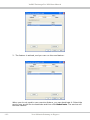
The administrator can restore data from the backup files. Select the data you
want to restore and click Browse to select the corresponding file from your PC.
Click RESTORE to restore the data.
Note: Once you have modified the Dialing Scheme, if you want to run a
restore procedure, make sure the format of Speed-dial key in phonebook
and PIN for your user accounts is in accordance with that of current
Dialing Scheme. If not, restoration of the data may not be successful.
. 62 .
Your Ultimate Gateway to SkypeTM