1
Table of contests
1. Introduction ................................................................................................................................................................ 3
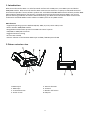
2.Fixture exterior view.................................................................................................................................................... 3
3. Connecting the Robe Universal Interface WTX .......................................................................................................... 4
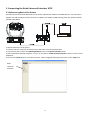
3.1 Software update of the fixture ............................................................................................................................. 4
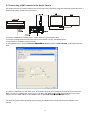
3.2 Connecting a DMX console to the Media Fusion.................................................................................................. 5
3.3 Connecting the Robe Universal Interface WTX to the fixtures link ...................................................................... 6
4. Installing the RDM-network software ........................................................................................................................ 6
5. The main window of the RDM-network software ...................................................................................................... 6
5.1 DMX network window .......................................................................................................................................... 7
5.2 Device groups window.......................................................................................................................................... 7
5.3 Parameter area .................................................................................................................................................... 8
5.3.1 Get parameters window ................................................................................................................................ 8
5.3.2 Set parameter window .................................................................................................................................. 9
6. Grouping fixtures ......................................................................................................................................................11
7. Scanning fixtures.......................................................................................................................................................12
8. Patching fixtures ......................................................................................................................................................13
9. Collecting parameters...............................................................................................................................................16
10. View sensor values .................................................................................................................................................18
11. Control of non-display fixtures ...............................................................................................................................19
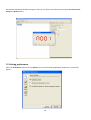
12. Setting preferences.................................................................................................................................................20
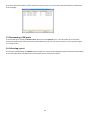
13. Rescanning USB ports ............................................................................................................................................22
14. Selecting a port .......................................................................................................................................................22
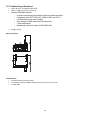
15. Technical specifications ..........................................................................................................................................23
16. Robe fixtures supporting RDM operation..............................................................................................................24
17. Change Log..............................................................................................................................................................25
2