1
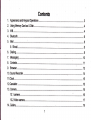
1. Appearance and Keypad Operations
................................. 23
17. FM Radio.......
20. Notices for the use of
phone
a
a
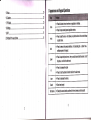
Press this button to r6fum home from any application or interface
Press it to open recently opened appli€tion window
Press it to strart the menu, which allows you to perfom actions in the curent intsrfa@
or options' menu.
................. 31
a
Pressittoreturntothepreviousinterface,
ortoclosedialogbox
notification panel or the keypad.
'
options'menu.
Press it to open the phone's menu, then you could chooss to lock the scresn. lurn off
the phone, or set it to the silent mode .
a
a
a
a
a
Press it to increase the volumo
Press it to tum the phone to vibration mode frcm the silent mods.
Press ittodecreasethevolume.
Search each project
Entering the camera interface, switched to the front camera can photo you6elf.