1
!
IMPORTANT INFORMATION
REGARDING SOLVES-IT
CONTROLLER SHIPMENTS
!
To provide greater flexibility and reliability, Solves-It! Analog shipments are factory programmed without a KERNEL. You must install the kernel prior to being able to download EZ
LADDER programs.
To install a target kernel:
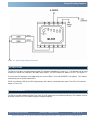
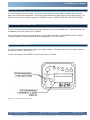
1. Connect the serial cable from the PC to the SI-110 / SI-210 (Programming Port).
2. Open the EZ LADDER Toolkit.
3. To load the kernel, you must configure the target and have at the minimum a one-rung program. For your convenience a program is pre-loaded on your computer (for EZ LADDER versions 1.0.4.4 and later). The file is named
GetStarted_SI-110_SI-210.dld and can be found in the Kernal Install Start Programs sub-directory where you installed
EZ LADDER.
OR
Otherwise, create your own using the Projects....Settings Menu,
select the “Solves-IT” target
and click the PROPERTIES button. Using the drop down menu, select the Solves-it model; either SI-110 or SI-210 and
click OK. You may also load a pre-saved ladder diagram that uses the same target. Verify the COM port is set correctly
and click OK to exit the Project Settings. See the EZ LADDER User’s Manual for details on configuring targets.
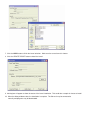
4. Click the
5. Click the
loaded.
(Monitor) button to change from the ‘Edit’ to ‘Monitor’ Mode.
(Connect) button to connect to the target. A dialog will appear automatically when no kernel is
6. Click the BROWSE button and select the target’s kernel (by partnumber) located by default at C:\Program Files\EZ
Ladder\Kernel\
The following is the kernel name and description:
File Name
Solves_It_SI_110.dat
Description
Kernel for Solves-It Analog
To be Used on (Partnumber)
SI-110, SI-210