1
B.
You can pair up to eight Bluetooth devices with
AutoDAB-GO.
Aux In
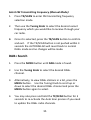
The AutoDAB-GO features a 3.5mm Aux-IN jack on the
right-hand side. External analogue audio source from an iPad,
iPhone, iPod, Tablet, Android phone or MP3 players etc. can
be fed wirelessly through the FM transmission into your car
stereo audio system.
To connect an external music player:
Press MODE button until you see AUX IN displayed on the
screen.
If you can’t find AUX IN, then press and hold the MENU
button to enter menu.
1.
Use the Tuning Knob to scroll to AUX IN/OUT Select,
press MENU button to confirm,
2.
Use the Tuning Knob to select AUX IN and confirm by
pressing MENU button again.
6.
Connect an external audio source into the AUX IN jack
on the right-hand side of AutoDAB-GO with the provided
3.5mm audio cable.
18