1
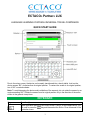
ECTACO® Partner® LUX Quick Start Guide Note: Use of an inappropriate external power supply may cause failure of the device and will void the warranty. Tap the screen with the supplied pointing device called the stylus which, when not in use, is conveniently kept in a special slot at the side of the device's back panel. HOW TO ACCESS USER MANUAL ECTACO® Partner® LUX user manual is compiled in an electronic format and is stored in the internal memory of the device. When in the Home Screen, press the key. DISPLAY AND MAIN MENU ECTACO® LUX features a large-size touch screen (800×480 pixels) with a responsive and efficient graphical interface. The Home Screen consists of five sections, which visually organize access to the ECTACO® Partner® LUX applications. Partner® To display the Home Screen, turn the device on, and/or exit the currently running application. You can also navigate to the Home Screen by pressing the key. Four sections are completed: Internet and Social Networking, Foreign Languages (main section), Additional Resources, as well as News, Weather and Games. The remaining section doesn't contain any items until you add them. The contents of the Home Screen depend on product model. To move between sections, press the arrow keys or drag the stylus across the screen to the left or right. To view all your applications, tap the icon at the right of the screen. Note: To disable Slang Lock in the Dictionary application, please use this password: showslan. PRONUNCIATION OF WORDS AND SENTENCES ECTACO® Partner® LUX speaks Dictionary and PhraseBook entries out loud with a real human voice. To hear the word or phrase pronounced, tap the icon, or press the key. In certain applications, the device employs the TTS (Text-to-Speech) voice synthesis facility. SPEECH RECOGNITION IN PHRASEBOOK The PhraseBook application features speech recognition functionality. Open the desired topic. You will see the list of its phrases. Press and hold the microphone button . Say your phrase and then release the the phrase is on the list, the highlight will move to it. 3 button. If