1
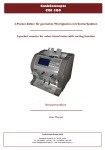
User’s Manual MAGNER150 - Contents – Important Safety Precautions............................................................................................ 4 Warning ............................................................................................................................... 4 1. START 1-1. Packing List ...................................................................................................... 5 1-2. Options ............................................................................................................ 5 1-3. Appearance ....................................................................................................... 6 2. BASIC OPERATION 2-1 Self-Diagnosis................................................................................................... 7 2-2. Counting Notes................................................................................................. 8 2-3. Display Function .............................................................................................. 9 2-4. Operation Key Function ................................................................................ 10 3. BASIC MODE 3-1. Count Mode ..................................................................................................... 11 3-2. Euro Mode ....................................................................................................... 14 3-3. USD Mode ....................................................................................................... 14 3-4. Local Currencies Mode.................................................................................. 14 4. OPERATION MODE I 4-1. Batch Mode ..................................................................................................... 15 4-2. CF Mode .......................................................................................................... 15 4-3. ADD Mode ....................................................................................................... 16 4-4. Grand Total Mode ........................................................................................... 18 5. OPERATION MODE II 5-1. Mix Mode .......................................................................................................... 24 5-2. Dispenser Mode ............................................................................................... 24 5-3. Separate Mode (SP Mode) .............................................................................. 25 5-4. SP-ver Mode ..................................................................................................... 25 5-5. SP-verA Mode .................................................................................................. 25 5-6. Single Mode ..................................................................................................... 26 5-7. Dir-MF Mode ..................................................................................................... 26 5-8. Dir-MO Mode .................................................................................................... 26 5-9. Dir-SF Mode ..................................................................................................... 27 5-10. Dir-MO Mode .................................................................................................. 27 5-11. Serial Number Print Mode ........................................................................... 29 -2- User’s Manual MAGNER150 6. SERIAL PRINTER 6-1. Descriptions of Serial Printer ....................................................................... 31 6-2. Descriptions of Serial Port ............................................................................ 31 6-3. How to set the Serial Printer ......................................................................... 32 6-4. Descriptions of Menu ..................................................................................... 33 6-5 Print the receipt .............................................................................................. 33 6-6. Form of the receipt ......................................................................................... 34 7. USER SETTING Mode 7-1. How to set the User Setting Mode ................................................................ 35 7-2. Descriptions of Menu ..................................................................................... 36 SPECIFICATION OF THE MAGNER150 Technical Specification/Options ................................................................................. 39 Error Code – Count Error................................................................................................. 40 Value Error ................................................................................................. 41 UV Error / MG Error ................................................................................... 42 CF Error / IR Error...................................................................................... 43 REGULAR CLEANING OF THE MACHINE ...................................................................... 44 -3- User’s Manual MAGNER150 - Important Safety Precautions 9 Do not plug several products in one multi-outlet. 9 Do not bend the cable by force or leave it under any heavy object. 9 Install the machine on the stable surface 9 Unplug the machine before it is moved 9 Do not pull the cable it unplugged. 9 Do not plug in or unplug with your hands wet. 9 Use only approved accessories and do not try to disassemble, repair or remodel it for yourself. 9 Do not let coin or other foreign objects in the machine. 9 Do not keep and operate the machine at a place with high temperature and humidity. - Warning Adjust the Gap Adjustment Knob before you start to count the notes. Do not let coin or other foreign objects in the machine. When folded note is inserted or notes are placed wrong on the HOPPER, the machine does not work properly. Before counting, adjust the HOPPER GUIDE. If you catch Rear Cover Knob when you move the machine, it will be possible setup value is changed or fatal error caused. When you close the Front Cover or Rear Cover, be careful not to get hurt. Do not look at directly of UV sensor in the Detector Module. -4- User’s Manual MAGNER150 1. START 1-1. Packing List MAGNER150 Manual Power Cable 1-2. Options External Display Serial Print cable RS232C cable -5- User’s Manual MAGNER150 1-3. Appearance -6- User’s Manual MAGNER150 2. BASIC OPERATION 2-1. Self-Diagnosis Plug the power cable into the machine. The machine starts self-diagnosis and check- Turn on the power switch. lists are shown on the display. MAGNER150 MAGNER150 SERIES CF FUNCTION : YES SERIAL NUMBER : YES LOCAL CURRENCY : YES S/W ver: Vxx.x 2007-xx-xx The machine shows below message on the After self-diagnosis, display shows as below. LCD DISPLAY for a short time during checking When the machine turns on again, the latest the Memory. used mode will be shown. Checking EEPROM Data .... Checking Setting Data HSRB Sensors ......... Checking Count Sensors Cis Up ............... Main ................. Reject ............... Motor Speed Data Main Motor ........... Sub Motor ............ Mix RJP CF -------------------- OK OK 0 OK OK OK $ OK OK 0 0 -------------------B100 --- If there is a problem in the system, error message will be blinking on the Display. -7- User’s Manual MAGNER150 2-2. Counting Notes Display shows as below. Press CURRENCY key and CURRENCY select any mode you will. COUNT RJP ---------------------- 0 0 0 -------------------B100 --Counting Mode is for counting all currencies without detection. Counted notes stack at the STACKER Pocket and trouble notes are sent to REJECT Pocket. When you place the notes on the HOPPER, machine starts running. If you remove the rejected note during counting, it is possible that displayed reject counts differ from number of notes in the REJECT POCKET. -8- User’s Manual MAGNER150 2-3. Display Function Operation Mode Number of notes on Reject Pocket Use of Reject Pocket Mix RJP ---------------------- 0 0 0 $ Currency Mark Counterfeit Detection Activation -------------------B100 ADD Selected Batch Number Number of notes on Stacker Pocket Total value of accepted notes ADD mode Display It is possible that the actual machine’s Display and the illustration Display in the manual are little different. -9- User’s Manual MAGNER150 2-4. Operation Key Function ▲/+10 When press and hold down, enter User CF Counterfeit detection function key. setting Mode and Serial Print Mode. CURRENCY Choose currency BATCH Batch function Key. When press and hold down the key, the function is released. PRINT Show the denomination information. In Serial Number Print Mode, print the information ▼/+1 Menu selector. by printer or display. LEVEL Select the double detection level in Count Mode. MODE Choose operation mode. SPEED Change the count the speed in Count RESTART•STOP Clear counting value Mode. After pressing, adjust the speed by information in Display. In special mode, exit the pressing +10 or +1 key. menu. ADD When press and hold down the key, you can enter the ADD Mode. - 10 - User’s Manual MAGNER150 3. Basic Mode 3-1. Count Mode Display shows as below. Press CURRENCY key and CURRENCY select any mode you will. COUNT RJP ---------------------- 0 0 0 -------------------B100 --Counting Mode is for counting all currencies without detection. How to place notes properly on HOPPER Adjust the hopper guide, before counting If you not adjust the hopper guide, the machine does not work properly. 1. Place a note on the HOPPER referring to following figure. 2. Move the HOPPER guide to make the guide size is the same with the note size. 3. If you use to USD or Euro, refer to symbol of Hopper sticker. - 11 - User’s Manual MAGNER150 Gap Adjustment If CIS skew error or Jam error occurs frequently, adjust the GAP wider by turning the Gap Adjustment Knob clockwise slightly. In serial number print mode, if the inserted gap is narrow, display shows as below. - O This mark will be blinking. + Adjust the GAP wider by turning the GAP clockwise slightly KNOB If you want to exit, press RESTART/STOP key. - 12 - User’s Manual MAGNER150 Level key function DDL means Double Detection Level. User can select the level and the range from 1 to 9. - DDL 1: Euro, USD. - DDL 2~8: Local currency DDL 9: If the notes are darker than EURO or USD or the notes are so old, user can select this level to detection double notes. But when counts normal notes in this level, the machine do not detect the double notes. Please take care. COUNT RJP ---------------------- 0 DDL:5 0 0 -------------------B100 --- LEVEL If you want to change the DDL, press the LEVEL key and select level. When you save the DDL value, press and hold down the LEVEL key. Double Detection Level 4 ------------------------------|Do you want to save DDL? | | SAVE -> LEVEL | | EXIT -> RESTART | ------------------------------- If you press the LEVEL key, DDL value save and go to the COUNT mode. - 13 - User’s Manual MAGNER150 3-2. Euro Mode Display shows as below. Select Euro currency pressing CURRENCY CURRENCY key. Mix RJP ---------------------- Press the MODE key and MODE 0 select operation mode. € 0 0 -------------------B100 --It is possible that the machine denominates Euro. 3-3. USD Mode Display shows as below. Select USD currency pressing CURRENCY CURRENCY key. Mix RJP ---------------------- Press the MODE key and MODE 0 select operation mode. $ 0 0 -------------------B100 --It is possible that the machine denominates USD. 3-4. Local Currencies Mode Display shows as below. Press CURRENCY key and CURRENCY select local currency. Mix RJP ---------------------- Press the MODE key and MODE 0 select operation mode. LC 0 0 -------------------B100 --According to optional local currency, LC is ₩, ¥, ZAR, AUD, SYP and etc. - 14 - User’s Manual MAGNER150 4. Operation Mode I 4-1. Batch Mode If you want to activate Batch BATCH Display shows as below. function, press BATCH key. But Display has no change. After activating Batch function, if Mix RJP CF -------------------- 0 you press BATCH key again, you can select Batch Number. Batch Number is changed continuously when you press BATCH key. If you press and hold down € 0 0 -------------------B100 --- BATCH key, Batch function is inactive and Batch Number becomes zero. Mix RJP CF -------------------- 0 € 0 0 -------------------B 0 --- 4-2. CF Mode Display shows as below. If you want to detect the CF counterfeit, press CF key Mix RJP CF -------------------- before counting. 0 € 0 0 -------------------B100 --CF function is performed with other mode, except Count Mode and Serial Number Print Mode, at the same time. - 15 - User’s Manual MAGNER150 4-3. ADD Mode When press and hold ADD key, ADD Display shows as below. you can enter ADD Mode or GRAND TOTAL Mode. SELECT KEY To enter ADD Mode, press +1 key. +10 -> OFF ( COUNT ) +1 -> ADD SPEED -> GRAND TOTAL In ADD Mode, you can cumulate the counted result. In ADD Mode, if press CURRENCY Key, previous ADD value is cleared. It means ADD value is not saved per currency. Mix RJP CF -------------------Add 0 0 0 $ -------------------B100 ADD When remove the notes from stacker When count the notes Mix RJP CF -------------------- Mix RJP CF -------------------- current 0 $ Add 43 523 0 $ -------------------B100 ADD 43 523 -------------------B100 ADD Display shows added information between current and ahead counted notes. Display shows current counted information. - 16 - User’s Manual MAGNER150 When count the notes again When remove the notes from stacker again Mix RJP CF -------------------- Mix RJP CF -------------------- current 0 $ Add 48 1,207 0 $ -------------------B100 ADD -------------------B100 ADD Display shows added information between current and ahead counted notes. Display shows current counted information If you want to see the result Press and hold down PRINT PRINT key. Print the receipt: PRINT key Clear Data: RESTART•STOP key. 91 1,730 Ex) The result of cumulate mode in USD Mode ADD VALUE ( USD ) -----------------------------$5 : XXX,XXX | $10 : XXX,XXX | $20 : XXX,XXX | Total Notes $50 : XXX,XXX | : X,XXX,XXX $100 : XXX,XXX | $200 : XXX,XXX | Total Value $500 : XXX,XXX | : XX,XXX,XXX -----------------------------EXIT – RESTART KEY When active this mode is active, it is possible that the machine detects the counterfeit and recognizes the denomination of notes - 17 - User’s Manual MAGNER150 4-4. Grand Total Mode When press and hold ADD key, ADD Display shows as below. you can enter ADD Mode or GRAND TOTAL Mode. To enter Grand Total Mode, press SELECT KEY +10 -> OFF ( COUNT ) +1 -> ADD SPEED -> GRAND TOTAL SPEED key. In Grand Total Mode, you can settle accounts daily. In Grand Total Mode, the counted value is not erased, even if turn off power. Mix RJP CF -------------------Grand Total 0 0 0 $ -------------------B100 G.TOTAL When remove the notes from stacker When count the notes Mix RJP CF -------------------- Mix RJP CF -------------------- SubTotal current 0 $ 24 153 0 $ 1 24 153 -------------------B100 G.TOTAL -------------------B100 G.TOTAL Display shows current counted information. Display shows SubTotal - 18 - 1 value. User’s Manual MAGNER150 If you want to save SubTotal 1, press and hold down ADD Key again. Mix RJP CF -------------------SubTotal 0 $ SELECT KEY 1 24 153 ADD SPEED BATCH +10 +1 -------------------B100 G.TOTAL -> -> -> -> -> CONTINUE ADD TO GRAND TOTAL CLEAR SUB-TOTAL CLEAR GRAND-TOTAL OFF ( COUNT ) Mix RJP CF -------------------- If press ADD key, return the previous screen and count SubTotal xx continuously. SubTotal 0 $ 1 24 153 -------------------B100 G.TOTAL If press SPEED key, SubTotal xx value is And when start to count again, SubTotal xx+1 saved to Grand Total. is started. Mix RJP CF -------------------- Mix RJP CF -------------------- Grand Total 0 $ SubTotal 24 153 0 $ -------------------B100 G.TOTAL 2 65 1702 -------------------B100 G.TOTAL Mix RJP CF -------------------- If press BATCH key, SubTotal xx is cleared Grand Total and Grand Total value which is saved until 0 SubTotal xx-1 is shown. $ 24 153 -------------------B100 G.TOTAL - 19 - User’s Manual MAGNER150 Mix RJP CF -------------------- If press +10 key, Grand Total value is cleared. Grand Total 0 $ 0 0 -------------------B100 G.TOTAL Mix RJP CF -------------------- If press +1 key, exit Grand Total Mode. 0 $ 0 0 -------------------B100 --- In GRAND TOTAL Mode, although changes CURRENCY and counts other currency, previous SUB-TOTAL value is deleted. If return to previous currency mode, previous SUB-TOTAL value is reloaded. It means SUB-TOTAL value is saved per currency and only it is deleted by Menu item, +10 Key. Mix RJP CF -------------------- Mix RJP CF -------------------- SubTotal 12 0 $ SubTotal 12 87 3667 0 € 0 0 -------------------B100 G.TOTAL -------------------B100 G.TOTAL COUNT RJP --------------------- Mix RJP CF -------------------- SubTotal 12 0 DDL:2 SubTotal 12 0 0 0 $ -------------------B100 S1000 G.TOTAL 87 3667 -------------------B100 G.TOTAL - 20 - User’s Manual MAGNER150 Receipt of Operation, ADD and Grand Total Mode User can print the counted result to printer. There are three types of Receipt. In ADD Mode Normal Operation Mode Ex) Mix Mode In Grand Total Mode During counting SubTotal xx, if press After saving SubTotal xx, if press PRINT PRINT key, the receipt for SubTotal is key, the receipt for Grand Total xx is printed. printed. - 21 - User’s Manual MAGNER150 Verify function During counting in ADD or GTOTAL mode, use can verify counting result which already counted after activating ADD or GTOTAL function or new bundle of note which is independent with ADD or GTOTAL counting result. EX) ADD mode After activate ADD function, use counts 1200 notes. But he wants to count again some notes which were already counted or count new bundle. In this case, if press ADD Key shortly, verify function is activated. When verify function is turned on, use can count new notes which is no relation with 1200 notes. After completes verifying counts, if press ADD Key shortly again, machine returns to previous. Mix RJP CF -------------------- Mix RJP CF -------------------- Add 0 $ VERIFY 1200 120000 0 $ -------------------B100 ADD 0 0 -------------------B100 ADD Press ADD Key shortly and VERIFY function is activated. Mix RJP CF -------------------- Mix RJP CF -------------------- VERIFY 0 $ Add 34 128 0 $ -------------------B100 ADD 1200 120000 -------------------B100 ADD Count notes which you want to check After verifying, press ADD Key shortly or verify again. The screen which is before verifying is shown again. - 22 - User’s Manual 5. Operation Mode II MAGNER150 COUNTING FUNCTIONS Mix MODE DISPENSER MODE (Option) SP MODE SP-ver MODE (Option) Count all denomination of selected currency. User can count notes as their wish. The machine saves information from first inserted note. (Different notes will be separated into the Reject Pocket) Sp mode plus discrimination of old and new version notes. SP-verA MODE Mix mode plus discrimination of old & new & very new version notes. (Option) (USD only) SG MODE Before counting, the user can select a specific denomination to be counted. SORTING FUNCTIONS Dir-MF MODE Dir-MO MODE Separation mode by Facing function (all denominations). The machine separates front side or rear side of the notes. Mixed separation mode by Orientation function (all denominations). The machine separates different direction notes. Dir-SF MODE Separation mode by Facing function (Single denomination). Dir-SO MODE Separation mode by Orientation function (Single denomination). SPECIAL FUNCTION SERIAL NUMBER MODE (Option) Prints out the printer and saves the PC to discriminate the serial number of notes. - 23 - User’s Manual MAGNER150 5-1. Mix Mode Display shows as below. Select currency pressing CURRENCY CURRENCY key. Mix RJP CF -------------------- Press the MODE key and MODE 0 0 0 choose Mix mode. $ -------------------B100 --You can count all denomination of selected currency without any selection. 5-2. Dispenser Mode Press CURRENCY CURRENCY key to select currency. Mix RJP CF -------------------- 000 Press MODE key to select Mix MODE ▲/+10 00,000 0,000,000 mode. € Press +10 key or +1 key to -------------------B100 --- OR enter the DISPENSER setting MIX DISPENSER MENU ------------------------------ ▼/+1 MIX +10 key: After count and remove the note from Stacker Pocket, Dispenser function is off automatically. +1 key: Even if remove the note from Stacker Pocket, the function is activated continuously. If VALUE : € * *** **0 -----------------------------INCREASE – UP/+10 KEY DECREASE – DOWN/+1 KEY CLEAR VALUE – BATCH KEY MOVE CURSOR – MODE KEY EXIT - RESTART KEY press +1 key again, Dispenser function is off manually. Or when select another mode by pressing MODE key, exit Dispenser Mode. MIX €X,XXX,XXX RJP CF -------------------- 000 Using the key commend, you can set the value which you want. After set the value, exit the MENU using RESTART key. - 24 - € 00,000 0,000,000 -------------------B100 --- User’s Manual MAGNER150 5-3. Separate Mode (SP Mode) Press CURRENCY CURRENCY key and SP RJP CF -------------------- choose the mode, you want. 0 Press the MODE key and MODE $ choose SP mode. 0 0 -------------------B100 --The machine sorts out the same denomination with first inserted note. 5-4. SP-ver Mode (Separate Mode by Old & New version) Press CURRENCY CURRENCY key to select currency. SP-ver RJP CF -------------------- 0 Press MODE key to select $ SP mode. MODE Press +1 or +10 key and select ▲/+10 SP-ver mode 0 0 -------------------B100 --- OR If user selects this mode, the machine sends notes to Stacker which have same denomination and version (old and new&very new) with first inserted note. ▼/+1 5-5. SP-verA Mode (Separate Mode by New & Very New version) Press CURRENCY CURRENCY key to select currency. (USD only) SP-verA RJP CF -------------------- 0 Press MODE key to select MODE ▲/+10 OR 0 0 SP mode. $ Press +1 or +10 key and select -------------------B100 --- SP-verA mode If user selects this mode, the machine send note to Stacker which has same denomination with the first inserted note. ▼/+1 - 25 - User’s Manual MAGNER150 5-6. Single Mode (SG Mode) Press CURRENCY CURRENCY key and SG $100 RJP CF -------------------- choose the mode, you want. Press the MODE key and MODE 0 choose SG mode. $ ▲/+10 Press the +1 or +10 key and -------------------B100 --- OR choose denomination. ▼/+1 0 0 You can sort the selected denominations. 5-7. Dir-MF Mode Dir-MF RJP CF -------------------- Press CURRENCY key and choose the mode, you want. CURRENCY 0 $ Press the MODE key and MODE choose Dir-MF mode 0 0 -------------------B100 --Regardless of denomination, the machine saves the front or rear information of the first inserted note and sorts the same things. 5-8. Dir-MO Mode Press CURRENCY key and CURRENCY choose the mode, you want. Dir-MO RJP CF -------------------- 0 Press the MODE key and $ choose Dir-MO mode MODE -------------------B100 --- Press the +1 or +10 key and ▲/+10 OR 0 0 choose Dir-MO mode. Regardless of denomination, the machine saves the direction information of the first inserted note and sorts the same things. ▼/+1 - 26 - User’s Manual MAGNER150 5-9. Dir-SF Mode Press CURRENCY key and CURRENCY Dir-SF RJP CF -------------------- choose the mode, you want. 0 Press the MODE key and $ choose Dir-MO mode MODE 0 0 -------------------B100 --▼/+1 OR Press the +1 or +10 key and choose Dir-SF mode ▲/+10 The machine saves the denomination and front or rear information of the first inserted note and sorts the same things. 5-10. Dir-SO Mode Press CURRENCY key and CURRENCY Dir-SO RJP CF -------------------- choose the mode, you want. 0 Press the MODE key and MODE $ choose Dir-MO mode -------------------B100 --- Press the +1 or +10 key and ▼/+1 OR ▲/+10 choose Dir-SO mode. 0 0 The machine saves the denomination and direction of the first inserted note and sorts the same thing. - 27 - User’s Manual MAGNER150 Print the Error Report When the counted notes are rejected, user can receive the error report by the LCD Display or printing receipt. - Error report on the LCD Display. When the notes are rejected, do not remove the note from reject pocket, press and hold down MODE key. The display shows as below. Reject Reasons -----------------------------Count | Detail Reasons -----------------------------1 | Value Error (E101) | Jam Error 2 3 | E-M1 4 | E-C1 5 | E-UH | Double Error 6 7 | Skew Error -----------------------------HELP – CF KEY Count means the number of rejected notes. User can move next or previous page pressing +10 key or +1 key. When pressing MODE key, Display shows the list of type of error. MODE | Number Type of Error -----------------------------| 3 Count Error | 0 Function Error | 1 Value Error | 3 UV, MG Error | 0 No CIS Result | 0 No UV,MG Result | | | 7 -----------------------------HELP – CF KEY When pressing MODE key again, return to previous display. If want to exit, press RESTART•STOP key. Count Error: This error is caused by counting states. For example, double notes inserted, the note is skewed, etc. Function Error: This error is caused in SP, Single and Direction Mode. Value Error: When CIS sensor data is wrong, this error is caused. UV, MG Error: When the machine detects the counterfeit, this error is caused. No CIS Result: When the machine does not get the CIS sensor data, this error is caused. No UV, MG result: When the machine does not get the UV and MG data, this error is caused. - 28 - User’s Manual MAGNER150 5-11. Serial Number Print Mode Press CURRENCY key and Serial RJP CF -------------------- choose the mode, EURO or CURRENCY USD 0 $ Press the MODE key and MODE choose Serial mode 0 0 -------------------B100 --You can count all denomination of selected currency without any selection. Before counting in serial number print mode, please arrange the notes that the serial number printed side is faced upward. For example, USD is front side and Euro is rear side. After counting, the LCD Display will display the message as below. --------------------|Please Wait..... | |Printing serial number...| -------------------------- If you wants to count other notes continually, place the note on the HOPPER not remove the notes in the Stacker Pocket. The printer prints out the serial number successively. After finishing counting if you remove the notes from the Stacker Pocket, prints out the total notes. ▶In this mode, the machine could not detect the counterfeit. ▶This mode operates only for be exist SRAM in MAIN BOARD. (Option) ▶ If you want to know more detail of serial printer, refer to CHAPER 6. - 29 - User’s Manual MAGNER150 How to store Serial Number to PC MAGNER150 allows storage of Serial Number to PC by special PC program, Serial Number Manager. If you want to use Serial Number Manager, please contact manufacture. CF function in Serial Number Print Mode Please note. This function is only available with special hardware. If you want to use counterfeit detection in Serial Number Print Mode, Please contact manufacture. Although the machine doesn’t have special hardware, user can turn on or off CF function in Serial Number Print Mode. (Please refer to User Setting Mode item 17) But it will not work properly. Serial RJP CF -------------------- 0 $ 0 0 -------------------B100 --- - 30 - User’s Manual MAGNER150 6. SERIAL PRINTER 6-1. Descriptions of Serial Printer (RS232c) Emulation MODE : EPSON or STAR ( EPSON Emulation MODE is a Default Value of Factory ) Baud Rate : 2,400 bps ~ 115,200 bps ( 115,200 bps is a Default Value of Factory. ) Data Bits : 8 bits Stop Bits : 1 bit Handshaking : DTR/DSR Parity Check : Disable Available Serial Printer : SAMSUNG : SRP-370 Web Site : HTTP://WWW.SAMSUNGMINIPRINTERS.COM/ EPSON : TM-T88III, etc. Web Site : HTTP://POS.EPSON.COM/ 6-2. Descriptions of Serial Port There are two types of interface. 1. SPI (Serial Peripheral Interface) - For Upgrade - PIN1: GND - PIN2, 3, 4, 5, 6, 7, 9, 10, 11, 13, 14, 15: for SPI 2. RS232C - For PC communication - For serial printer - For other devices with RS232C - PIN1: GND - PIN12: TXD - PIN8: RXD For only external display - 31 - User’s Manual MAGNER150 6-3. How to set the Serial Printer Press and hold down +10 key. Serial RJP CF -------------------- 0 $ +10 -> USER MENU 0 0 PRINT -> PRINT MENU -------------------B100 --By pressing and holding down +10 Key in any mode, you can enter special mode. Display of special mode Press PRINT key to enter PRINT MENU SERIAL PRINTER MENU (1/2) ----------------------------->>1.EXIT(PRESS RESTART KEY) 2.Find SERIAL PRINTER 3.How to print ----- *Manual 4.Printout Type --- *Receipt 5.Blank of tail --------- *5 -----------------------------NEXT HELP – CF KEY SERIAL PRINTER MENU (1/2) -----------------------------1.EXIT(PRESS RESTART KEY) 2.Find SERIAL PRINTER >>3.How to print ----- *Manual 4.Printout Type --- *Receipt 5.Blank of tail --------- *5 Menu selection: MODE key Value selection: PRINT, +10 or +1 key -----------------------------NEXT HELP – CF KEY When you press RESTART key after changing a setting value, Display shows the message “Wait… Setting Data Saving…” - 32 - User’s Manual MAGNER150 6-4. Descriptions of Menu SERIAL PRINTER MENU (1/2) ----------------------------->>1.EXIT(PRESS RESTART KEY) 2.Find SERIAL PRINTER 3.How to print ----- *Manual 4.Printout Type --- *Receipt 5.Blank of tail --------- *5 SERIAL PRINTER MENU (2/2) -----------------------------6.Emulation --------- *EPSON 7.Baud Rate ------- *9600bps 8.ROLL PAPER Size --- *3inch 9.Font Size ------- *12 * 24 -----------------------------NEXT PAGE – BATCH KEY -----------------------------NEXT PAGE – BATCH KEY 1. EXIT Quit the menu 2. Find SERIAL PRINTER Check the connection of machine and printer. 3. How to print Manual – If you want to print the results, you have to press the print key. Auto – When the counted notes removed from stacker pocket, printing starts automatically. 4. Printout Type Receipt – print the receipt information Detail – Print the detail information (ex) denomination information, error information and etc. CIS Info – User cannot use this type. CF Info – User cannot use this type. IR Info – User cannot use this type. All Info – User cannot use this type. 5. Blank of tail User set up the blank of tail. 6. Emulation Set up the print type. Machine can offer only EPSON Emulation. 7. Baud Rate Set up the baud rate between machine and printer. 8. ROLL PAPER Size Set up the size of printer paper. 9. Font Size set up the font size. * means the encourage value. When you quit the all menu, press the RESTART/STOP key. 6-5. Print the Receipt After counting, PRESS key shortly, Mix RJP CF -------------------- 0 $ 910 134,500 -------------------B100 --Display shows the message “Please Wait… Printing the data...”. - 33 - User’s Manual MAGNER150 The machine prints the receipt. After counting, press and hold down PRINT key, USD VALUE COUNTING -----------------------------$5 : XXX,XXX | $10 : XXX,XXX | $20 : XXX,XXX | Total Notes $50 : XXX,XXX | : X,XXX,XXX $100 : XXX,XXX | $200 : XXX,XXX | Total Value $500 : XXX,XXX | : XX,XXX,XXX -----------------------------EXIT – RESTART KEY If serial printer does not connect, the result prints to the screen. If serial printer connected, the result is printed to the printer. If the notes remain at the Reject Pocket while user presses PRINT Key, following message is displayed. -------------------------- |Please Check...........| |Make rej. Pocket empty | -------------------------- 6-6. Form of the Receipt ① ② ① Printing date and time: This function is optional. (Real time checking hardware is needed) ② CF enable or disenable is printed. When CF function enables, “CF” is printed. And if CF function is not enable, “--“is printed. - 34 - User’s Manual MAGNER150 7. USER SETTING MODE 7-1. How to set the User Setting Mode Press and hold down +10 Key. Serial RJP CF -------------------- 0 $ +10 -> USER MENU 0 0 PRINT -> PRINT MENU -------------------B100 --By pressing and holding down +10 key in any mode, you can enter special mode. Display of special mode Press +10 Key to enter USER MENU USER SETTING MODE (1/2) ----------------------------->>1.EXIT(PRESS RESTART KEY) 2.ID --NONE 3.USER s ID PRINTING - *YES 4.REJECT POCK. ACTIVE - *YES 5.REJECT POCK. SIZE *60 6.NUMBER OF PRINTOUT *1 7.PRE-BATCH PCS. SETTING 8.SCREEN SAVER^^^- NONE 9.BUZZER VOLUME^^- Middle -----------------------------NEXT PAGE – BATCH KEY USER SETTING MODE (1/2) -----------------------------1.EXIT(PRESS RESTART KEY) 2.ID --NONE >>3.USER s ID PRINTING - *YES 4.REJECT POCK. ACTIVE - *YES 5.REJECT POCK. SIZE *60 6.NUMBER OF PRINTOUT *1 7.PRE-BATCH PCS. SETTING 8.SCREEN SAVER^^^- NONE 9.BUZZER VOLUME^^- Middle -----------------------------NEXT PAGE – BATCH KEY Menu selection: MODE key Value selection: PRINT, +10 or +1 key When you press RESTART•STOP key after changing a setting value, Display shows the message “Wait… Setting Data Saving…” - 35 - User’s Manual MAGNER150 7-2. Descriptions of Menu USER SETTING MODE (1/3) ----------------------------->>1.EXIT(PRESS RESTART KEY) 2.ID --NONE 3.USER s ID PRINTING - *YES 4.REJECT POCK. ACTIVE - *YES 5.REJECT POCK. SIZE *60 6.NUMBER OF PRINTOUT *1 7.PRE-BATCH PCS. SETTING 8.SCREEN SAVER^^^- NONE 9.BUZZER VOLUME^^- Middle -----------------------------NEXT PAGE – BATCH KEY USER SETTING MODE (2/3) ----------------------------->>10.PRINT WARNING - YES 11.STOP CONDITION - DISABLE 12.BAR CODE SEND TO COMPUTER 13. *USING : CENTER 14. *TYPE : 2 OF 5 15. *LENGTH : 18 16.CF KEY - EXCEPTION 17.SERIAL CF MODE- ON 18.BATCH FUNCTION- CLEAR -----------------------------NEXT PAGE – BATCH KEY USER SETTING MODE (3/3) ----------------------------->>19.Face&Orientate - NORMAL 20.See the result - NOTMAL 21.Reject Number- SHOW 22.Serial Cutting - 200 23.Stacker Warning- NONE -----------------------------NEXT PAGE – BATCH KEY 1. 2. 3. 4. 5. 6. 7. 8. EXIT(PRESS RESTART KEY) Quit the menu. ID Type the user name. USER’s ID PRINTING The use of the Reject Pocket or not. REJECT POCK. ACTIVE you can select whether use the Reject Pocket or not. REJECT POCK. SIZE Set up the limit quantity of Reject Pocket. (30 ~ 90 Sheets) NUMBER OF PRINTOUT Set up the number of printed sheets. (1~3 sheets) PRE-BATCH PCS. SETTING You can choose any batch number. SCREEN SAVER If user does not use the machine during regular time, the machine enters screen save state. User set the regular time. When press the key or take the notes on the HOPPER, return back operation state. 9. BUZZER VOLUME Select buzzer volume. 10. PRINT WARNING Message of printing status is shown or not. 11. STOP CONDITION Stop Condition means when the note goes to reject pocket, User can select the machine works continuously or not. Disable: although a note is rejected, the machine works continuously. CF error: if a note is rejected with CF error, the machine stops to work. All error: if a note is rejected with any error, the machine stops to work 12. BAR CODE SEND TO COMPUTER User can select to print bar code to PC or Printer. 13. *USING : CENTER Select position of printed bar code 14. *TYPE : 2 OF 5 User can select bar code type 15. *LENGTH: 18 Length means bar code length and user can select this. (1~26) - 36 - User’s Manual MAGNER150 16. CF KEY - EXCEPTION NORMAL: Machine detects all counterfeits. EXCEPTION: Machine detects counterfeits except special note or denomination. 17. SERIAL CF MODE- ON Activate or inactivate CF function in Serial Mode. This function is only available with special hardware. If you want to use counterfeit detection in Serial Number Print Mode, please contact manufacture. 18. BATCH FUNCTION- CLEAR CLEAR – After batch count and remove note from stacker, value and count go to zero. CONTINUE – After batch count, counting information is accumulated. 19. Face&Orientate – NORMAL NORMAL: User can sort the notes with 4 directions, Face-Front, Face-Rear, Back-Front and Back-Rear. CONTINUE: User can sort the notes only Face-Front. 20. See the Result – NORMAL NORMAL: If press PRINT Key shortly, counting result is printed to serial printer. If press and hold down PRINT Key, counting result is printed to the display. SCREEN: If press PRINT Key shortly, counting result is printed to the display. 21. Reject Number – SHOW SHOW: Reject count number is shown on the display. HIDE: If select this, reject count number becomes invisible. 22. Stacker Warning – NONE User can select wait time for Stacker Warning. (10sec ~ 300sec) * means the encourage value. When you quit the all menu, press the RESTART•STOP key. If you want to go to next page immediately, press BATCH Key. - 37 - User’s Manual MAGNER150 How to input ID 1. Press MODE key to move the “>>” make to select “2. ID-“ and press PRINT key to enter. 2. Display shows following display. Move to left: CF Move to right: CURRENCY Move to up: +10 Move to down: +1 Delete a character: Select “BackSpace” and press PRINT key. 3. If want to type a selected character, press PRINT key. 4. When finish typing ID, press RESTART• STOP key. WRITING USER’s ID -----------------------------! ” # $ % & ’ ( ) * + , . / 0 1 2 3 4 5 6 7 8 9 : ; < = > ? @ A B C D E F G H I J K L M N O P Q R S T U V W X Y Z [\ ] ^ _ ' a b c d e f g h I j k l m n o p q r s t u v w x y z BackSpace -----------------------------USER’s ID: PRE-BATCH PCS. setting USER SETTING MODE (1/2) ----------------------------->>1.EXIT(PRESS RESTART KEY) 2.ID --NONE 3.USER NAME PRINTING - *YRS 4.REJECT POCK. ACTIVE - *YES 5.REJECT POCK. SIZE *60 6.NUMBER OF PRINTOUT *1 7.PRE-BATCH PCS. SETTING -----------------------------NEXT PAGE – BATCH KEY 1. Press MODE key to move the “>>” make to select “7.PRE-BATCH PCS.SETTING” Then press PRINT key to enter the “7.PREBATCH PCS.SETTING” 2. The LCD Display will display as below. EXIT : Exit the menu. DEFAULT : Return the standard value. SAVE : Saves the setting value. 3. If you want to change the BATCH value, press the MODE key and select the BATCH number. PRE-BATCH PCS. ADJUSTING >>EXIT<< DEFAULT SAVE -----------------------------The Unit of Calc. : 10 BATCH 1 --- 100 BATCH 2 --- 50 BATCH 3 --- 25 BATCH 4 --- 20 BATCH 5 --- 10 BATCH 6 --- 0 ------------------------------ 4. Change the value using the ▲/+10 or ▼/+1 key. 5. After finishing, move the “>>” select “SAVE” then press the PRINT key. 6. Display shows the message as left. 7. Press the RESTART•STOP key. ---------------------| |Please Wait....... |Setting Data Saving..| ---------------------- - 38 - make to User’s Manual MAGNER150 SPECIFICATION OF THE MAGNER150------------------------------------Technical Specification Available currencies EURO, USD, LOCAL(OPTION) Dimension(mm) 330(W)×350(D)×370(H) Display 4.1 inch Graphic LCD Weight Approx. 16 Kg Denomination Detection Full Line Image Sensor 60 × 90mm ~ 100 × 180mm Counterfeit Detection Countable Notes Size Countable Note Thickness Denomination 0.08 ~ 0.12mm Speed Count Thread Detection), IR 1000 notes/min Hopper Capacity 300 notes (circulated notes) Pockets 1 pocket and 1 reject Feed System Roller friction system 200 notes (circulated notes) Power Supply 100 ~ 240V AC, 50/60Hz Power consumption Max. 110 Watts Main Pocket Capacity Reject Pocket Capacity Max. 90 notes (circulated notes) Piece Count UV, FL, MG (Magnetic Max. 1500 notes/min -Options Local Currency Max. 3 currency External Display LCD type for customer Serial Number Recognition IR Detection With RS232C Interface for PC Bill Printout Max. 400 notes/min Discrimination Discriminate between old and Function new Full Line IR Sensor and external printer, Print user name Real Time Clock - 39 - For Local time printout User’s Manual MAGNER150 - ERROR CODE AND DISPLAY MESSAGE ERROR CODE DISPLAY MESSAGE Procedure CAUSE OF ERROR for removing the cause of error 1. Remove notes from the HOPPER, REJECT and STACKER POCKET. 2. Open rear cover and remove notes E001 Jam Error in the machine. Jamming in the machine 3. Open front cover and remove notes in the machine. 4. Restart counting operation. 1. Remove notes from the HOPPER, E002 Skew Error Skew bill fed REJECT and STACKER POCKET. 2. Restart counting operation. E003 Rear Cover Opened Chain Error Chain bills were fed E005 Double Error Doubled bills were fed E006 Half Error Half bill was fed E007 Dispenser Full E008 Separator Err. Front Cover Opened. in the machine. A note is in the machine. E004 E009 1. Open rear cover and remove notes Rear Cover is opened. Dispenser 2. Restart counting operation. 1. Remove notes from the REJECT function is POCKET and STACKER 2. Restart counting operation. completed There is no time to operate separator. 1. Open front cover and remove Front cover is opened. notes in the machine. A note is in the machine. 2. Restart counting operation. E011 Batch Full Batch Counting is completed. E012 Reject Pocket Full Reject Pocket is full. E013 Stacker Pocket Full Stacker Pocket is full. E014 No Value Result Communication Remove notes from the STACKER POCKET and Restart Error between Main and CIS board Restart counting operation. E015 No UV,MG Result E016 No IR Result Communication Error between Main and CF board Communication Error between Main and CF board - 40 - Restart counting operation. User’s Manual MAGNER150 - ERROR CODE AND DISPLAY MESSAGE FOR VALUE ERROR CODE DISPLAY MESSAGE CAUSE OF ERROR E101 Value Error ( E101 ) Skew ( Left ) E102 Value Error ( E102 ) Skew ( Right ) E103 Value Error ( E103 ) Dimension (Original X Length ) E104 Value Error ( E104 ) Dimension (Original Y Length ) E105 Value Error ( E105 ) Dimension ( Original X,Y Length ) E106 Value Error ( E106 ) Dimension ( Currency X Length ) E107 Value Error ( E107 ) Dimension ( Currency Y Length ) E108 Value Error ( E108 ) Dimension (Currency X,Y Length ) E109 Value Error ( E109 ) Uncertain Error E110 Value Error ( E110 ) Different Currency E111 Value Error ( E111 ) Chain error E112 Value Error ( E112 ) Different Slope of Left and Right E113 Value Error ( E113 ) Fanwise ( Original X Length ) E114 Value Error ( E114 ) Fanwise ( Original Y Length ) E115 Value Error ( E115 ) Fanwise ( Original X,Y Length ) Procedure for removing the cause of error 1. Check and adjust the insert gap. 2. Restart counting operation. - 41 - User’s Manual MAGNER150 - ERROR CODE AND DISPLAY MESSAGE FOR UV ERROR CODE DISPLAY MESSAGE CAUSE OF ERROR E201 E-UH UV1 high level error E202 E-UL UV1 low level error E203 E-BH UV2 high level error E204 E-BL UV2 low level error E205 E-FH FL high level error E206 E-FL FL low level error Procedure for removing the cause of error Suspect Note. Check and restart counting operation. - MG ERROR CODE ERROR DISPLAY MESSAGE CAUSE OF ERROR E211 E-M1(all currencies) MG Total ERROR E212 E-M2(all currencies) MG Information Error 1 E213 E-M3(all currencies) MG Information Error 2 E214 E-M4(local only) MG Information Error 3 E215 E-M5(all currencies) MG Denomination ERROR E216 E-M6(local only) MG Information Error 4 E217 E-M7(local only) MG Information Error 5 CODE - 42 - Procedure for removing the cause of error Suspect Note. Check and restart counting operation. 1. Check the note condition which is dirty or wear out 2. Check the rear cover closed.. User’s Manual MAGNER150 - CF ERROR CODE FOR COUNTING ERROR CODE DISPLAY MESSAGE CAUSE OF ERROR E221 E-C1 Abnormal note is mixed E222 E-C2 A Note is skewed E223 E-C3 A Note with Hole is mixed E224 E-C4 A Note with Half is mixed E225 E-C5 A Note with Size is mixed Procedure for removing the cause of error Restart counting operation. - Error Code of IR part ERROR CODE DISPLAY MESSAGE CAUSE OF ERROR E303 IR Error ( E303 ) IR front fill error E304 IR Error ( E304 ) IR front empty error E305 IR Error ( E305 ) IR front deep fill error E306 IR Error ( E306 ) IR Rear fill error E307 IR Error ( E307 ) IR Rear empty error E308 IR Error ( E308 ) IR Rear deep fill error E309 IR Error ( E309 ) IR Rotate error E310 IR Error ( E310 ) IR Hole error E311 IR Error ( E311 ) IR Half error E312 IR Error ( E312 ) IR Size error E313 IR Error ( E313 ) - 43 - Procedure for removing the cause of error Suspect Note. Restart counting operation. User’s Manual MAGNER150 REGULAR CLEANING OF THE MACHINE-------------------------------------------The machine has a many sensitive sensor to perform high technology functions, for example counterfeit detection, denominations, recognition of serial number and etc. Users are recommended to clean the machine sensors at least once a week. Refer to following section and clean the machine regularly. ※ Please turn the power off before clean the machine. - 44 - User’s Manual MAGNER150 Rev 1.3 2008. 02. 18 - 45 -