1
Table of Contents
1.
Introduction ...................................................................................................................................... 1-1
Overview ........................................................................................................................................... 1-2
Package Checklist ............................................................................................................................... 1-2
Product Features ................................................................................................................................ 1-2
Product Specifications ......................................................................................................................... 1-3
Panel Layout ...................................................................................................................................... 1-4
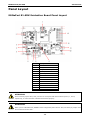
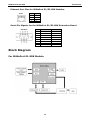
MiiNePort E1-SDK Evaluation Board Panel Layout ............................................................................ 1-4
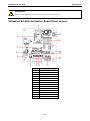
MiiNePort E2-SDK Evaluation Board Panel Layout ............................................................................ 1-5
Block Diagram .................................................................................................................................... 1-6
For MiiNePort E1-SDK Module ....................................................................................................... 1-6
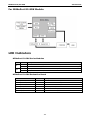
For MiiNePort E2-SDK Module ....................................................................................................... 1-7
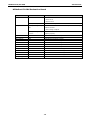
LED Indicators .................................................................................................................................... 1-7
2.
Getting Started.................................................................................................................................. 2-1
Wiring Precautions .............................................................................................................................. 2-2
Selecting the Serial Interface ............................................................................................................... 2-2
Connecting Power ............................................................................................................................... 2-3
Connecting MiiNePort USB to PC ........................................................................................................... 2-3
Connecting to the Network................................................................................................................... 2-5
Connecting to a Serial Device ............................................................................................................... 2-5
Digital I/O Channel Settings ................................................................................................................. 2-5
Schematic Design Guide ...................................................................................................................... 2-6
3.
Choosing the Proper Operation Mode ................................................................................................ 3-1
Overview ........................................................................................................................................... 3-2
RealCOM Mode ................................................................................................................................... 3-2
Ethernet Modem Mode......................................................................................................................... 3-3
4.
Utility Console and Driver Installation .............................................................................................. 4-1
NPort Search Utility............................................................................................................................. 4-2
Installing NPort Search Utility ....................................................................................................... 4-2
NPort Search Utility Configuration ................................................................................................. 4-3
NPort Windows Driver Manager ............................................................................................................ 4-4
Installing NPort Windows Driver Manager ....................................................................................... 4-4
Using NPort Windows Driver Manager ............................................................................................ 4-6
Linux Real TTY Drivers ........................................................................................................................ 4-8
Installing Linux Real TTY Driver Files ..................................................................................................... 4-8
Mapping TTY Ports ....................................................................................................................... 4-8
Removing Mapped TTY Ports ......................................................................................................... 4-9
Removing Linux Driver Files.......................................................................................................... 4-9
UNIX Fixed TTY Drivers ....................................................................................................................... 4-9
Installing the UNIX Driver............................................................................................................. 4-9
Configuring the UNIX Driver ....................................................................................................... 4-10
5.
MiiNePort IDE Development Tool ...................................................................................................... 5-1
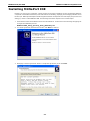
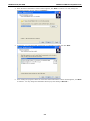
Installing MiiNePort IDE ....................................................................................................................... 5-2
Starting MiiNePort IDE......................................................................................................................... 5-5
Create MiiNePort-SDK Project ............................................................................................................... 5-6
RealCOM Mode ............................................................................................................................ 5-7
Ethernet Modem Mode ................................................................................................................. 5-9
Sample Application ...................................................................................................................... 5-9
Data Packing ............................................................................................................................ 5-10
Serial Command Mode ............................................................................................................... 5-12
Web Console............................................................................................................................. 5-16
CLI .......................................................................................................................................... 5-16
SNMP agent .............................................................................................................................. 5-17
TFTP Server .............................................................................................................................. 5-18
NTP Client ................................................................................................................................ 5-18
CPU Monitor.............................................................................................................................. 5-19
Wizards ........................................................................................................................................... 5-19
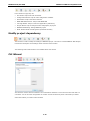
Modify project dependency ......................................................................................................... 5-20
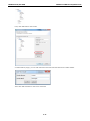
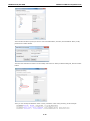
CLI Wizard ............................................................................................................................... 5-20
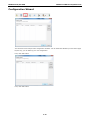
Configuration Wizard ................................................................................................................. 5-23
SCM Wizard .............................................................................................................................. 5-25
SNMP Wizard ............................................................................................................................ 5-27
User App Wizard ....................................................................................................................... 5-29
Build project ............................................................................................................................. 5-31
Upload debug version firmware to MiiNePort ................................................................................. 5-31
Debug current active project....................................................................................................... 5-31
Upload your customized firmware to MiiNePort .............................................................................. 5-32