1
Add Users by Batch
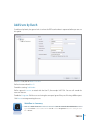
To add users by batch, the general rule is to have the RFID card number in sequence before you can use
this option.
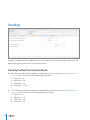
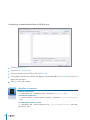
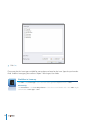
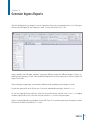
Go to Users Tab, click on Batch Create User.
Define the start and end User ID.
Provide the starting Card Number.
Define a general Username to attach with the User ID, for example Staff 1234. You can still amend the
username later on.
Provide the Designation if all the users are sharing the same post. Ignore if they are all having a different post.
Click Execute to start generating the users.
Workflow in Summary
Users Tab > Batch Create User > Define the start and end User ID > Enter the first Card Number > Define
a general Username to be associated with the User ID > Provide Designation if all users is having the same
title > Execute.
11