1
Chapter 1
Installation
Installation Guide for Ingress Software
This is an abridged version of the Ingress User Guide, meant to guide you with your initial Ingress
installation and the basic setup required to use the Flexi Schedule in the software. To fully explore
Ingress and all its extensive features, please refer back to the Ingress User Guide. Get ready with the
FingerTec DVD provided with your FingerTec purchase, and follow the instructions.
Note
In case of a lost/damaged DVD, you can download the latest version of the software online at
http://user.fingertec.com/software-updates.html
DVD Installation
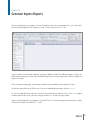
Insert the FingerTec DVD into your computer. If you are to use Ingress on multiple workstations,
install Ingress Server on the main computer and Ingress client on the rest of the workstations.
Once the DVD is inserted, it will auto-run. Click Run Start.exe to view the flash introduction.
Point the mouse over to Ingress and choose Software Installation. Follow the preceding steps shown
on the screen to install the Ingress Software.
At the first screen of the Ingress Software InstallShield Wizard window, click Next to continue with
the installation.
At the next screen, select I accept the terms in the license agreement after reading the User Software
License Agreement. Then, click Next.
At the next screen, specify your preferred destination folder to install the software and click Next to
continue. If no changes are made, the location will remain at its default location in
C:\Program Files\FingerTec Worldwide\ FingerTec Ingress\