1
Glob Toolbox User Manual
Page 3 of 20
1. Overview
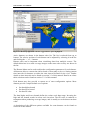
Glob Toolbox is a visualization tool for previewing the data from different products of
the DUE Glob series of projects. It provides access to the datasets by geographic
region, time frame, or both, without the need for the user to be aware of the file
format and naming scheme of each product.
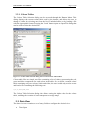
The previewing features include colour table selection, coverage exporting to file and
time series generation.
For additional information regarding the application or for support information
contact the DUE team at [email protected].
2. Installation
2.1. Microsoft™ Windows©
2.1.1. Supported Versions
The following versions of Microsoft Windows are supported:
•
Windows XP
Glob Toolbox might work on other versions but they are not officially supported.
2.1.2. Dependencies
Most Glob Toolbox dependencies are included in the provided installer. The Visual
Studio 2005 runtime libraries must also be present in the system, and can be obtained
from Microsoft at the following web page:
http://www.microsoft.com/downloads/details.aspx?familyid=200B2FD9-AE1A4A14-984D-389C36F85647
2.1.3. Install Procedure
Double-click on the installation program and follow the instructions.
By default, the software will be put in ‘%PROGRAMFILES%\Glob Toolbox.’ You
can choose another folder if you do not have write access to the default one, or simply
want to install the software at another location.
2.1.4. Uninstall Procedure
Go to the control panel, click on ‘Add/Remove Programs’ and select the Glob
Toolbox entry. Everything created during installation will then be removed.
Note that there is also a shortcut in the installation folder which you can click on to
get the same result.