1
Presentation (continued)
3
HMI software and Web servers
3
Vijeo Designer configuration software
Graphics editor
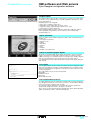
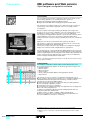
The graphics editor in Vijeo Designer offers interface consistency for simple objects
as well as for more sophisticated ones. It enables application developers to create
views easily based on:
b Simple objects to be configured:
v Points, lines, rectangles, ellipses, arcs
v Bar graphs, meters, tanks, fillers, pie charts, curves
v Polylines, polygons, regular polygons, Bézier curves, scales
v Texts, images or alarm summary, etc.
b Preconfigured advanced objects: Switches, radio buttons, indicators, buttons,
tanks, bar graphs, potentiometers, selector switches, text or number fields,
enumerated lists, etc.
Object animations
8 types of graphic-object animation support the rapid creation of animated views on
the basis of:
v Pressing the touch panel
v Change of color
v Filling
v Movement
v Rotation
v Size
v Visibility
v Display of associated value
Library of animated graphic objects
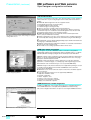
The library of animated graphic objects makes the creation of views very efficient
thanks to the numerous "ready-made" animation objects. It includes more than
4,000 vector images of an "industrial" nature in 2 or 3 dimensions. Simply "drag and
drop" the object using the mouse to position it on the view being created.
User-defined objects can be added to this library using the same simple "drag and
drop" method.
Java scripts
Vijeo Designer supports the processing of information using Java language scripts.
This function facilitates the running of complex animations, the automation of tasks
within the terminal and the management of calculations in order to relieve the load
on the PLC programs.
The scripts (50 lines, max.) can be associated with:
b Variables
b Operator actions
b Screens
b The application itself
User-customizable resources
To enable applications to be customized in accordance with customer requirements,
Vijeo Designer V4.5 features a new resource concept, i.e., the possibility of defining
styles (colors, images, character fonts, text lists).
To customize a generic application in accordance with customer requirements
quickly, simply assign these styles to the objects concerned.
The resource concept is supported by the following native objects: Meter, Bar Graph,
Slider, Potentiometer, Selector, Text List and Image List.
36349-EN_Ver5.1.fm/3