1
Presentation (continued)
3
HMI software and Web servers
3
Vijeo Designer configuration software
Advanced functions
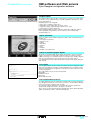
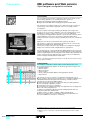
Data Manager: Transfer recipes, videos, images, etc. simply by
clicking with the mouse.
Based on new information technologies, Vijeo Designer features a large number of
advanced functions for processing a higher volume of data, both faster and more
reliably:
b Multimedia data management in the most popular formats:
v Image display (jpeg, bmp, emf, and png files)
v Text display and processing (txt files)
v Sound-message processing (wav files)
b Alarm or curve logs recorded for data storage and transfer
b Alarm management. All variables can be categorized as "Alarms" and can be
customized in respect of visualization and acknowledgment. These Boolean and
analog-threshold type alarms can be printed in real time.
b Multimode application transfer: via serial link, Ethernet and Compact Flash
memory card (on multifunction terminals)
b Backup of application source files on the terminal or iPC to facilitate maintenance
b User-friendly data exchange between PC and terminal using the Data Manager
tool
b Integrated FTP server for downloading/uploading recipes via Ethernet TCP/IP and
restoring logs to XBT G/GT terminals
b Multiport communication for multifunction terminals - 2 serial links and 1 Ethernet
network can be active simultaneously.
b Action table for associating a particular behavior with an event.
WEB Gate remote connection
Vijeo Designer can provide a WEB Gate remote connection for any platform
equipped with an Ethernet port and Compact Flash or hard disk memory, i.e., XBT G,
XGT GT (XBT GT2 and higher), Magelis Smart and Compact iPC HMI edition.
WEB Gate supports remote visualization of Vijeo Designer applications with Internet
Explorer on any PC running Windows 2000 or Windows XP. The size of the page
displayed is determined by the terminal.
WEB Gate supports the display of pages similar to those in the Vijeo Designer
application, or of different pages, i.e., startup pages and navigation pages can be
differentiated in order to indicate the type of access (terminal/WEB Gate).
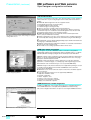
WEB browser: Providing remote and totally secure access to
the Vijeo Designer application.
WEB Gate's high-security mode excludes any risk of applications jamming as a result
of variables being modified via the terminal and WEB Gate at the same time.
For increased confidentiality:
b WEB Gate access can be restricted to only those PCs whose IP address appears
in the licensing list.
b Some Vijeo Designer functions are not supported by WEB Gate:
v Application shutdown, restart
v Terminal configuration
v Alarms: Suppress, clear
v Recipes: Load, send, save, compare
v Read an acoustic animation (sound file)
v Display a recorded video sequence
WEB Maintenance remote diagnostics
In addition to WEB Gate, Vijeo Designer V4.5 features the embedded diagnostics
service WEB Maintenance - Transparent Ready WEB Server Class B15 (1).
This server's navigation bar features an option for accessing the WEB Gate function.
WEB maintenance: Embedded diagnostics
36349-EN_Ver5.1.fm/4
(1) Please consult our "Control and automation, Ethernet TCP/IP and the Web" catalog.