1
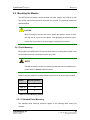
® CyberResearch Displays MPE Series 5.2.3 Packing List All the monitors in the MPE series are shipped with the following components: 1 x MPE series LCD monitor. 1 x AC power cable 1 x VGA cable 1 x 36W AC power adapter 5 x Replacement round head screw 5 x Replacement flat head screw 5 x Replacement wire strain band 1 x User manual on CDROM 1 x Touch panel RS-232 cable 1 x Touch panel USB cable 1 x Touch Pen 1 x Driver CDROM 1 x Power cable for terminal block (Optional) If any of these items are missing or damaged, contact a CyberResearch, Inc. sales representative immediately. 5.3 Pre-installation Preparation 5.3.1 Tools Before installing the MPE series LCD monitor, make sure the following tools are on hand: Philips (crosshead) screwdriver: All the retention screws on the system are Philips screws. Soft working mat: When the MPE series LCD monitor is installed, the screen is placed on the working surface. It is therefore important to rest display on a soft surface that will not damage the LCD screen on the front of the MPE series LCD monitor. 5.3.2 Voltage Select Jumper Settings If the monitor comes with both 12V and 9~36V DC power connectors, the voltage select jumper on the integrated Control board must be configured for the DC connector that is CyberResearch, Inc. 25 Business Park Drive Branford, CT USA 51 P: (203) 643-5000; F: (203) 643-5001 www.cyberresearch.com