1
VAST_BAL DC-12M
User's Manual
27
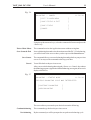
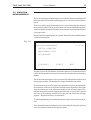
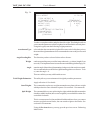
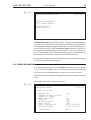
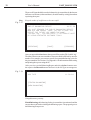
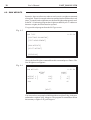
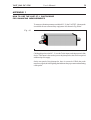
Fig. 3.16
JOB TYPE
11:50:34
[TRIM-BALANCING]
[FINISH
]
[PREVIOUS]
This screen provides you to select from the following options:
Trim-balancing
If the intended balancing efficiency have not be achieved, you can increase it by
this command. The command calls the Correction Weights screen, which
displays the weights to be placed to increase efficiency. There may be several
steps of Trim-balancing. See Section 3.3.
Finish
terminates balancing and process its results. The program goes to the Balancing
Report (see Section 3.4), which contains several screens. By theNextbutton
you can view over each screenful.
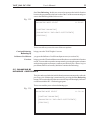
Using the Previous button you can go back to the Measurement Results
screen.