1
Index
command syntax, for restoring, 348
command syntax, for storing, 348
extracting, 349
modifying, 351
non- volatile memory, storing, 348
understanding, 339
volatile memory, restoring, 348
volatile memory
framed data, usage, 322
unframed data, usage, 322
waveform, viewing, 341
private LAN, using, 36
problems
user
file downloads, 372
FIR filter downloads, 375
programming
8757d, using pass- thru, 114
creating waveform data, 235
downloading waveform data, 241
little endian order, byte swapping, 238
user file data
command format, 325
programming examples
C#, 75, 358
C++, 74, 255
e443xb
files, 270
e443xb files, 297
HP Basic, 297
introduction, 254
MATLAB, 277
pass- thru commands, 113
RS- 232, queries using VISA and C, 68, 157
RS- 232, using VISA and C, 67, 153
using, 73
using GPIB, 29, 78, 84, 91
using LAN, 76, 116, 143, 145, 146, 149, 150
using RS- 232, 66, 152
Visual Basic, 292, 294
VXI- 11, 116
psg
See Agilent psg
Pulse/RF Blank
esg, setting, 305
n5161a/62a/81a/82a/83a, setting, 305
psg, setting, 305
Q
queries
HP Basic, using, 88
queue, error, 23
384
R
ramp sweep, using pass- thru commands, 113
real- time
data files, generating large, 373
TDMA
user files, 333
rear panel connector
Mini- B, 71
recall states, 357
register system overview, 159
data questionable
See also data questionable registers
registers
See also data questionable registers
See also status registers
baseband operation
condition, 184
event, 185
event enable, 185
condition, description, 177
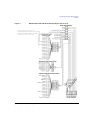
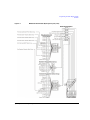
esg overall system, 164, 165
mxg overall system, 162, 163
psg overall system, 166, 167
standard event
bits, 179
status, 179
status enable, 179
standard operation
condition, 181
event, 182
event enable, 182
status byte, 176
status groups, register type descriptions, 177
remote annunciator, 153
remote function
HP Basic, 79
setting
Agilent mxg, 19
esg, 20
psg, 20
setting, e8257n, 20
remote interface
programming, 2
RS- 232, 61
USB, 69
remote programming
hardware layers, 2
software layers, 2
RS- 232
address, 67, 152
baud rate, 63
cable, 64
configuration, 63