1
Audio Errors
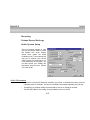
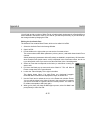
Could not create native audio engine error message appears.
Cubase VST may be looking for the AWE64 as a default card (if you’ve preinstalled one). If it can
not be configured correctly, VST will not boot and you will not be able to select ASIO Lexicon
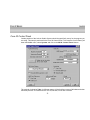
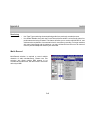
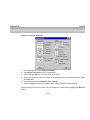
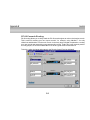
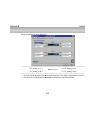
Studio as the ASIO device. Set the ASIO Multimedia Setup to Advanced options.
Sync Reference: Sample Position - Output
Card Options
Activated: Full-Duplex, Start Input First
De-Activated: Open all Devices before Start
Audio Buffers: 5
Buffer Size: 5512
Notes:
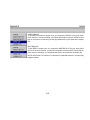
1. With these settings, the card will perform audio recordings with 16-bit resolution in full-duplex
operation, while the output will give you 8-bit resolution. For a playback with 16-bit resolution,
you must de-activate the input in Cubase VST in the Audio menu's "Inputs" window.
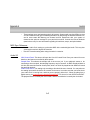
2. If you use an AWE 64 or the WaveSynth upgrade for other Sound Blaster cards, you must deactivate the Wavesynth/WG (Creative Music Synthesizer) MIDI output port in the Setup MME
program which comes with Cubase VST. It may also be necessary to disable the Creative
Instrument Mapper. With a SoundBlaster card, you cannot use the WaveSynth and audio
recording capabilities simultaneously.
3. Certain combinations of System BIOS and Sound Blaster Drivers may produce a system
freeze when Full Duplex mode is selected. Deselecting Full Duplex mode will usually make
this problem disappear. Contact Steinberg or Creative Labs for the best driver version for your
machine.
C-15