1
and begin a text file logging what
happens to you.
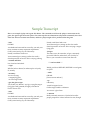
Finally, if you try something
and decide you didn’t like the results, Bronze will let you UNDO
any move — even if it was one
that ended the game.
Asking for Hints
eaten, opened, unlocked, and so
on. Other characters can be kissed,
attacked, spoken to, and given objects. Topics of study can be looked
up in books and reference works.
Starting and Stopping
A few other commands allow
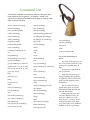
you to manage the game. At any
time, you can SAVE your current
game state, like putting a bookmark into your place in the story.
There is no limit to the number of
SAVE files you can make, so keep
as many as you like. RESTORE
will open up an old SAVE file and
let you resume playing.
When you’re ready to stop,
QUIT will end your game session.
If you’d like to keep a record
of your play session, you can also
type TRANSCRIPT at any time
Bronze is designed to be
moderately challenging —
but not frustrating. Just in case
you get stuck, though, there is
a built-in system to offer you
guidance about parts of the game
that are still holding you up. At
any time you may type THINK
and get some general clues about
what you’re supposed to be doing;
you can also type THINK ABOUT
a specific object or room, and get
more direction. Bronze will respond by prompting you with successively more specific clues. Or
telling you that you’re pursuing a
blind alley. Or that the problem is
one you’re not going to be able to
solve until you’ve dealt with something else.
HELP will give you a menu
with a complete set of instructions
inside the game, in case you
don’t have your guide
handy.
Novice Mode
Getting the hang of interactive fiction commands can be a
little bit challenging for a brandnew player. So Bronze includes a
novice mode that offers guidance
every turn, listing some words that
you might use to interact with the
objects you can currently see. In
novice mode, the names of important objects are also highlighted in
the text, to help distinguish critical
items from ordinary scenery.
Use the training as long as you
like, and when you feel comfortable without it, turn it off by typing NOVICE MODE OFF. You can
always turn it back on, and hints
will remain available regardless of
the mode of play.
A Point or Two About Technology
Bronze is designed to be played
on an interpreter: think of the
game as an mp3 file and the interpreter as iTunes. The interpreter
delivers the story to you, but the
unique information is kept in the
story file itself, which is small and
compact. You can play other stories on the same interpreter without downloading a whole application over again. Some interpreters
even help you organize your collection of interactive fiction.
Chances are that if you have a
copy of Bronze, you also received
(or were told how to download) an
interpreter for your operating system. As of this writing, the best
interpreters for this purpose are
Zoom for the Macintosh and
Unix machines, and Windows
Frotz for Windows. Interpreters
are also available for many less
common operating systems, and
Bronze can even be played on a
PDA — though it will run slowly
unless the PDA is a fast model.
Common Interpreters
Zoom for the Macintosh: http://www.logicalshift.demon.co.uk/mac/zoom.html
Zoom for Unix: http://www.logicalshift.demon.co.uk/unix/zoom/
Windows Frotz for Windows: http://www.d.kinder.btinternet.co.uk/frotz.html