1
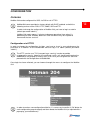
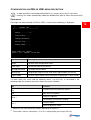
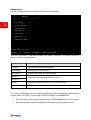
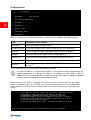
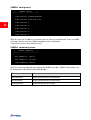
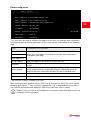
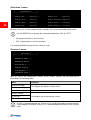
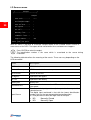
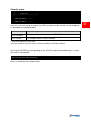
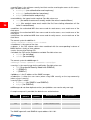
Pressing the ENTER key corresponding to the “Firewall” command displays a screen like the
one shown below.
/
/
/
Firewall
/
/
/
Access IP 1....:*.*.*.*
page
32
Access IP 2....:0.0.0.0
Access IP 3....:0.0.0.0
Access IP 4....:0.0.0.0
Access IP 5....:0.0.0.0
Access IP 6....:0.0.0.0
Access IP 7....:0.0.0.0
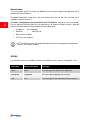
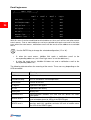
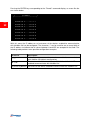
With this menu the IP addresses or hostnames of the devices enabled for communication
with NetMan 204 can be configured. The character “*” can be used for one or more fields of
the IP address to indicate that all values between 0 and 255 are accepted in that field. The
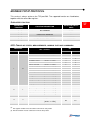
following table provides some possible configuration examples.
IP Access
*.*.*.*
10.1.10.*
Description
All the devices present on the network are enabled to communicate
with NetMan 204 (default configuration)
The devices with addresses between 10.1.10.0 and 10.1.10.255 are
enabled to communicate with NetMan 204
myserver.mydomain Hostname of the device enabled to communicate with NetMan 204