1
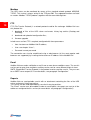
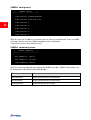
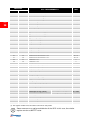
I/O Sensors menu
/
/
/
Output
/
/
/
Output
UPS Lock.......:
<
Ovrload/Ovrtemp:
page
30
UPS Failure....:
On bypass......:
AC Fail........:
3
Battery low....:
Communic lost..:
Input sensor...:
NC
Press [Esc] to quit
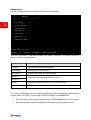
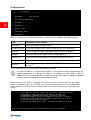
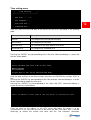
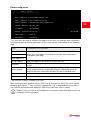
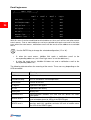
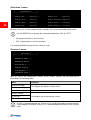
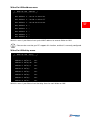
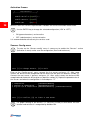
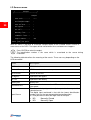
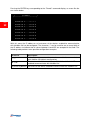
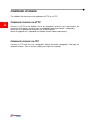
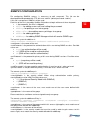
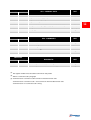
With this menu is possibile to associate a digital output of the installed sensors to one or
more events of the UPS. The output will be closed when the associated event happens.
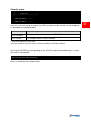
Press ENTER to select the output.
The identification number is the same which is associated to the sensor during
installation.
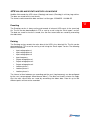
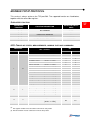
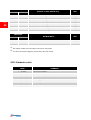
The following table describes the meaning of the events. These can vary depending on the
UPS connected.
Event
Description
UPS Lock
UPS is locked
Ovrload/Ovrtemp
UPS in overload or in overtemperature
UPS Failure
Failure of the UPS
On bypass
Operation from bypass
AC Fail
Operation from battery
Battery low
Battery low
Communic lost
Input Sensor
Communication between the UPS and the device has been
interrupted
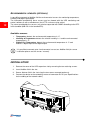
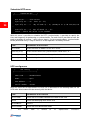
The state of the input (open/closed) is reported to the output of the
selected sensor.
The digital input monitored is that with the lowest identification
number (the first that was detected during configuration).
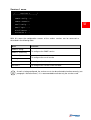
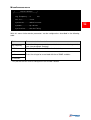
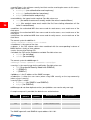
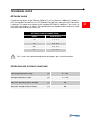
It is also possible to select the logic state of the input:
• NC:
• NO:
Normally Closed
Normally Open