1
Only For Cosmic
2.
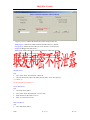
select “font ”menu, then click the “delete” item;
compress font library
1.
select font library index;
2.
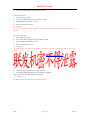
select ”font” menu then click the “compress” item;
3.
input font library file name to save as;
4.
click “ok” button in save box;
*****Note*****
the font library that will be compressed must be not compressed already and in the 4 color
format;
Uncompress font library
1.
select font library index;
2.
select ”font” menu then click the “Uncompress” item;
3.
input font library file name to save as;
4.
click “ok” button in save box;
*****Note*****
the font library that will be Uncompressed must be already compressed and in the 4 color
format;
Back to Index of functi on list
add ,delete bmp
add bmp
step:
1.
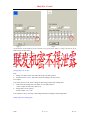
select “bitmap”menu,then select “add” submenu;
2.
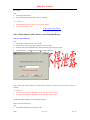
select name of bmp file ,then select “ok ”button in open box
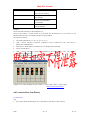
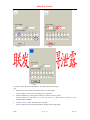
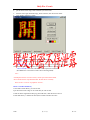
when you add a 16 color bmp you will see as below:
*******Note*****
the added bmp file must be 256 color or 16 color format;
MTK
第 11 页
02-5-13