1
2 THE APPLICATION
4
plugin.properties which is a required part of every plug-in (also section 3.2).
The loading is done by the method
PluginManager.loadPlugin(File pluginDirectory, String pluginName),
where pluginDirectory points to the directory in which MooN holds all installed
plug-ins in, and pluginName is the name (therefore the folder name) of the plug-in
which to load. The method searches all class files in the plug-in folder, which,
by convention, are all files ending with .class, and checks if the ”main class”
specified in the plugin.properties points to a class that was found before.
If the class is found all the classes need to be made known to the Java Virtual Machine, so they can be instantiated later on by the application. This can
conveniently be done by using a class loader.
We chose to use java.net.URLClassLoader. All class files that had been
found earlier are loaded that way. The final step is to create a plug-in object and
to register it with the plug-in managers registry.
2.1.3
Removal of Plug-Ins
If a plug-in is not needed anymore the user has the possibility to remove it. The
corresponding method is:
PluginManager.removePlugin(String pluginName).
If a plug-in exists under that name, it will be deregistered from the plug-in
manager’s registry and the folder will be removed as well. As stated before, the
plug-in name and folder name are the same.
2.1.4
Using Plug-ins in the Application
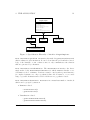
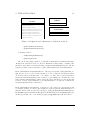
To make plug-ins easy to use for the user and the developers of other MooN components at the same time, both PluginManager and Plugin offer many methods to
get information about plug-ins and parts of plug-ins in a straightforward manner.
The plug-in registry, for instance, offers methods to retrieve a list of all loaded
plug-ins, and also to retrieve all plug-ins of a certain type (which are Heuristic,
Problem and ExitCondition), while certainly a single plug-in can be retrieved by
its name.
The Plugin class has methods to retrieve the “main” class and informations
which are useful for other components such as the Graphical User Interface, the
project manager or the runtime.
MooN
Developers Manual