1
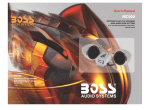
Motorcycle & Boat Stereo Audio System
User's Manual
SPECIFICATION
RMS POWER:
25W×2@4 Ohm 10%THD
50W×2@2 Ohm 10%THD
FREQUENCY RESPONSE: 20Hz-20KHz
S/N: >50dB
CHANNEL BLACCE: <2dB
FM FREQUENCY RANGE: 87.5-108.0MHz
FM SENSITIVITY: 10μV @S/N 30Db
USB PORT: SUPPORT USB 2.0
SD SLOT: SUPPORT 128MB,256MB,512MB,1GB,2GB/4GB
Model: PLMCA40
Motorcycle and Boat Audio Stereo System with
FM Auto Scan Radio/USB Port/ SD Slot/Aux Input
Features
FM Radio/AUX
Built in FM Radio Electric Auto-scan Tuning
Up/Down Auto-scab Tuning System
FM Coverage:87.5-108.0MHZ
Dot Matrix LCD FM Frequency
Volume/Digital Control /POWER Switch/Mute Function
3.5mm Stereo Input Jack ,Easy Connection to the Output of Other
Audio Devices Like CD/MD/Mp3/Ipod,etc
Wireless Remote Control
Mini Amplifier Suitable for 12 Volts Motorcycles/Scooteers/Boat/
snowmobile/ATV/Waverunner
50 Watts x2 @ 2 Ohm 10%THD
Frequency Response 20Hz-20KHz
S/N:>50dB
3" Dual weatherproof Speakers
Channel Balance:<2dB
FM Sensitivity:10uV @ S/N 30dB
USB port: support USB Flash Memory
SD slot: support 128MB,256MB,512MB,1GB,2GB/4GB.
Easy Mounting Brackets and Accessories included
Amplifier Dimensions:5.2"H X 3.15"W X1.86"D
Speaker Dimensions:4.8"H X 4.13"W X 4.13"D
Remote control
The remote control can take place of the 4 same buttons
on the main unit*.
*Note: The key (Power) on the remote control can’t power up
the system but it can power off the system.
Loudspeaker Mounting Diagram
Remote control function diagram
LCD Display
Loudspeaker mounting diagram
FM Radio Operation
1) Press the button MODE on the front panel to select FM
Radio Mode.
2) Press button
to locate a radio station. The system
will keep auto-scan tuning till catching one station.
Note: The ST worlds will be displayed on LCD screen when
catching a stereo station.
AUX Mode Operation
1) Press the button MODE to select AUX mode operation.
2) Adjust the volume control to a desired level.
Note: Words AUX will be displayed on LCD indicating the
system works in AUX mode.
Connection diagram
OPERATION INSTRUCTION
First Time to Use the System
Connect the loudspeakers to the L-SP, R-SP RCA jacks on the
rear panel.
Connect an external source to the AUX jack on the rear panel
( if there is).
Connect the power cable to 12VDC power supply and plug the
connector into the jack marked DC IN 9~16V
Turn on/Turn off the system
Pressing the button POWER on the front panel for more than
2s, the system will be turned on and ready for operation*.
Pressing the button POWER again for more than 2s will turn
off the system.
*Note: The system will memorize and recall the last state of
operating mode (FM radio /AUX/USB /SD) .
Select an Operation Mode
Pressing the button MODE on the front panel can change the
mode from one to other(FM Radio—AUX—USB--SD mode)
and select one of the mode you like.
Note: USB and SD modes are active only when a device is
connected to the USB port/SD slot.
Volume Control
Pressing the button + or – for more than 2s at any state, the
system will be ready for the volume control with the range of
0~31 displayed on the screen. Adjust it to your desired setting
without audio distortion.
MUTE Function
Pressing the button MUTE for more than 2s will mute sounds
from the outputs of the system at any state and disable it by
pressing button MUTE again for more than 2s.
Note:
will be blinking on the LCD when in MUTE state.
USB/SD Mp3 Automatically Playing Function
The system will play Mp3 format songs automatically when an
USB flash memory/SD card applied to the USD port/ SD slot
on the front panel at any state.
1) Pressing the button
to select last or next song.
2) Pressing the button
will pause the music playing and
disable it by pressing it again.
Note: The worlds VOL will be displayed on LCD screen during
adjusting system volume.
PYLE AMPLIFIERS
CAR AMPLIFIERS