1
Spartan-3E FPGA Industrial Micromodule
Warning! file and path names are given
and must NOT be changed!
User Manual
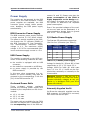
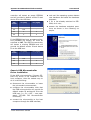
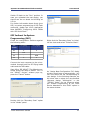
Press the “Upload” button to upload the
micromodule firmware and check the
“FPGA uploading...” progress bar.
Micromodule Configuration
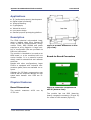
The micromodule can now be programmed with its dedicated firmware upload tool. Turn S1, S2, S3 and S4 on.
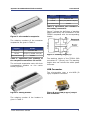
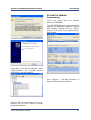
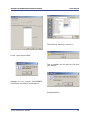
Open the dedicated firmware upgrade
tool “USB Firmware Upgrade Tool”
(double click the “USBFirmwareUpgradeTool.exe” file in the “USBFWUTool”
folder).
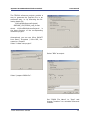
Press the “...” button corresponding to
the “File name” field and select for instance the sample firmware upload file
“TE0300_v1012.fwu”
in
the
“USBFWUTool\FWUs” folder.
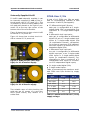
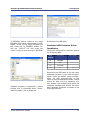
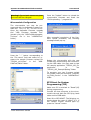
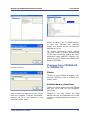
After successful completion of the firmware upload procedure, the following
message should pop up.
Reboot the micromodule with the new
firmware by disconnecting and reconnecting the USB cable. You may want to test
the sample application “TE0300_API_Example.exe”
in
the
“TE0300_API_Example\Debug” folder.
To generate your own firmware upload
file, please read the document “Generating_FWU_file.doc” in the “USBFWUTool”
folder.
SPI Direct In-System
Programming (ISP)
Make sure S2 is switched to “Reset“(off)
during programming.
Connect the host computer to the micromodule through both the SPI flying leads
cable and the USB cable.
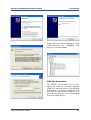
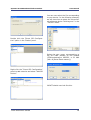
Start Xilinx ISE iMPACT. The following example shows the case of iMPACT 9.2. If
the “iMPACT Project” window pops up,
press the “Cancel” button.
Trenz Electronic GmbH
18