1
117/124
Additional Notes
or you would like to reset all settings after testing the camera. In order to perform this
procedure, you need to have administrative access to the camera (admins group). Open
Admin Menu > Reset to reset the camera to factory defaults.
Note
Note: All defined users are deleted and the admin password is reset to the factory default
when you reset the camera using Admin Menu > Reset. Use the method described
in Section 3.2.6, «Starting The Camera With An Automatic IP Address (DHCP)» if you
would like to maintain the existing users.
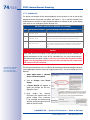
3.7.5 Activating Event Control And Motion Detection
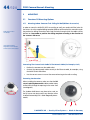
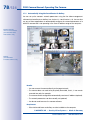
In its default configuration, the camera's event control and video motion detection features
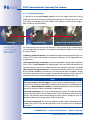
are not enabled. In order to activate event-controlled recording, open Setup Menu >
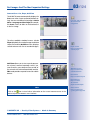
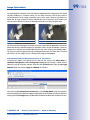
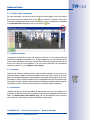
General Event Settings and activate the Arming switch. Another method is to click on the
Arm & Record softbutton in the browser's user interface. The camera displays the motion
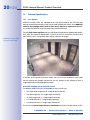
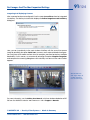
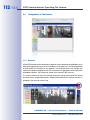
detection window in the live image (dotted frame in the center) and the camera automatically stores images as soon as the motion detection window detects movements.
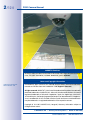
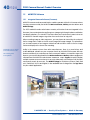
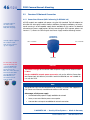
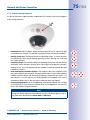
If the dotted rectangle in the live
image is visible, the
camera is armed
3.7.6 Deactivating Text And Logo Options
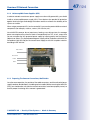
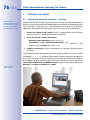
As camera arming is deactivated in the camera's default configuration (see preceding
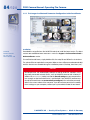
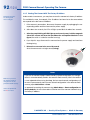
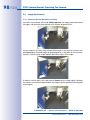
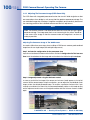
section), the MOBOTIX camera only displays the text www.mobotix.com, the time stamp
and the MOBOTIX logo at the top of the image. Once the camera arming has been activated, the text at the bottom of the live image (event, action, messaging and recording
symbols) will also appear.
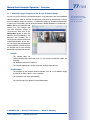
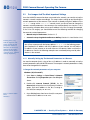
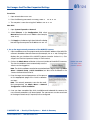
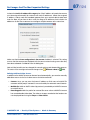
You can deactivate the status bar at the bottom of the live image and the text bar in the
top left-hand corner by setting Text Display in the Setup Menu > Text & Display Settings
dialog box to Off. Setting Text Display to Date and Time will only display the time stamp
in the live image. To hide the logo in the live image, open Admin Menu > Logo Profiles
and set Logo Display to Deactivated.
3.7.7 Deactivating The Camera Reboot
By factory default, the MOBOTIX camera automatically reboots once a week between
3 a.m. and 4 a.m. The reason for this is that in some rare cases, external influences (for
example, radiation at high altitudes) can sometimes lead to camera malfunctions. The
automatic reboot will refresh the camera's memory and will ensure proper operation
without requiring any interaction on the part of the user. If desired, you can deactivate the
automatic reboot of the camera in the Admin Menu > Time Tasks dialog box.
3.7.8 Browser
Current Internet browsers (Internet Explorer, Mozilla Firefox, Safari, Google Chrome, Opera,
etc.) with enabled JavaScript can display the camera's live images with their standard
© MOBOTIX AG • Security-Vision-Systems • Made in Germany
www.mobotix.com • [email protected]
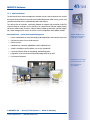
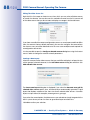
Text and logos can be
also deactivated or
individually configured