1
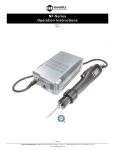
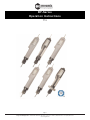
BF-Series Operation Instructions
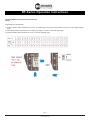
Time Setting for STOP & HOLD
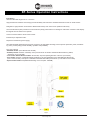
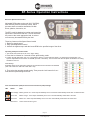
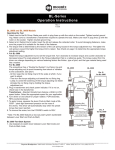
1. Keep the stop time button pressed over 2 sec. Then click the stop time button one by one for desired stop holding time.
2. Select the R position of F/R switch for increasing set time or F position for decreasing set time.
3. Keep the stop time button pressed over 2 sec. for Lock & operating mode.
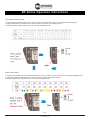
Rotating speed setting
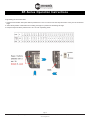
1. Keep the both first Run & stop time buttons pressed over 2 sec. for unlock. Then click one by one for the desired rotating speed.
2. Select the R position of F/R switch for increasing speed or F position for decreasing speed.
3. Keep the first Run button pressed over 2 sec. for Lock & operating mode.
Page 7
Corporate Headquarters: 1080 North 11th Street, San Jose, CA 95112
www.etorque.com
Phone: (408) 292-2214 Fax: (408) 292-2733