1
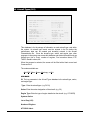
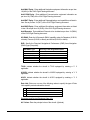
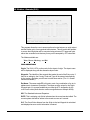
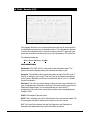
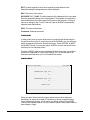
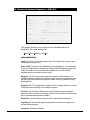
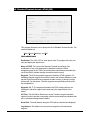
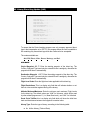
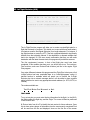
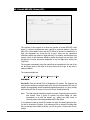
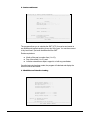
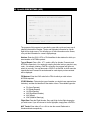
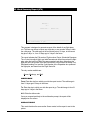
ATC: Enter the time at which the ATC flight plan is to be transmitted to the
addresses identified in the ‘ATC’ and ‘COPY ATC’ blocks above. Note that if the
current system time is later than the ETD for the flight, then the program will
default to the current time and will not permit a delayed time to be entered.
Similarly, it is never possible to enter a transmit time that is later than the ETD,
unless the ETD has been passed, in which case the current time must be used.
FP: Enter the time at which the flight plan is to be transmitted to those addresses
in the first group. Again, a delayed transmission time may not be entered if ETD
has been exceeded.
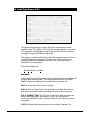
Weather: It is possible to enter weather transmission times in addition to the
original transmission of the flight plan and weather package. This is to allow
updated weather to be resent to a crew closer to the departure time. If you do not
wish to send more than one package of weather, enter <N> in the second field
and the program will skip to the ‘CO’ field.
NTMS: Enter the time at which the Company NOTAMs are to be sent to the crew.
Note that the regular station and FIR type NOTAMs are sent as part of the
weather package at the specified Weather transmission times.
Note: The cursor will only stop on those time fields for items against which
addresses have been entered. If you have entered an address for a
particular item, but change your mind about sending the information, you
may enter an <N> in the time field.
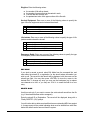
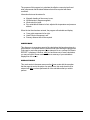
Once you have entered all the transmission times, a confirmation prompt will
appear. Entering <Y> will send the information to the holding file from which the
portions of flight papers will be sent to the message program queue at the
appropriate send times. Entering <N> will return the cursor to the screen so that
you can edit any of the addresses and send times. If you enter <Q>, then you will
be prompted for the next program you wish to use. In this case nothing will be
transmitted.
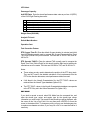
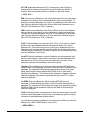
EDIT MODE
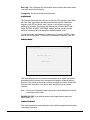
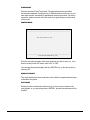
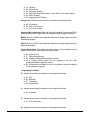
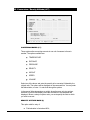
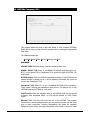
Enter the flight number, day, and origin key for the flight. If the flight papers'
addresses and times were previously entered for this flight, the data will be
displayed to screen. Any transmit times that have been passed will show as
‘SENT’ in the applicable field. If no addresses or times were stored for the flight,
an error message to that effect will be returned. In this case, use the Add mode,
as no record exists.
Addresses and times may be edited in the normal manner. To exit the screen at
any point, use <Ctrl E>.
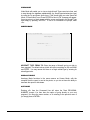
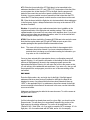
RESEND MODE
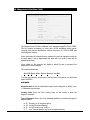
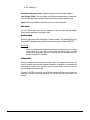
If all the information has already been sent for a given flight, you should use the
Resend mode. This will allow you to immediately retransmit any portion of the
flight papers to the existing addresses. The cursor will be positioned in the
‘Resend ICAO-1’ field. Enter <A> if you wish to resend the ATC message, <F> for
flight plan, <W> for weather data and NOTAMs, and/or <N> for company
CTO TERMINAL – USER MANUAL
PAGE 36-3