1
Getting started
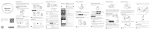
Press and hold to power on the B2.
Pairing with your phone
Remove the headset.
Remove the strap.
Scan the following 2D barcode or search for
"Huawei wearable" in Google Play Store or
Apple's App Store to download Huawei Wear.
2
1
Press simultaneously
Flick across the screen to switch between pages.
HUAWEI
TalkBand B2
Charge the headset.
The B2 is made using high quality eco-friendly
materials. You can be assured of its quality.
If your skin experiences any discomfort when
wearing the B2, please stop wearing it and
consult a doctor.
Connect the B2 to your phone through Bluetooth.
HUAWEI B2-XXX
After the B2 is powered on, the
indicator on the
B2 blinks and the B2 enters pairing mode
automatically.
You can also press and hold the side key and touch
the Bluetooth icon to enter pairing mode.
For more information, go to the online
help in the app.
Monitoring your fitness activities
Wear the B2 and start exercising. The B2 will
then automatically record your fitness data.
Drag down to sync your fitness data.
Monitoring your sleep
Wear the B2 and go to sleep. The B2 will
then automatically collect your sleep data.
You can set a smart alarm using the app.
Early wake-up during
light sleep
Press to turn off
the alarm
Bluetooth calling
Take out the headset to answer an incoming
call.
Your B2 can be used in the rain and when
washing your hands. But make sure you wipe
it dry after it comes into contact with water.
If the headset is removed from
the B2, press the side key to
answer the incoming call.
Press and hold the side key to
reject the incoming call.
Adjust the angle of the headset for the best
call quality.
This document is for reference only and does not
constitute a warranty of any kind, express or implied.
If the default headset cover doesn't fit
comfortably, replace it with one of the other
packaged covers.
9 6 7 2 3 7 2 9 _0 3
Waterproof feature
Press the side key to end a call.
Do not use the B2 when washing your car,
swimming, diving, or showering.