1
WINTER 2003
Technical Newsletter
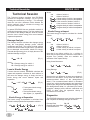
In the above message, E1 + E2 comes directly from the
damage energies, as shown in eq 1. KE
Damage
comes from eq. 2 and uses the damage-based
delta-V’s in the calculation of impact velocities
(see eq. 6). KE
Momentum also comes from eq. 2, but
uses the momentum-based delta-V’s in the calculation
of impact velocities (see eq. 5). Note that the separation
velocities in both KE
Damage and KE
Momentum
use the scene data, as shown in eq. 3, to calculate
KE
Impact
Impact
Impact
Impact
Separation.
In the message, ,KE
and ,KE
are each
or
compared with E1 + E2. If either ,KE
,KE
differs from E1 + E2 by more than 50%,
the message is issued (50% is the default value and
may be modified by the user). Note that this value (and
all similar defaults) are displayed in EDCRASH’s
Program Data report.
Damage
Momentum
Damage
Momentum
Finding the cause(s) of this message can be quite
difficult. Almost every piece of user-entered data affects
this message in some way. However, some things are
predictable: The Damage Data value (E1 + E2) is
determined only from damage profiles, stiffness
coefficients and PDOFs of both vehicles, so focus
on those areas if you suspect your Damage Data is
the problem. Similarly, the Linear Momentum value
(KE Impact Momentum − KE Separation ) is largely dependent upon
scene data (post-impact path lengths, drag factors and
departure angles), assuming your vehicle weights are
correct, so focus on those areas if you suspect your
scene data. The Damage and Scene Data value is
dependent on both damage and scene information, so
solving a problem in this area can be quite difficult.
For more information about solving the Conservation of
Energy diagnostic message, refer to your EDCRASH
User’s Manual, Chapter 6, Messages.
Past Technical Sessions
Now Available
Technical Sessions, Hints & Tips, F.A.Q.’s and
Contributor’s Corner columns from Technical
Newsletters dating from 1986 to present are now
available as a publication. The valuable information
contained in these excerpts will increase your
knowledge of the physics models and the HVE,
HVE-2D and EDVAP programs, as well as provide
examples of powerful applications of the software. If
you would like a copy of this publication, please contact
EDC Sales and request Publication 1080. The price is
US$45.00, plus any additional shipping charges
required for expedited delivery.
Technical Support
Procedures
Every request for technical support, whether made by
phone, fax or email, is documented and assigned a
Case ID number. This process is one part of our efforts
to provide users of our software with a high level of
service. By documenting requests, we ensure every
request is delivered to the appropriate support
engineer, monitor our response time, and follow-up on
all issues until the case is closed. We also improve our
software and training courses by addressing repeated
problems or questions identified by users’ requests.
For these reasons, it is important that you always use
the Technical Support phone extension or email
address, rather than trying to directly contact a support
engineer. Our Support Desk logs your request and
then forwards it to the first available support engineer. If
you tried to contact a support engineer directly, and that
engineer was not available (out of town, on vacation,
etc.), then your issue would not be addressed until that
person was available once again. You may have a
time-sensitive issue that you need addressed quickly.
All requests for technical support are responded to
within 24 hours (except on weekends or holidays).
Most requests (approximately 80%) for technical
support are closed at the conclusion of the first call, but
some issues result in an ongoing dialogue. In addition,
research may sometimes be required for complete
closure of a tech support issue.
EDC support engineers meet each week to discuss the
calls logged during the previous week. Documenting
each call allows our engineers to seek advice from each
other as well as to share their solutions.
Technical support can be reached by telephone
between 8:00 AM and 5:00 PM (West Coast US) by
calling 503.644.4500, and pressing 1 when the auto
attendant
answers,
or
by
email
to
[email protected]. Please be ready to provide
your Case ID # (for an existing case), User ID#, your
name, your company name and contact phone number
or email address.
Important note: All requests are strictly confidential.
EDC does not provide consulting services for law firms,
insurance companies or other agencies involved in
accident reconstruction. We only provide Technical
Support to users of our software and any information or
communications back and forth are only related to the
Technical Support issue.
3