1
iLoft
iLoft VDS
VDS
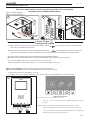
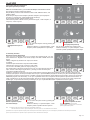
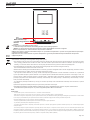
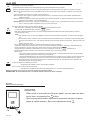
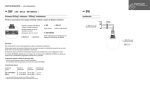
Lock Release / Call Guard Unit Button
· Pressing this button whilst communicating with the Entry Panel will activate the lock release.
· Pressing this button whilst the monitor is on standby will result in a call being made to the guard unit (where one exists).
Note: If the channel is busy an error tone «BEEP» will sound and auto-start will not activate, nor will the call to the guard
unit.
/
.
,
(
:
,
,
,
,
).
,
-
.
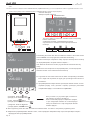
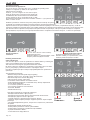
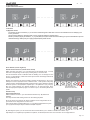
Auto-Start / Main-Secondary Camera Selection Button
· With the monitor on standby, press this button for 1 second to switch the monitor
on manually. To activate the audio, press the
button.
· With video, hold this button down for 2 seconds to sequentially select between the main camera and the secondary
camera (if there is one).
Note:
- If the channel is busy an error tone «BEEP» will sound and auto-start will not activate, nor will the call to the guard
unit.
- The auto-start function is always used on the main panel except where a call is received on the secondary panel.
Once the conversation is over, auto-start will activate on the secondary panel for 30 seconds. After this time it will
activate on the main panel.
/
/
,
,
1
.
,
.
2
,
(
).
:
,
,
,
.
,
,
.
30
.
.
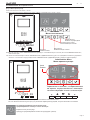
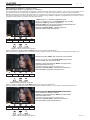
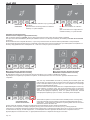
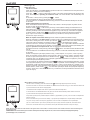
F1 and F2: Buttons for Additional Functions.
(Assigned by the installer; see the corresponding chapters).
F1
.
F2:
(
NOTE: The monitor screen goes on once the call from the panel has ended.
:
;
.
).
.
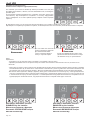
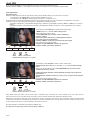
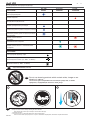
Operation
Opening the Door
When a call is received from the entry panel, you can open the door
at any time, by pressing the
button.
.
. 20