1
infiniMap User Manual
infiniMap Converter (standalone plugin, Batch)
infiniMap Converter (standalone plugin, Batch)
The batch converter is only available for licensed versions of infiniMap (either infiniMap Exr or
infiniMap Pro).
Unlicensed versions of infiniMap will display the converter as described in the previous chapter.
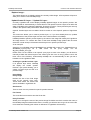
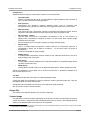
The left hand side of the converter shows the list of conversion tasks. The right hand side shows
the conversion settings for the task selected on the left. These options are identical to the
normal converter as described in the previous chapter and are described there.
The task list is stored in the content directory between sessions of the batch converter. The task
list also remains if you close and restart LightWave 3D.
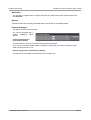
The buttons at the bottom of the batch converter all you to:
Add Image
Add any image that is currently loaded into LightWave 3D as a new conversion task.
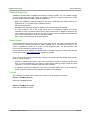
Add Files(s)...
This opens a file selector to
pick one or more images
(using the shift or ctrl key) and
adds
the
respective
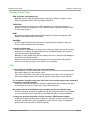
conversion tasks. If you select
more than one image you will
be
prompted
for
the
conversion settings to be used
for all tasks.
The settings correspond to the respective settings in the converter.
If you leave the Output Folder blank, the converted images will be saved in the same directory
as the selected files.
17. February 2008 - Version 1.5
Page 22