1
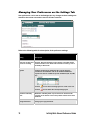
Managing User Preferences on the Settings Tab
User preferences can be set on the Settings tab. Any changes to these settings are
stored for the current user and are used in all future sessions.
Refer to the following table for a description of the preference settings.
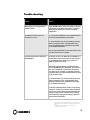
Setting
Description
Study row clicking and
Series row clicking
Optional. Specifies whether to open images in the Web Viewer
browser window or the Advanced viewer when clicking a row in
the Study or Series tab.
Layouts
Controls the layouts on the Series tab. A single layout is
provided for all modalities and can be modified. Additional
layouts can also be created for specific modalities (CR, CT, MR,
etc).
Click the
icon to edit an existing layout or create a new one.
Click the
icon to delete the corresponding layout.
Modalities and Body
Parts
Modalities and Body Parts can be selected or deselected for
inclusion in the search screen’s drop-down selections for these
attributes.
Change Password
Change your login password.
12
Infinity Web Viewer Reference Guide