1
TIP: See Managing User Preferences on the Settings Tab for changing user
password.
4. Click the Login button.
You are logged in to a Web Viewer session.
Searching for Patients and Studies
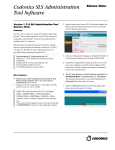
Once logged in, the Web Viewer displays the Browser tab, which you can use to
enter patient and study search criteria.
Search criteria entered in text fields such as Patient Name will search for matching
studies based on the beginning text. For example entering the letter C in the
Patient Name field will search for patients whose last name begins with C (as in the
example below: Cardio, Carotid, Chest, Circulation, Coronary). Entering SM will
find all patients whose name begins with SM (for example, Smith, Smythe). Search
criteria are not case sensitive for patient name, but are case sensitive for Patient ID
and Study Description.
After entering the search criteria, click the Search button to execute the search.
5