1
Similar to bank and category names, item identifiers can be a maximum of 15 characters;
item descriptions can be up to 80 characters. Keywords can be used to locate items using
the Search for Items option on the Items menu (and on the Navigation Panel). You can
search for items when you are working on your banks to locate specific items or subsets
of items, or you can search for items in the process of creating tests. See below for more
information about searching for items.
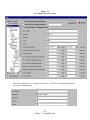
The toolbar in the Item Editor implements a number of functions. The buttons,
respectively, update the current item, create a new item and delete the currently open item
in the Item Editor. These functions can also be performed using the pulldown Items
menu in the Item Editor.
Two buttons help you navigate to other FastTEST functions. The
button displays the Item Banker window and the
button opens the Test Assembler window. These two functions can also be accessed
from the View menu. You can also toggle among the open windows by using CTRL + F6
on your keyboard.
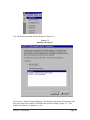
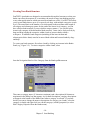
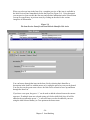
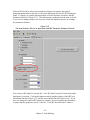
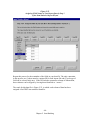
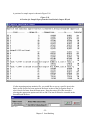
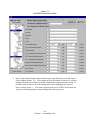
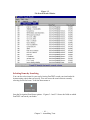
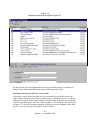
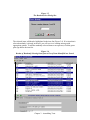
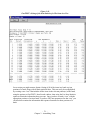
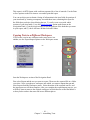
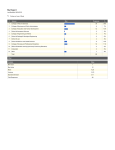
As each item is saved, it appears in the Item List panel of the Item Banker window, as
shown in Figure 2-8.
Figure 2-8
The Item List for the Reliability\Calculations Section of the Intro Meas Bank
- 23 Chapter 2. Item Banking