1
CR4042/50 MKII Radar operation
Chapter 7
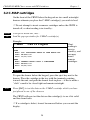
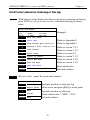
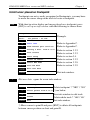
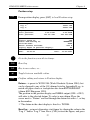
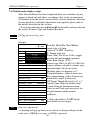
Use the cursor key to move around in the settings. Toggle between
available values with the +/- keys, and insert data by the numerical
keys.
ENT
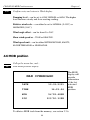
Confirm the adjustments by [ENT] (or [MENU] )
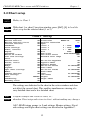
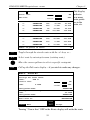
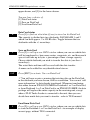
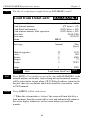
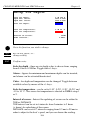
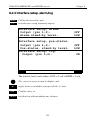
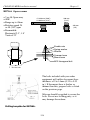
Scanner type: use +/- keys to select the radar antenna model which is
installed. See the Installation manual for selection of antenna.
) Be careful not to select the wrong type of Scanner, as this may
cause a system failure.
Scanner rotation: can be set to either 24 or *48 rpm, depending on the
scanner type (use +/- keys).
*Running 48 rpm is liable to reduce the lifetime of the mechanical
parts.
) Do not change the Scanner rotation while the radar is transmitting.
Make sure the radar function is either in “Standby” or “Power off”.
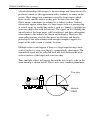
Antenna height: enter the actual height above water of the radar
antenna/scanner.
Heading adjust: Orientation should be HU (Head Up). Turn the ship,
so a target becomes visible in the front and adjust until target is straight
ahead on the heading line. Use the +/- keys to position it correctly.
Tuning reference: is preset to 079. Normally there should be no need
to adjust the Tuning reference. However, if sensitivity is poor or there
are any symptoms at all suggesting improper tuning, you may need to
make an adjustment: Choose a displayed range of 3nm or higher. Use
cursor to go to the Tuning reference value. Use +/- keys to adjust the
value until echoes are clearly visible.
Zero range/timing: Most common settings are between 105 and 115.
Default setting is: 109.
To adjust: Press the [9] key to set the displayed range to 0.125nm. Use
cursor to highlight “Sea” and with +/- keys set the sea clutter very low,
so you can see the transmitting pulse. Now adjust the value for Zero
range so the ring around the ship is very small.
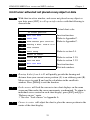
If you have knowledge of the distance to a nearby object, say a mast or
a buoy, you can verify if the Zero range is set correctly by measuring
90