1
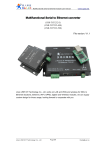
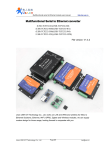
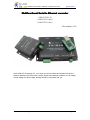
Multifunctional serial to Ethernet module user manual
http://en.usr.cn
Contents
Multifunctional Serial to Ethernet converter...........................................................................- 1 1. Introduction.............................................................................................................................- 4 1.1. Overview..................................................................................................................... - 4 1.2 Features....................................................................................................................... - 4 1.2. Applications.................................................................................................................- 5 1.3. Order information....................................................................................................... - 5 1.4. Electrical characteristics........................................................................................... - 5 2. Work Mode............................................................................................................................. - 6 2.1. Block diagram.............................................................................................................- 6 2.2. UDP mode...................................................................................................................- 6 2.3. TCP Client mode........................................................................................................ - 7 2.4. UDP Server mode......................................................................................................- 8 2.5. TCP Server mode...................................................................................................... - 9 2.6. Httpd Client mode.................................................................................................... - 10 2.7. TCP Auto mode........................................................................................................ - 11 2.8. WEB to Serial mode................................................................................................ - 12 3. Hardware interface:............................................................................................................ - 14 3.1. USR-TCP232-E........................................................................................................- 14 3.1.1. Hardware....................................................................................................... - 14 3.1.2. Power............................................................................................................. - 14 3.1.3. LED status..................................................................................................... - 14 3.1.4. Serial(TTL) interface.................................................................................... - 15 3.2. USR-TCP232-400....................................................................................................- 16 3.2.1. Hardware....................................................................................................... - 16 3.2.2. Power............................................................................................................. - 16 3.2.3. LED status..................................................................................................... - 17 3.2.4. RS232 interface............................................................................................ - 17 3.2.5. RS485/RS422 interface...............................................................................- 17 3.3. USR-TCP232-500....................................................................................................- 18 3.3.1. Hardware....................................................................................................... - 18 3.3.2. Power............................................................................................................. - 18 3.3.3. LED status..................................................................................................... - 19 3.3.4. RS232 interface............................................................................................ - 19 3.3.5. RS485/RS422 interface...............................................................................- 20 3.4. RJ45 interface.......................................................................................................... - 20 3.5. Reload....................................................................................................................... - 20 4. Paramters configuration.....................................................................................................- 21 4.1. Web page..................................................................................................................- 21 4.2. Serial port..................................................................................................................- 21 -
Jinan USR IOT Technology Co., Ltd
-2-
[email protected]