1
Multifunctional serial to Ethernet module user manual
http://en.usr.cn
4. Paramters configuration
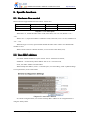
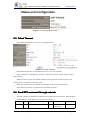
4.1. Web page
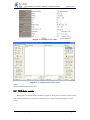
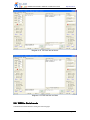
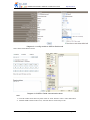
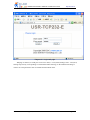
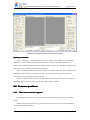
Usually, this series of TCP232 module is configured through web pages.
4.2. Serial port
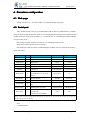
After module already power on, press Reload(for USR-TCP232-E, pull Reload low), module
will go in Serial config mode(in this mode we can config paramters through serial command), then
module serial port 0 will switch to 9600, 8, n, 1, and send char ‘U’, indicating that module already
in serial config mode.
after config complete, module will send ‘K’ out, indicating config success;
Verify error will be ‘E’ and correct verify byte.
Free Reload(for USR-TCP232-E, pull Reload high), module will save paramters and reboot,
config take effect.
name
Byte
example
Hex(low front)
head
2
Head(55 BA/55 C1/55 C2)
55 BA
55 BA
Target IP
4
Target IP
192.168.0.201
C9 00 A8 C0
Target port
2
Target port
8234
2A 20
Module IP
4
Module IP
192.168.0.7
07 00 A8 C0
Module port
2
Module port
20108
8C 4E
gateway
4
Gateway IP
192.168.0.201
C9 00 A8 C0
Work mode
1
1 for TCP Client;0 for UDP; 2
for UDP Server; 3 for TCP
Server
TCP Client
01
Baud rate
3
Serial baud rate
115200
00 C2 01
serial param
1
Databits, stopbits, verifybits
N,8,1
03
Unique ID
3
ID-H, ID-L, ID-type, 0 for no
use
No use
00 00 00
Subnet mask
4
Subnet mask, low front
255.255.255.0
00 FF FF FF
1
Sum verification, from target
ip until end
(sum itself not included)
sum
B9
Sum verify
Description
Total cmd:55 BA C9 00 A8 C0 2A 20 07 00 A8 C0 8C 4E C9 00 A8 C0 01 00 C2 01 03
00 00 00 00 FF FF FF B9
Diagram 4-1 protocol structure and example
Note.
1. Head definition.
Jinan USR IOT Technology Co., Ltd
- 21 -
[email protected]