1
Using the GPIO Pins
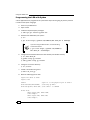
Programming the software
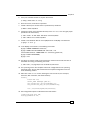
The final step is to program the software that switches on the LED, once the button is pushed
and switches off the LED, once the button is released.
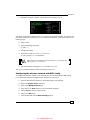
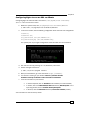
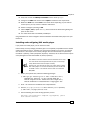
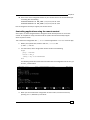
1. Power on your Banana Pi.
2. Open a shell.
3. Change to our previous created source directory:
$ cd ~/source
4. Create a source file using nano:
$ nano button_test.c
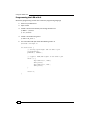
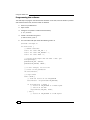
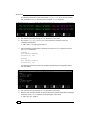
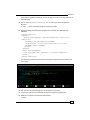
5. The nano editor will open. Write the following code in C:
#include <wiringPi.h>
int main(void) {
// define constants
static int const PIN_LED = 1;
static int const PIN_BUTTON = 6;
static int const TRUE = 1;
// setting up WiringPi and the GPIO 1 and 6 pin
wiringPiSetup();
pinMode(PIN_LED, OUTPUT);
pinMode(PIN_BUTTON, INPUT);
// in this integer, we store the
// status of the pushbutton
int buttonStatus;
// loop forever
while (TRUE) {
// read the status of the PIN_BUTTON
buttonStatus = digitalRead(PIN_BUTTON);
if (buttonStatus == HIGH) {
// status of PIN_BUTTON is a HIGH signal
// switch on the LED
digitalWrite(PIN_LED, HIGH);
} else {
// status of PIN_BUTTON is a LOW signal
136