1
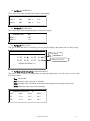
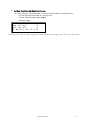
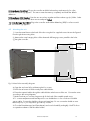
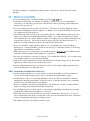
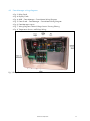
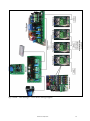
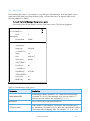
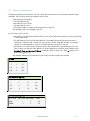
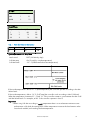
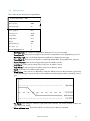
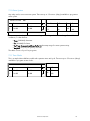
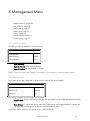
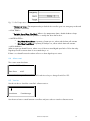
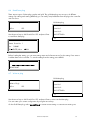
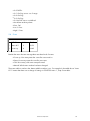
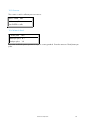
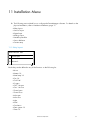
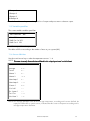
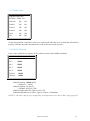
• Management Menu, page 50 • History menu, page 55 • Calibration menu, page 59 • Installation menu, page 61 3.4.3 S TATUS SCREEN The Status screen displays the following: • trg: The target temperature for the room. (Can be changed from the Farm-Master itself, only if a curve was not defined.) • rH: Humidity in room. • rH.t: Target humidity. • day: Growth day for the room. The display alternates between the name and the figure. Once Farm-Manager is activated the main screen appears showing the inside average temperature of the rooms. Pressing SEL for 2 seconds allows the user through the main screen’s information. For further information on this screen, refer to Status Screen functions, page 65. 3.5 Hotkeys To reach the Hotkeys screens, press the Hotkey number while viewing the main screen. The room number is located on the upper right side of the Hot screen. To view the status of different rooms: 1. Enter the desired room using the room key and pressing the room number. 2. Press the desired screen Hotkey number. Hot key 1: Main screen Hot key 2: Temperature screen The temperature hot screen displays information regarding the status of temperature sensors attached to the Farm-Manager. The average temperature (defined in table 6.6) is displayed on the upper left side and shows the average of temperature sensors T1 through T3. Table 6.2 enables the user to set the temperature sensor T3 as 'OUT' and therefore T3 presents the outside temperature. On the right side, you can see the temperature for entering tunnel ventilation mode. T1 24.4 #01 T2 25.1 AVG. 22.9 T3 22.5 TUN. 23.3 T4 23.3 OUT 31.3 Room Number Farm-Manager displays here and in the Main Screen: • inside temperatures as low as -20° C • outside temperatures as low as -40° C © Munters AB, 2012 14