1
Home
3.4.2.1
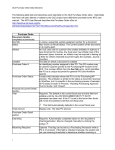
Search by RecordType
Requisition Basket is always display when returning to
the search options, this allows the user to see what
has been selected for requisition when searching
across various documents, to access the requisition
basket select the menu option.
Display results in a Tree, group order number must be defined in order to build the
tree view.
Use partial searching is by default not selected, check the option to use.
Displaying the results of your search:
Grouping Order: is specified by inserting a numeric value in ascending 'Asc' order
for the sequence in which the user would like the folder tree view to be built.
When numeric sort order is defined the grouping order is disabled on the
specified field.
Sort Order is specified by inserting a numeric value and option of ascending
'Asc' or descending 'Dsc' for the sequence in which the user would like results
displayed. When grouping order is defined the numeric sort order is disabled on
the specified field.
Expand Group: by default all groups are collapsed in the tree view if you wish to
expand the tree view for a selected group check the box.
If the GO button is selected after the record type with no further information input, you
will be prompted to define a search criteria.
Where dates and numbers ranges are specified advanced searching takes place, use
calendar options
28