1
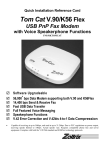
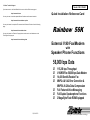
V.90 56 kbps High Speed External
Voice/Fax/Speaker Phone Modem
answers after two rings).
Problem: The modem always answers the phone
Set the S0 register to 0. ATS0=0
In addition to high speed fax and data transfer functions your fax/modem supports the following
additional voice features giving you a personal voice messaging system with speakerphone,
perfect for the home or small business:
•
Automatically detect and route incoming voice, fax and data calls to the proper module of
integrated fax, data and voice software packages that support Rockwell-based Voice Fax/
Modems.
•
•
•
•
•
•
Create up to 999 voice mailboxes, each with a personal mailbox greeting message.
•
•
Call from a remote location with a touch tone telephone to retrieve messages.
Listen to voice messages through the telephone handset or amplified speakers.
Record your own greeting messages for each mailbox.
Monitor incoming calls and answer the calls at your own convenience.
Password-protection for each mailbox.
Log of received incoming messages for each mailbox displaying status, date and time
received, assigned record number, duration and file size of each message.
Call your pager to notify you of received messages.
Speaker Phone
•
Turns your computer into a full-functioned speaker phone (speakers and microphone
required)
•
•
•
•
•
Places and answers telephone calls directly from your computer
Features mute, redial, hold, pause and clear functions
Problem: The communications software displays, "No Dialtone".
Make sure that your phone cable is working properly and that it is firmly seated to the phone
socket at your phone jack and in the rear panel of the modem.
The External Modem Features
Hardware Features
•
56,000 bps maximum Data reception / 33,600 bps maximum transmission
•
14,400 bps Send and Receive Fax
•
DTE Rates up to 115,200 bps with Automatic Speed Conversion to DCE speed
•
Non-Volatile memory stores 4 phone numbers and 2 user defined configurations
•
Touch tone and pulse dialing
•
On board speaker to monitor Call Progress
•
Automatic Call Progress Monitoring, Dial Tone, Busy Signal and Ring Result provided
•
•
•
•
•
•
•
Direct dialing from your computer keyboard
Phonebook with speed dialing access
Software volume control
Modem Installation
Necessary Equipment
In addition to the External Fax/modem and its wall mount power supply, make sure that
you have all of the following equipment at hand before you begin:
• An IBM PC/386/486/Pentium or compatible computer with an available serial port
• A modular telephone cable (included)
• A modular telephone outlet
• A 9-pin to 9-pin and 25-pin RS232D Serial Cable (included)
• A telephone set (Optional)
• A condenser Microphone (Optional)
• An amplified magnetically shielded speaker (Optional)
•
•
•
for communications software response
Operates with computers via standard Asynchronous RS-232 Serial Port
V.42bis and MNP5 Data Compression
V.42 and MNP2-4 Error Correction
Supported by Standard AT Command Set
Supported by Enhanced AT Command Set
Supports Class 1 Fax Commands
Adaptive Differential Pulse Coded Modulation (ADPCM) to compress voice message
for maximum storage optimization
Silence Detection for further compression of voice message files
Supported Sampling Rate: 7200 sample per second with 2 or 4 or 8 bits per sample
Flash ROM for firmware update and feature enhancement
Hardware Compliance
•
ITU-T V.90 or K56Flex, V.34, V.32bis, V.32, V.22bis, V.22, V.21 and Bell 103
•
56,000, 33600, 28800, 14400, 9600, 2400, 1200 and 300 bps Data Transmission
•
ITU-T V.42bis Data Compression
•
MNP5 Data Compression
•
ITU-T V.42 Error Correction
•
MNP2-4 Error Correction
•
Asynchronous RS-232
•
Group 3 Fax : ITU-T V.17, V.29, V.27ter, V.21 Channel 2
•
Class 1 Fax Commands
•
FCC Part 15, Part 68
•
Capable of receiving at up to 56kbps, and send at up to 31.2kbps. Due to FCC
regulations on power output, receiving speeds limited to 53kbps. Actual speeds vary.
Requires compatible phone line and server equipment. Complies with both the V.90
56k standard and K56Flex technology protocols.