1
ICP Electronics Inc.
Page 2/15
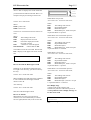
A125 is able to display most of the characters
you can find on the ASCII code table. Here is an
example to display text messages on the LCD.
Send to A125: 0x4D 0x0D
Where:
0x4D is prefix code.
0x0D is Clear LCD.
Send to A125: 0x4D 0x0C 0x00 0x03 0x49 0x43
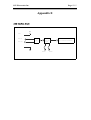
BUTTON 0
BUTTON 1
When button 0 be pressed :
A125 send to PC : 0x53 0x05 0x00 0x01;
Where
0x53
The leading code of A125.
0x05
Report Button Status.
0x00
Button data byte 0.
0x01
Button data byte 1, the bit 0 of byte 1
respect the button 0 is pressed.
0x50
Where:
0x4D
0x0C
0x00
The Leading Code of PC.
Display Character on LCD
Characters displayed on line0
(first line on LCD)
0x03
3 characters will be displayed
0x49 0x43 0x50
ASCII codes for ICP
The LCD first clear the screen and then the text
ICP is display on the upper-left corner of LCD
like
ICP
How to Turn Off the Back Light of LCD
Sometime, if you find the back light of LCD is
too bright or not necessary, you can turn off it by
this way:
Send to A125 : 0x4D 0x5E 0x00
Where 0x4D the same and 0x5E is the command
to turn on/off the LCD back light, and 0x00
instruct to turn off.
Also similarly
Send to A125 : 0x4D 0x5E 0x01
Will turn on the back light of LCD.
How to use buttons
When buttons on A125 is been pressed or
released, A125 will automatically to transmit
electric signal (RS232 code) to PC at once like.
When button 0 be released after pressed :
A125 send to PC : 0x53 0x05 0x00 0x00;
Where
0x53
The leading code of A125.
0x05
Report Button Status.
0x00
Button data byte 0.
0x00
Button data byte 1, the bit 0 of byte 1
respect the button 0 is released.
When button 1 be pressed :
A125 send to PC : 0x53 0x05 0x00 0x02;
Where
0x53
The leading code of A125.
0x05
Report Button Status.
0x00
Button data byte 0.
0x02
Button data byte 1, the bit 1 of byte 1
respect the button 1 is pressed.
When button 1 be released after pressed :
A125 send to PC : 0x53 0x05 0x00 0x00;
Where
0x53
The leading code of A125.
0x05
Report Button Status.
0x00
Button data byte 0.
0x00
Button data byte 1, the bit 1 of byte
1 respect the button 1 is released.
First Display Page
A125 Provide one first display page
automatically when PC and A125 is power on
and keep until PC start to display message on
LCD or Clear LCD.
SYSTEM BOOTING
>>>>>>>>>>>
This function support only firmware ver:1.3 and
after.